Bringing students into the current year
Sometimes when you create a new School Year and Transfer the students across some students who are returning may be left out of the transfer and need to be added to the new school year manually. This is also the recommended way to add Past Students back into the Current Year if they are returning.
To include the student in the Current School Year they will need to be created again.
To do this:
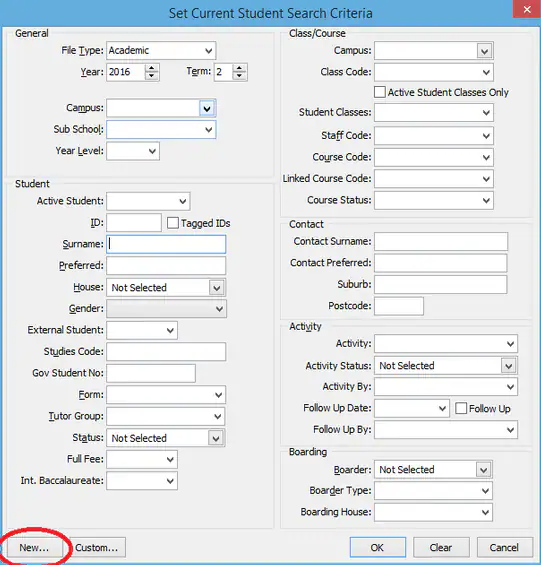
1.Current Student Maintenance selection screen and select "New"
2. Select the "Use Existing ID" Box
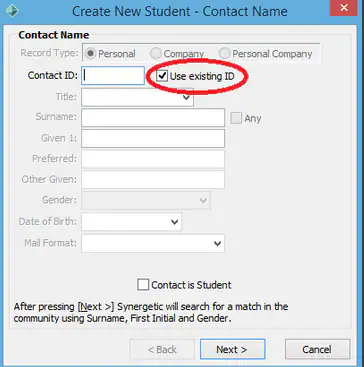
3. Enter the Parents ID (Contact ID) for this student.
This wizard will then create the student in the current school year.
Was this article helpful?
That’s Great!
Thank you for your feedback
Sorry! We couldn't be helpful
Thank you for your feedback
Feedback sent
We appreciate your effort and will try to fix the article