Summary
This article explains how to use the Configuration Key Students|House|AutoAllocateType| To auto allocate houses to students.
End Result
New Current Students will be assigned a house.
Method
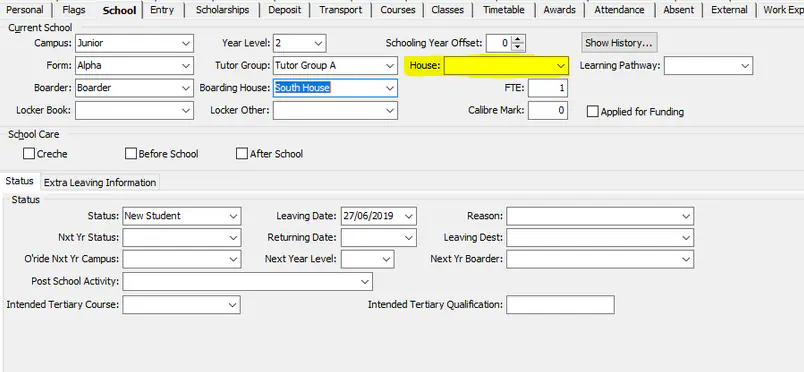
The config Key Students|House|AutoAllocateType|, Works only when a new Current Student is created, and their House field is blank. If a student has been assigned a House while the are a Future Student it will not overwrite this allocation.

S = Assign the student to the same house as their current student sibling
This is based only on a current sibling with a relationship of Brother or Sister
P = Assign the student to the same house as their past student sibling
This is based on a Past sibling or parent with a relationship to the current student of Brother, Sister, Mother or Father
B = Balance student numbers by campus/year level/house/gender.
It will put the new student into the house with the lowest count (by campus/year/gender) and does not change or re-balance existing allocations.
The value can be any combination of the codes 'S', 'P' and 'B'. however the priority of house allocation is S, P, B.
If only S or P or SP values are inserted into the Config Key then it will only allocate based on that value and will leave any remaining students that do not fit those criteria with a blank house.
Considerations
This will not populate the House field for Future Students
At Present this only works for the relationships as outlined above and does not take into consideration other relationships such as Grandparents or Aunts/Uncles etc
Was this article helpful?
That’s Great!
Thank you for your feedback
Sorry! We couldn't be helpful
Thank you for your feedback
Feedback sent
We appreciate your effort and will try to fix the article