Summary
This article explains how to change the fields on the School Tab in Current Student Maintenance in bulk.
End Result
The school tab will display the updated data ready for use.
Method
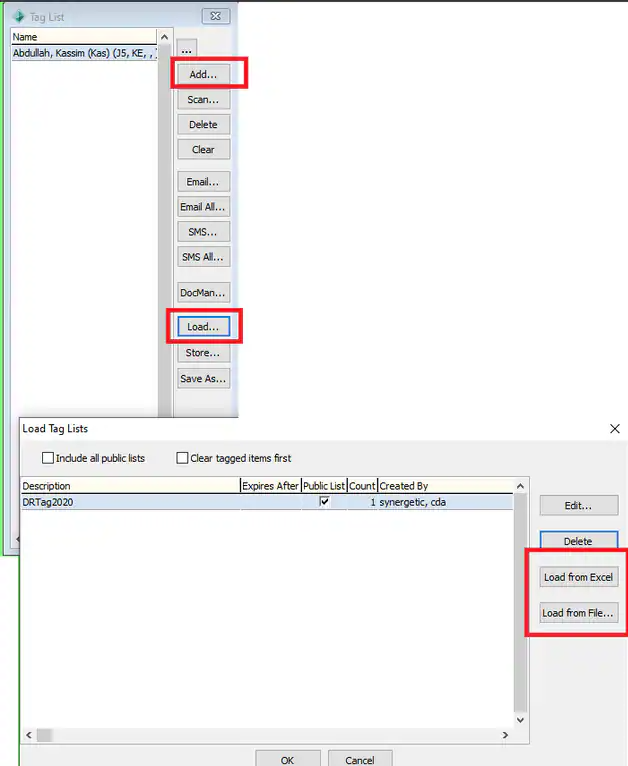
- Load the class into a tag list - This can be done manually or from an Excel document
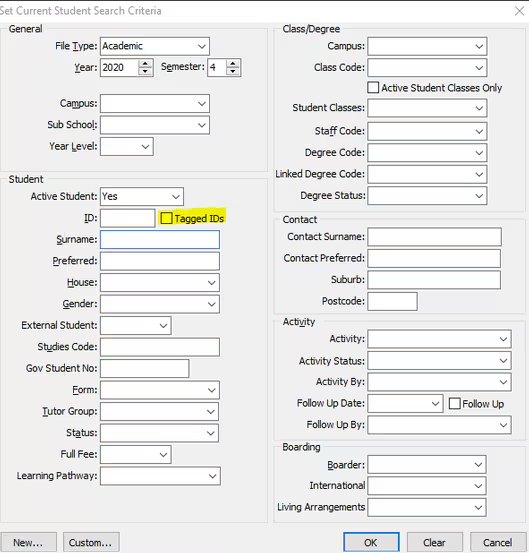
- Open current students and select to load tagged ID's
Navigate to school tab and change field for the first record
Keeping the field highlighted, navigate to Action > Bulk Set Active Field Value - This will update that field to be the same for all students in the grid.
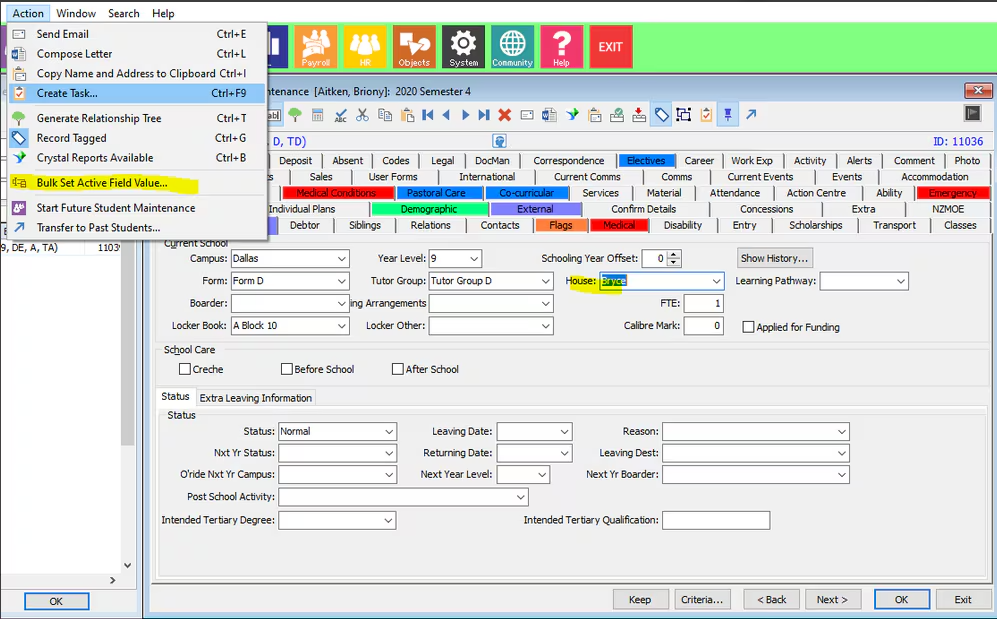
- Repeat process for each form / tutor group / house etc as required.
Was this article helpful?
That’s Great!
Thank you for your feedback
Sorry! We couldn't be helpful
Thank you for your feedback
Feedback sent
We appreciate your effort and will try to fix the article