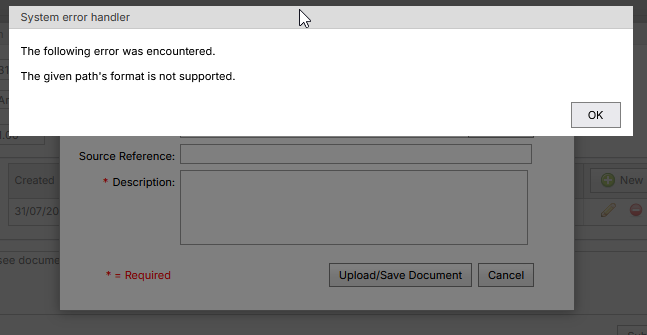
When attempting to upload an attachment, if you receive an error message stating "Access to the path 'C:\inetpub\wwwroot\SynWeb\Uploads\...' is denied." or "The following error was encountered. The given path's format is not supported", the file system permissions for the folder needs to be updated.
The particular user that needs permissions is dependent on the authentication method used.
- SQL, Windows impersonation authentication & SAML (SynWeb modes 'S', 'B', 'WPI', 'SAML') require 'NT AUTHORITY IUSR' to have read, write & modify permissions to the folder.
- Windows authentication (SynWeb mode 'W') requires an Active Directory group that all SynWeb users are a member of. This group will need to have read, write & modify permissions to the folder.
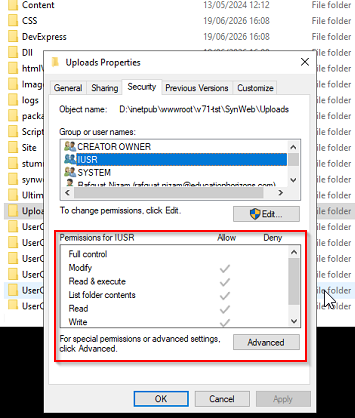
After the folder permissions have been updated, you should now be able to upload attachments.
Was this article helpful?
That’s Great!
Thank you for your feedback
Sorry! We couldn't be helpful
Thank you for your feedback
Feedback sent
We appreciate your effort and will try to fix the article