Summary
How to pay a Debtor from a Creditor parent?
End Result
Debtor charge will get reduced.
Method
- Create a negative charge for the Debtor by selecting a GL code for Clearing account.
Steps to follow
- Go to Debtors > Debtor charges entry
- Enter negative charge for the amount
- Select the GLcode
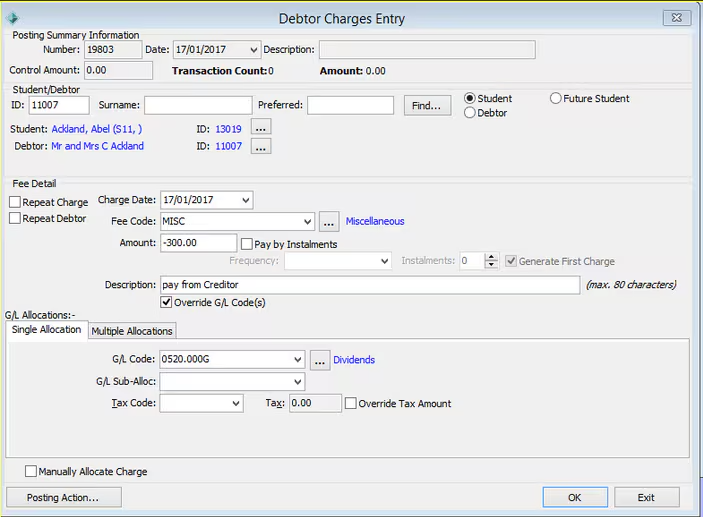
2. Create negative invoice for the amount and select the invoice mode as Prompt (P), for the above GL code. (this is done as there is no way to pay the Debtor directly)
Steps to follow
- Go to creditors > Creditor invoice entry
- Select New Creditor Invoice Posting... and select invoice mode as prompt
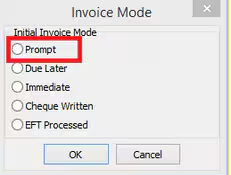
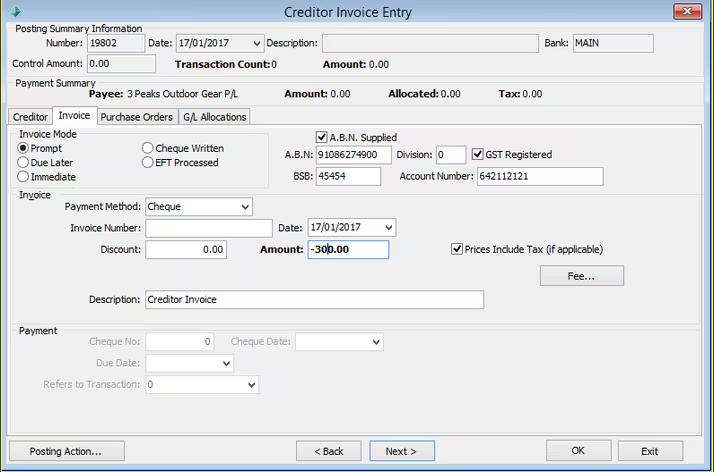
- Go to G/L Allocations tab, select the same GL code from step 1 and process the invoice.
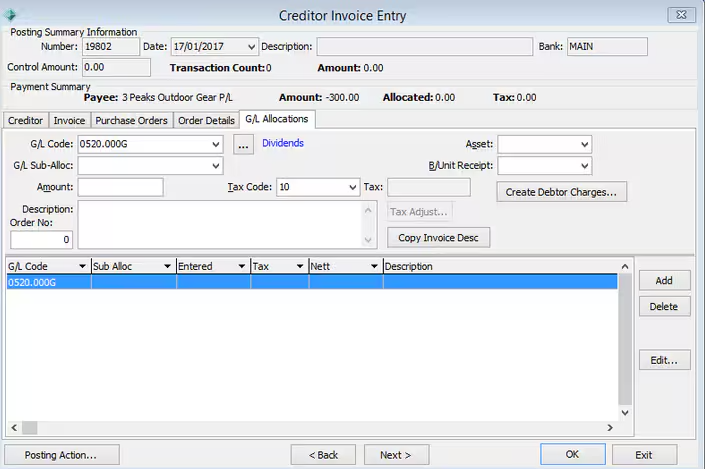
- Go to G/L Allocations tab, select the same GL code from step 1 and process the invoice.
Considerations
Currently Synergetic does not have a process to pay the Debtor directly from Creditor and this is the workaround.
Was this article helpful?
That’s Great!
Thank you for your feedback
Sorry! We couldn't be helpful
Thank you for your feedback
Feedback sent
We appreciate your effort and will try to fix the article