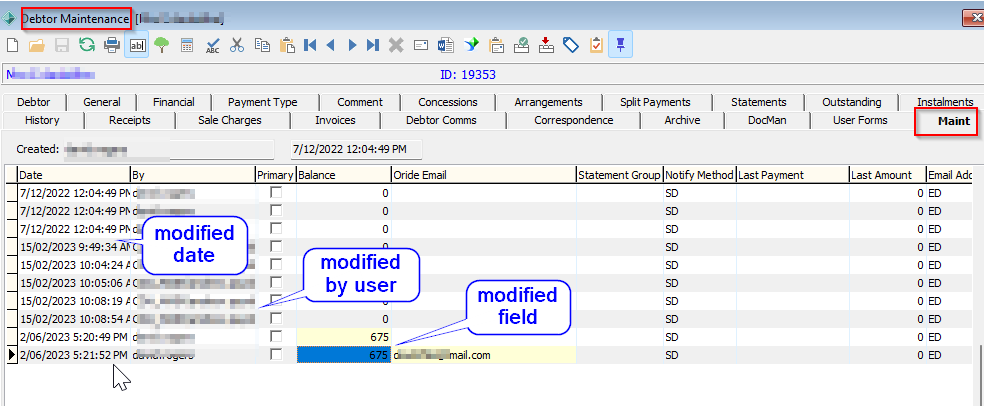
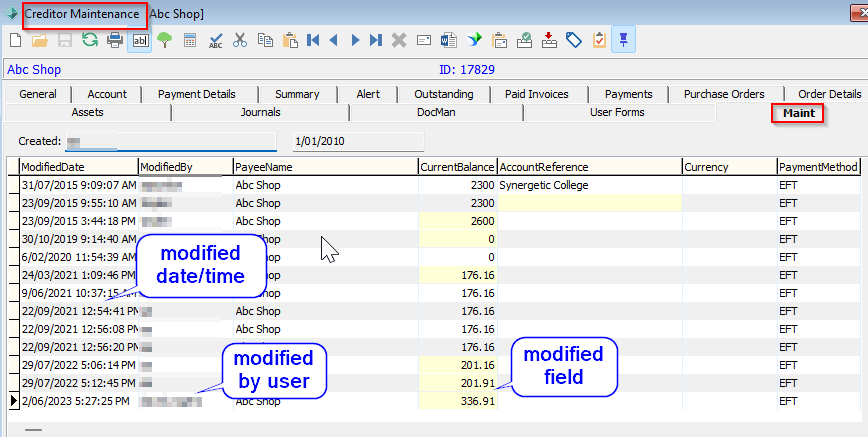
Most Synergetic Maintenance screens contain a Maint tab signifying an audit of modifications to key data, who made the change and a date/time stamp of the change.
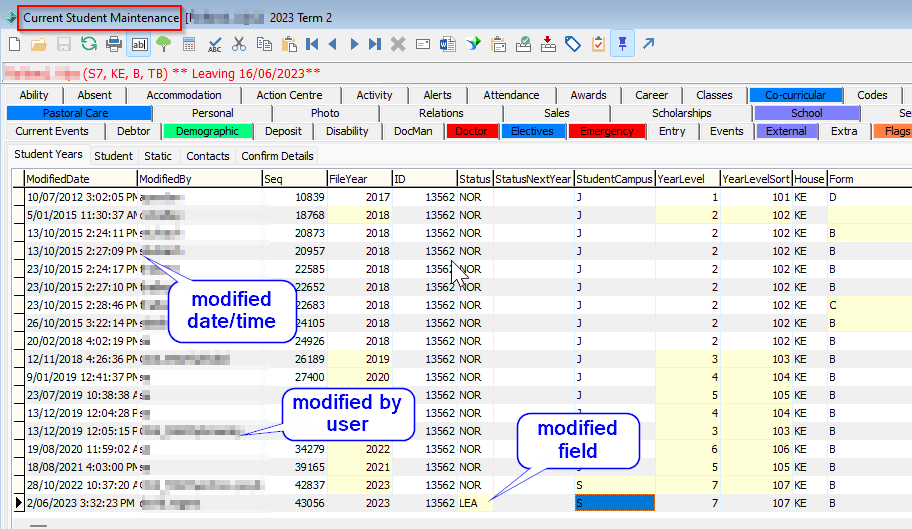
Current Student Maintenance
The Maint tab of Current Student Maintenance tracks key updates to data related to Student, Student Year, Student Contacts and Confirm My Details(Community Portal).
Student Legal audit
The Maint tab of Current Student Maintenance does not display Student legal changes however any changes to the Legal tab are stored in the database table dbo.CommunityLegalHistory via the following query
select *
from CommunityLegalHistory
where CommunityID = Insert Student ID
Future Student Maintenance
The Future Student Maintenance Screen does not currently contain a Maint tab.
Past Student Maintenance
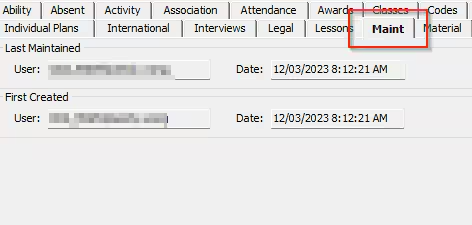
The Maint tab of Past Student Maintenance tracks the last date/time a past student record was updated and who made the update
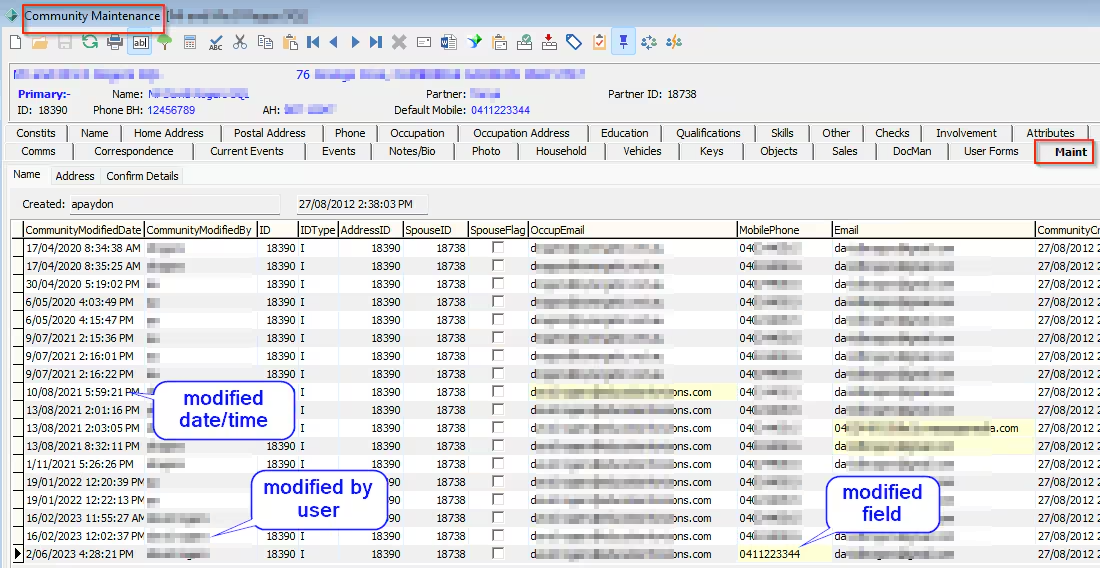
Community Maintenance
The Maint tab of Community Maintenance tracks key updates to data related to Community members, address and Confirm My Details(Community Portal)
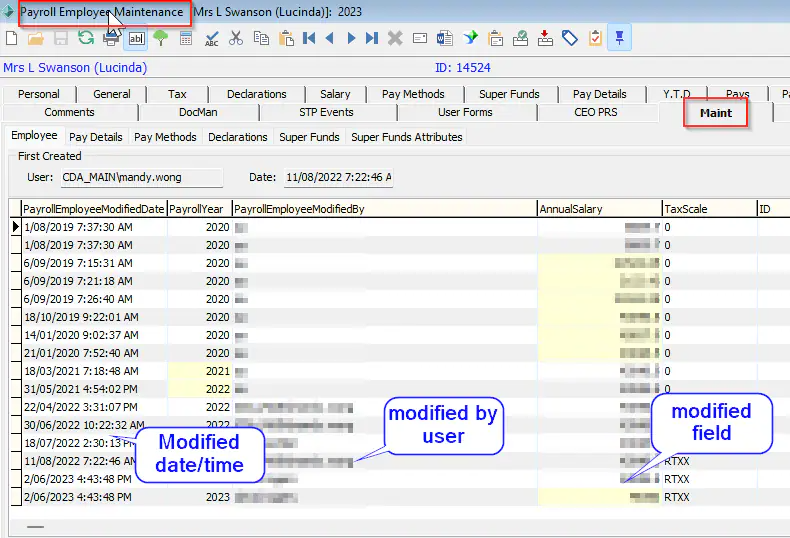
Payroll Maintenance
The Maint tab of Payroll Maintenance tracks key updates to data related to Employee Pay details, Pay Methods and Super funds
Staff Maintenance
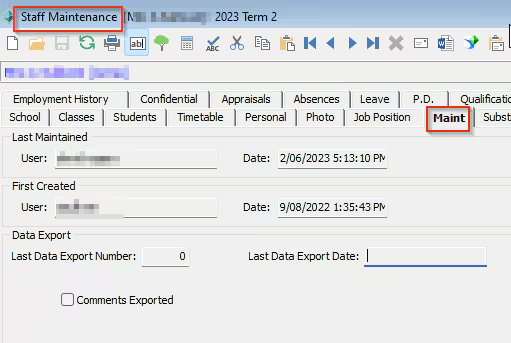
The Maint tab of Staff Maintenance tracks the last date/time a Staff record was updated and who made the update
Debtor Maintenance
The Maint tab of Debtor Maintenance tracks key updates to data related to Debtor details
Creditor Maintenance
The Maint tab of Creditor Maintenance tracks key updates to data related to Creditor details
Other Modules with Maintenance Tabs
- General Ledger Maintenance
- medical maintenance
- Purchase order maintenance
- Enrolment deposits
- Pay code maintenance
Audit History Database Tables
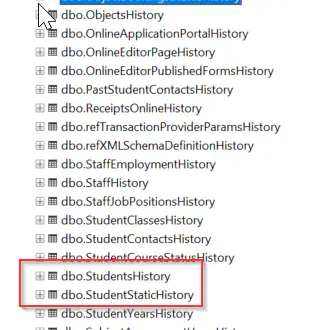
Any audit capturing is stored in history tables relating to the relevant Synergetic module or function and can accessed via a database query tool such as MSQuery
select *
from studentshistory
where id = Insert ID
Was this article helpful?
That’s Great!
Thank you for your feedback
Sorry! We couldn't be helpful
Thank you for your feedback
Feedback sent
We appreciate your effort and will try to fix the article