Synergetic Message Log and Trace Data
User Responses
Synergetic contains tables which record system messages and user responses to the these messages.
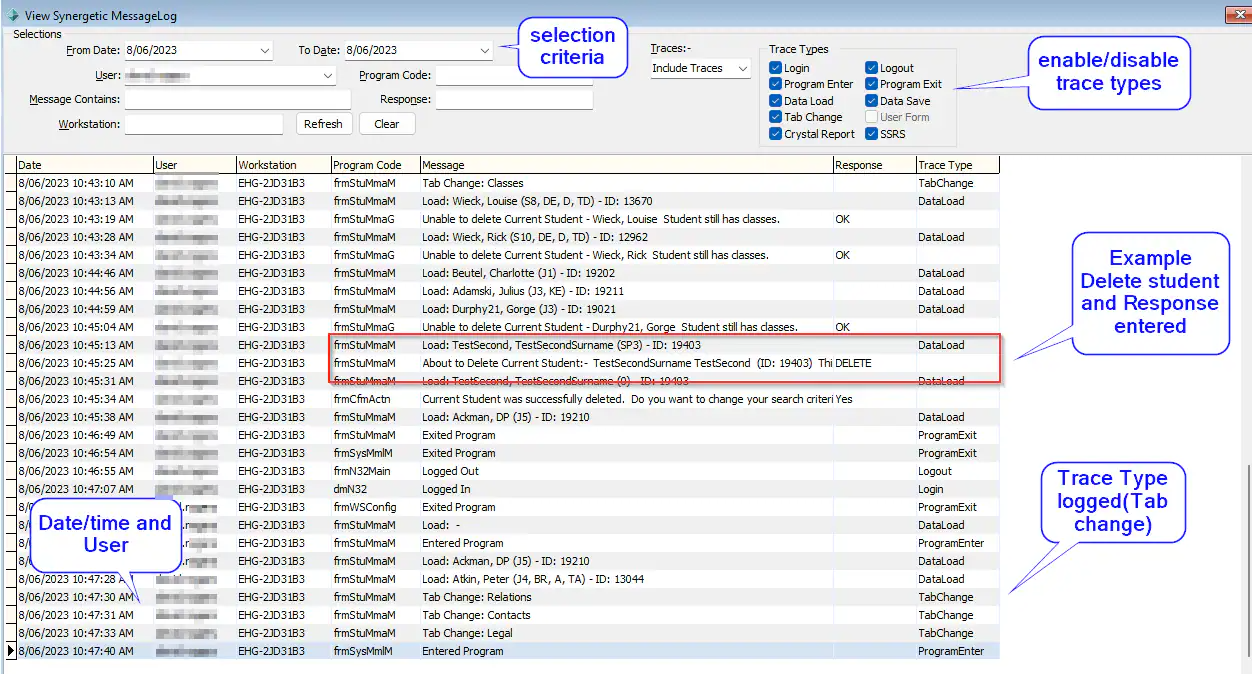
In Synergetic Select System -> View Message Log
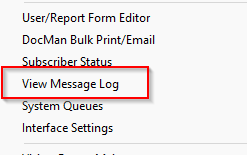
Filters are available for Date range, User, Message, USer Reponses, PC/Workstation
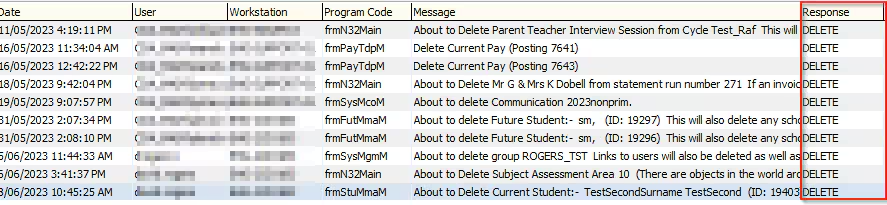
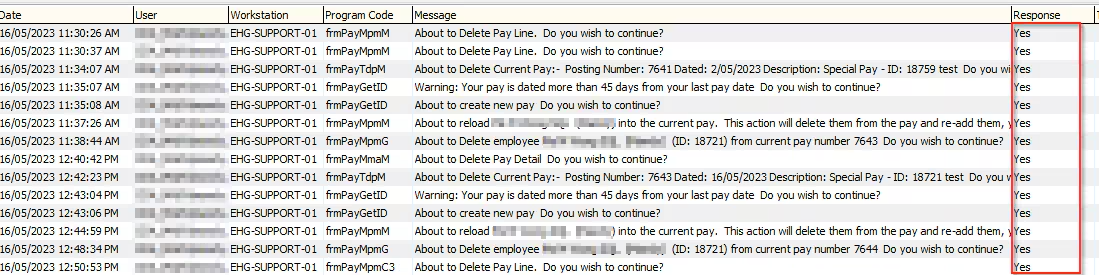
Examples include :
User replies DELETE of a student, other community record, Current Pay and other objects
User replies YES to create next semester

User replies ABANDON to delete a posting

User replies YES to Create/Delete a New Pay or modify an existing Pay run
Trace Data
Synergetic also records user logins, and access to Maintenance Programs, Reports and Tab navigation
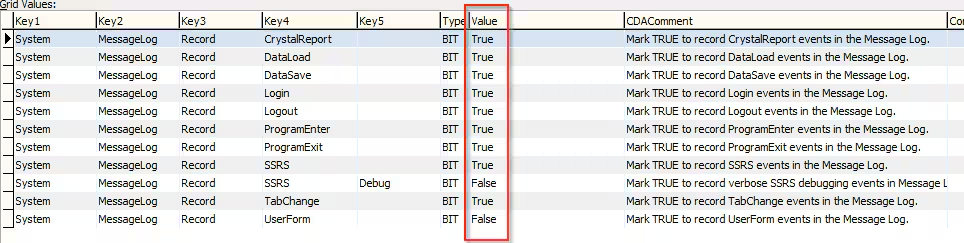
To enable trace activity select System -> Configuration file maintenance
The following User trace types are recorded
Crystal Report    User Executes a Crystal Report
DataLoad          User Accesses Data (ie Student or Community ID)
DataSave          User Updates and Saves Data
Login             User Log in to Synergetic(SynMain)
Logout            User logs out of Synergetic(SynMain)
ProgramEnter      User Enters a Maintenance program (ie Current Student Maintenance)
ProgramExit       User Exits a Maintenance Program
SSRS              User Executes an SSRS Report
TabChange         User  Changes tab within a Maintenance Program
UserForm          User accesses a UserForm
Enable (set Value = True) for the MessageLog types you wish to record.
It will start recording once a value is set to True and stop recording once set to False
In Synergetic Select System -> View Message Log
In the Traces field Select Include Traces or Traces Only
Purge MessageLog
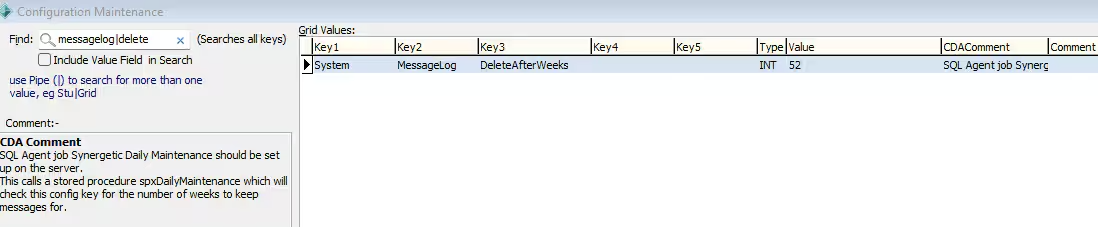
A SQL Agent job runs nightly to purge MessageLog trace data. This configuration file sets the retention period (weeks)
Considerations
Synergetic will start recording trace activity once it is enabled. Recording is not retrospective.
Only SynMain Trace activity is recorded. It does not yet record SynWeb trace data.
Was this article helpful?
That’s Great!
Thank you for your feedback
Sorry! We couldn't be helpful
Thank you for your feedback
Feedback sent
We appreciate your effort and will try to fix the article