Email Signatures
To set up an email signature:
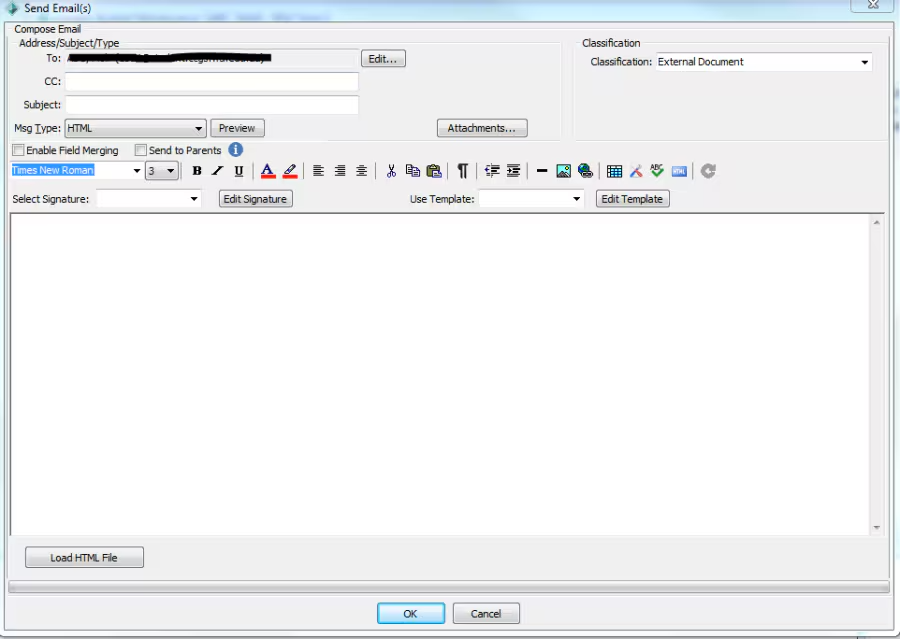
Open the email screen and click on the Edit Signature button
The Edit Signature screen will pop up
On the right-hand side click in the name box to type a name for the signature
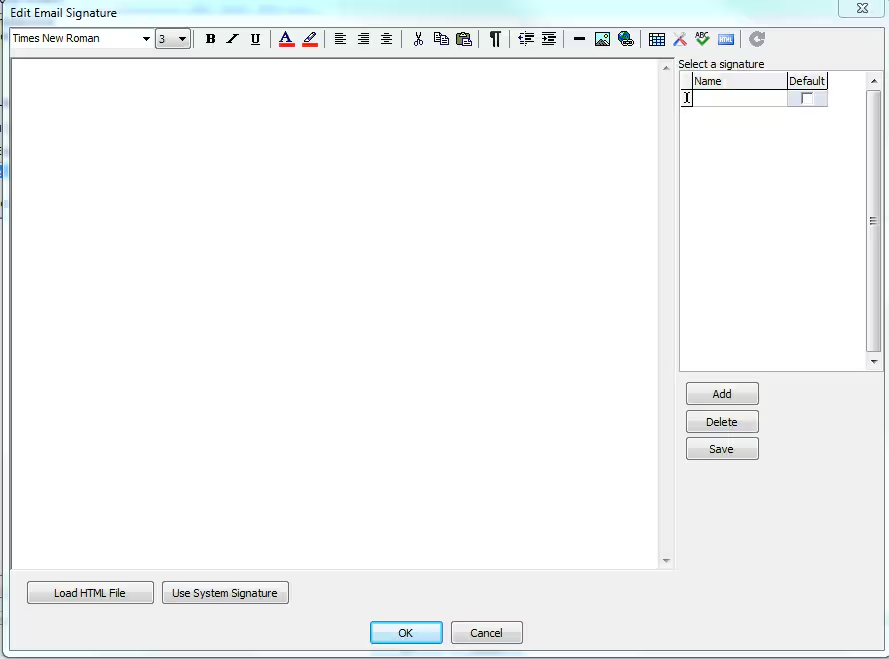 Type your signature in the space provided and then click Save
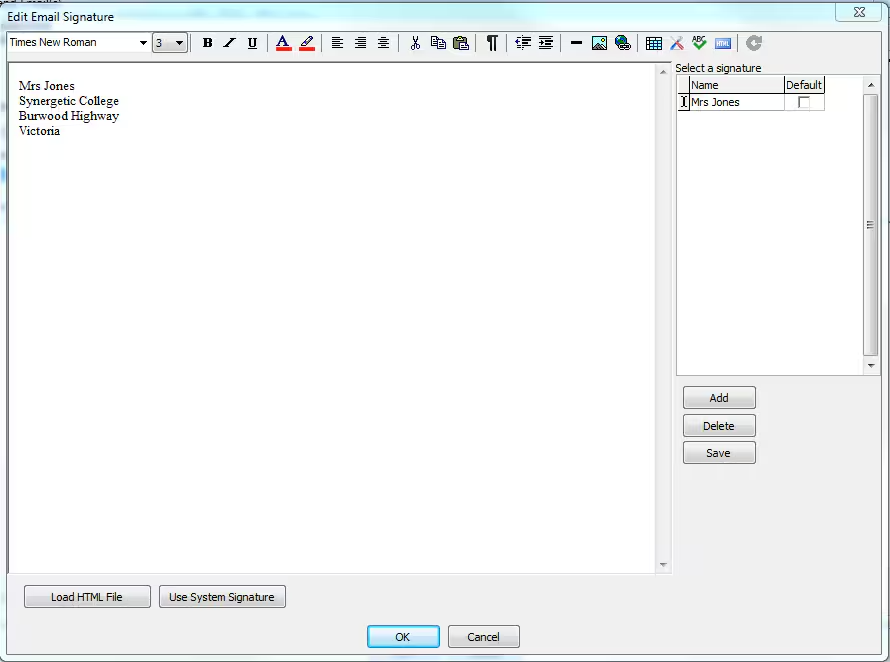
To add in another signature click on the Add button above the save button
Please keep in mind signatures are public and can be used by all users with email permissions.
Was this article helpful?
That’s Great!
Thank you for your feedback
Sorry! We couldn't be helpful
Thank you for your feedback
Feedback sent
We appreciate your effort and will try to fix the article