Error
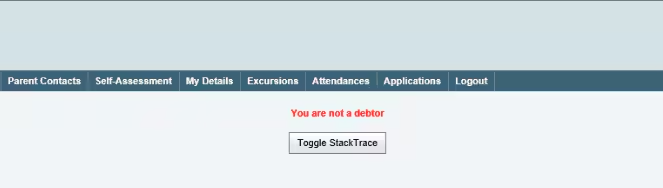
When a parent or person impersonating the parent clicks on a Finance Tab in the Portal they get the ‘You Are Not a Debtor’ Error.
Resolution
To resolve, check the following settings:
- Is the Person being impersonated a Debtor in Debtor Maintenance?
- Are payment pages using SSL/HTTPS?
- Are there level 2 payment lines set up under System > Online Payments Maintenance > Levels (Tab)?
- Is there a type 'Debtor' set up under 'PaymentType' on Level 2?
- Are there payment methods set up? At least one of the following needs to be enabled:
- Is Credit Card setup/enabled? System > Configuration File Maintenance Key: CommunityPortal|Payment|CreditCard|EnabledFlag
- Is Direct Debit setup/enabled? System > Configuration File Maintenance Key: CommunityPortal|Payment|DirectDebit|EnabledFlag
- Is the config key CommunityPortal|Payment|CreditCard|EnabledFlag set to 'True'?
Was this article helpful?
That’s Great!
Thank you for your feedback
Sorry! We couldn't be helpful
Thank you for your feedback
Feedback sent
We appreciate your effort and will try to fix the article