Summary
Completed Purchase orders print blank
End Result
Print detail of the PO after it is filled or the status is changed to 'Completed'
Method
If the Synergetic standard Purchase Order is in use then the Completed Purchase orders can be printed. However if a site report based on an old style CDA report will not print the completed PO details.
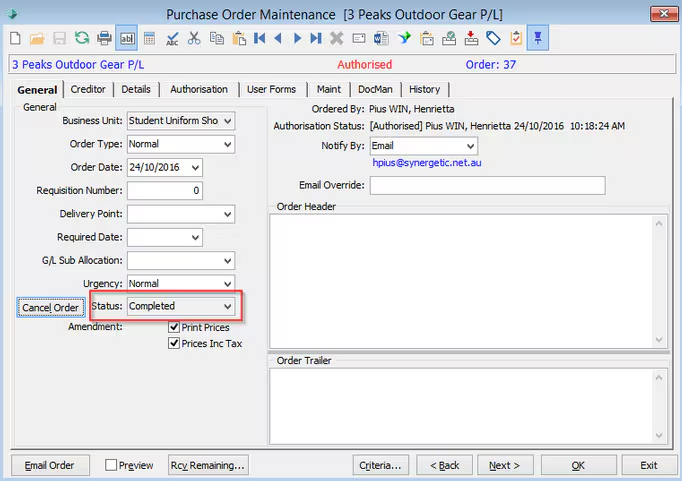
Once the Purchase order status becomes 'Completed' then the system will not allow to view the details of the PO if the PURORDnnn -site report still uses the old formula.
When you run the report the data is actually being returned to it, however it then gets filtered by a record selection filter embedded in the purchase order crystal report, as follows:
{crspPurchaseOrders;1.DetailStatus} <> "F"
This was intended to prevent Filled detail items from showing in subsequent reprints (for amended orders) but has the side effect here of hiding all content from a completed order.
How to Fix the PURORDnnn report?
You could take a fresh copy of CDA PURORD and customise the report if you are on the latest version.
or Amend the filters to show the Filled details.
Was this article helpful?
That’s Great!
Thank you for your feedback
Sorry! We couldn't be helpful
Thank you for your feedback
Feedback sent
We appreciate your effort and will try to fix the article