Summary
When a Purchase Order is partially filled and the backorder process is used the standard reports need to be filtered to show the remaining committed amount
End Result
By filtering the Purchase Oder List only amounts outstanding will be included on the report
Method
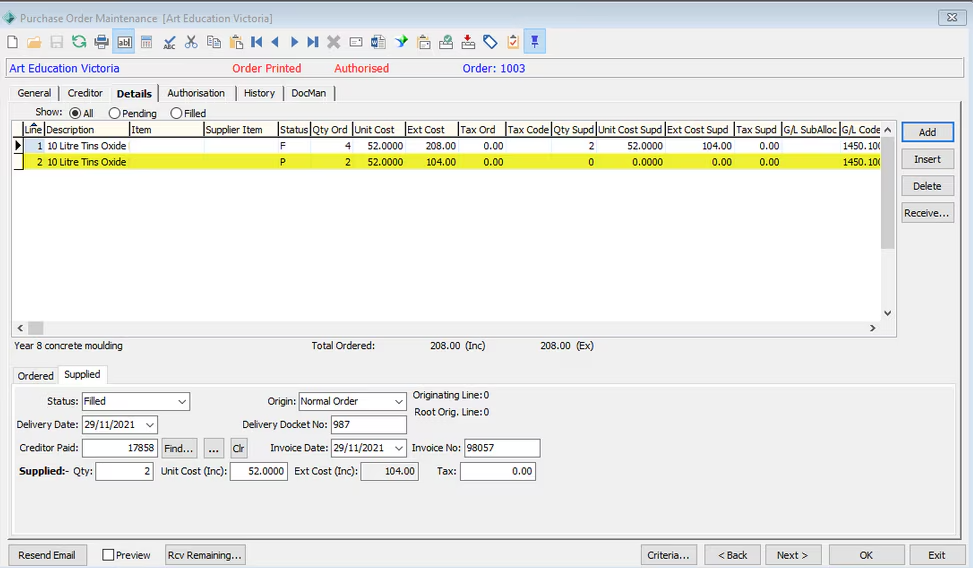
In this example the purchase order has been partially filled and a back order has been generated.
The original value of the purchase order was $208 and the back order value is $104.
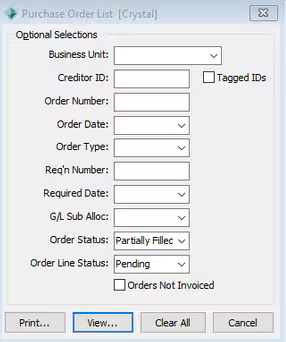
Run the Crystal Report PURLST - Purchase Orders List with the filters of:
- Order Status = Partially Filled
- Order Line Status = Pending
NOTE: This report can be run by Business Unit or for all Business Units
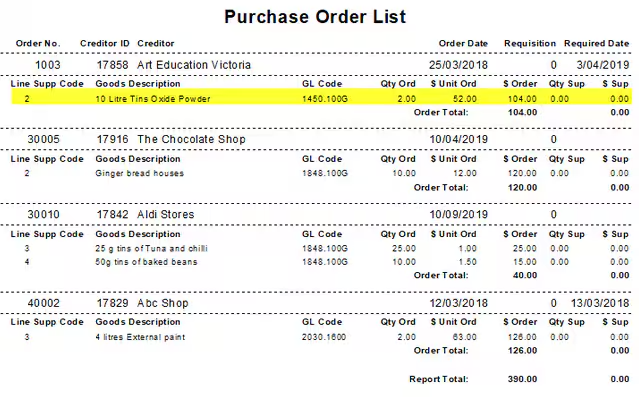
The report will list by purchase order the detail lines where the status is Pending
Was this article helpful?
That’s Great!
Thank you for your feedback
Sorry! We couldn't be helpful
Thank you for your feedback
Feedback sent
We appreciate your effort and will try to fix the article