Summary
What are the resolution steps if the ATO rejects a submission?
End Result
A successful submission to the ATO
Errors
Fixing errors may involve resubmitting the original file or alternatively, cancelling the file, fixing a data issue and then submitting the replacement file.
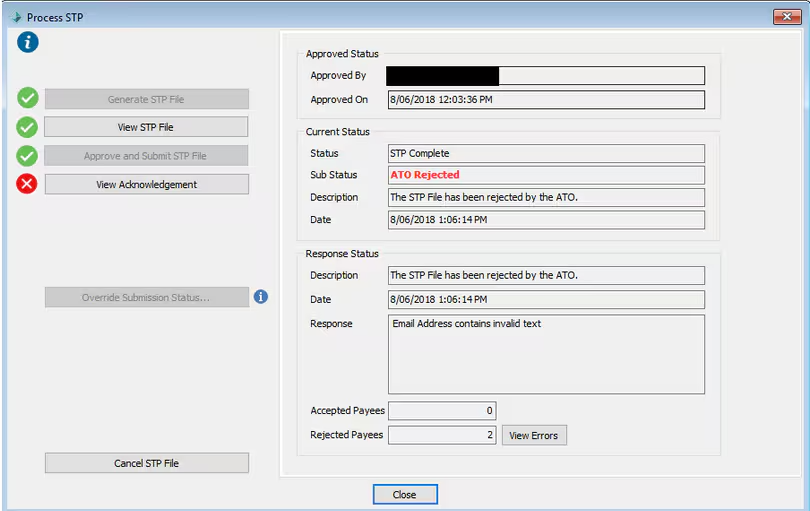
Full Rejections
For a full rejection you need to...
- Click the Cancel STP File button
- Fix the data issue against the payer or payee record
- Return to Process STP and generate and submit the file again.
Partial Rejections
The ATO will send a partial rejection if -
- The employer level information is correct
- There is at least one employee that is correct
- There is a problem with one or more employees
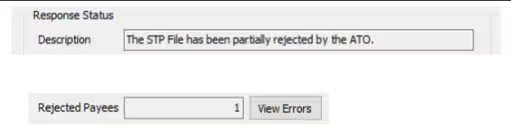
How to resolve a partial rejection:
- Correct the error
- Notify the ATO of the correct details as follows
a) If the employee will be included in a future pay, you don’t need to do anything. The employee’s correct details will be sent with the next pay.
b) If the employee will not be included in a future pay, you will need to send an update message from STP Maintenance.
Common Reasons for Rejections
- International addresses
- Non-English language addresses
- Special Characters (e.g. ‘smart quotes’, elongated hyphen, #)
- Start date after End Date of pay (Currently need to contact Support to change the end date)
- Invalid email addresses, multiple email addresses, spaces at the end of email addresses
Was this article helpful?
That’s Great!
Thank you for your feedback
Sorry! We couldn't be helpful
Thank you for your feedback
Feedback sent
We appreciate your effort and will try to fix the article