Summary
Explains how to set up Action Centre to receive notifications of responses from ATO when using STP
End Result
User will receive and Action Centre notification when the ATO has sent an STP response.
Method
- Go to System > Settings Maintenance and activate the STP messages
This is done by ticking the Active box in the top Right corner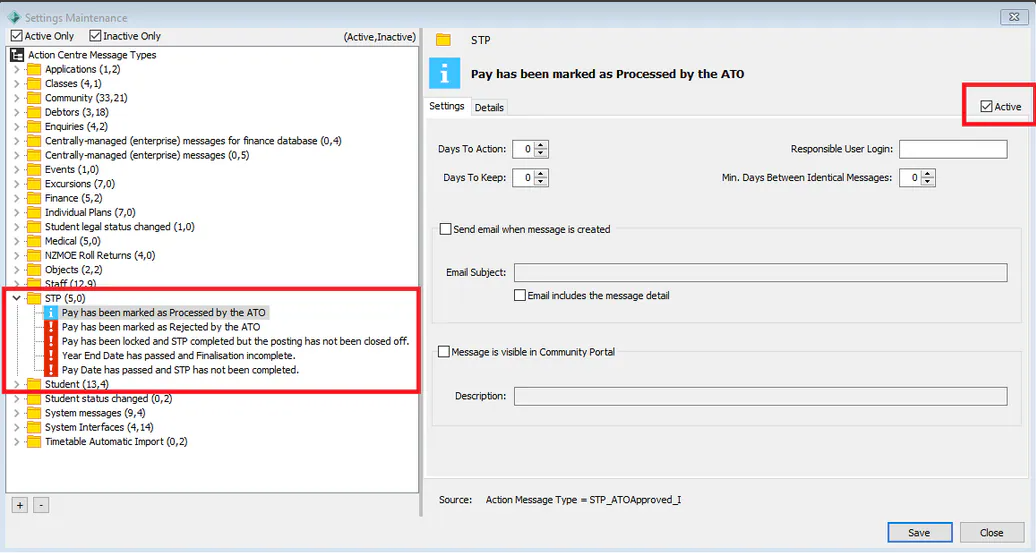
- Then in System > Group User Security > Resource: Action Centre Types - The users Group needs to have permission to view the messages
*Note: The group needs permission and it will not work if permission is given on a individual level. For security reasons you should create a separate security group for payroll users.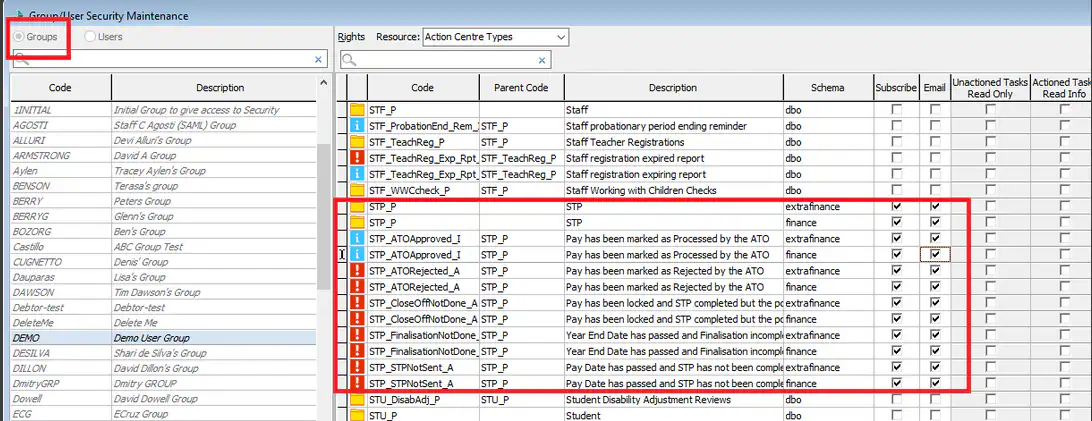
Considerations
Consider who may need to see these messages and adjust subscriptions accordingly.
Was this article helpful?
That’s Great!
Thank you for your feedback
Sorry! We couldn't be helpful
Thank you for your feedback
Feedback sent
We appreciate your effort and will try to fix the article