Introduction
Member Verification Request (MVR) is a new system that allows an employer to validate an employee’s superannuation details in their payroll software against the details held in the superannuation fund, via a SuperStream message. It is designed to help prevent contribution errors and reduce unpaid super.
The ATO expects all employers to be able to send a Member Verification Request (MVR) and receive a response from 1st July 2026 onwards, when:
- Making a contribution to a super fund for the first time
- There has been a change in an employee’s super information
- A contribution has previously been rejected.
How Synergetic Supports This
When a new employee’s super details are added to Synergetic, or an existing employee’s super details are changed in Synergetic, an MVR will be triggered upon saving the new or adjusted record, and a confirmation of this action will appear on screen.
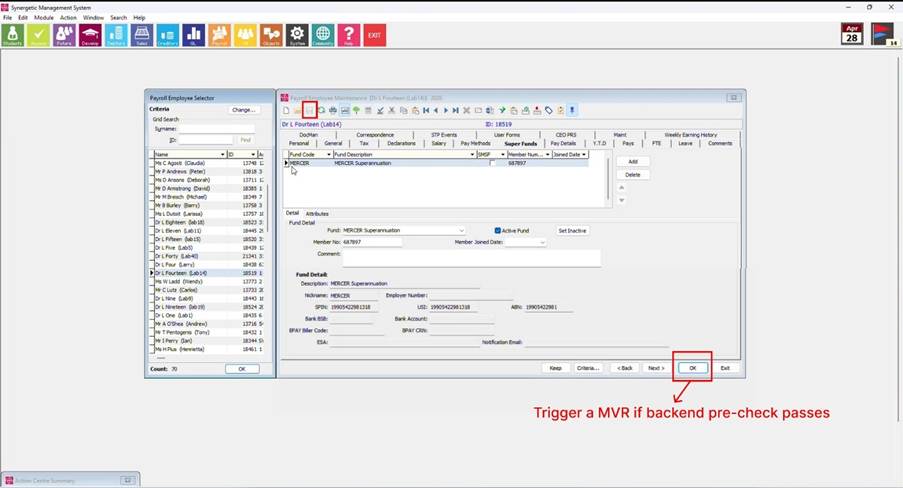
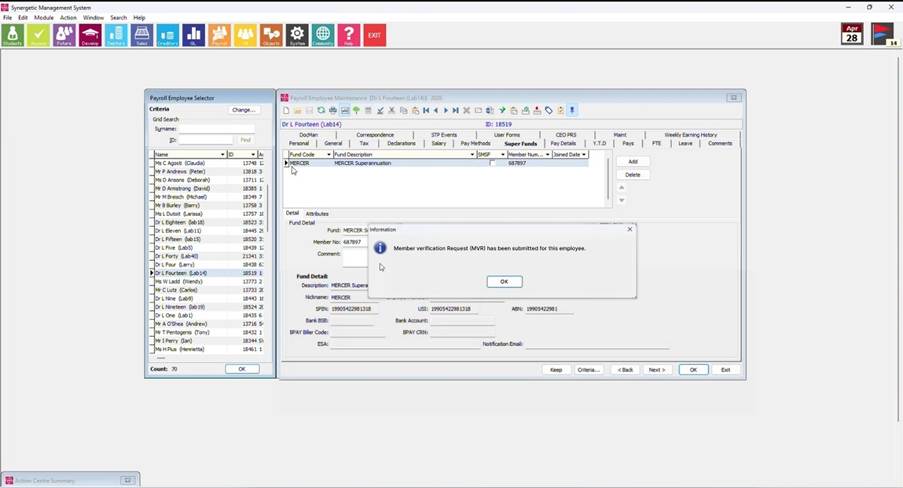
Before submitting an MVR request to the ATO, the following mandatory employee details must be completed:
- Employee Birth Date
- Employee Member Number
- Employee Address (Up to 50 characters max)
- Employee Country
- Employee Postcode
- Employee State
- Employee Suburb
- Employee Given Name
- Employee Family Name
If any of these fields are missing, Synergetic will display an error message identifying the incomplete fields. These must be resolved before the request can be submitted.
To update the missing information, navigate to Payroll > Employee Maintenance and enter the required details.
Once all mandatory fields have been completed, return to the Super Fund screen and click OK to run the pre-check again and proceed with submitting the MVR request.
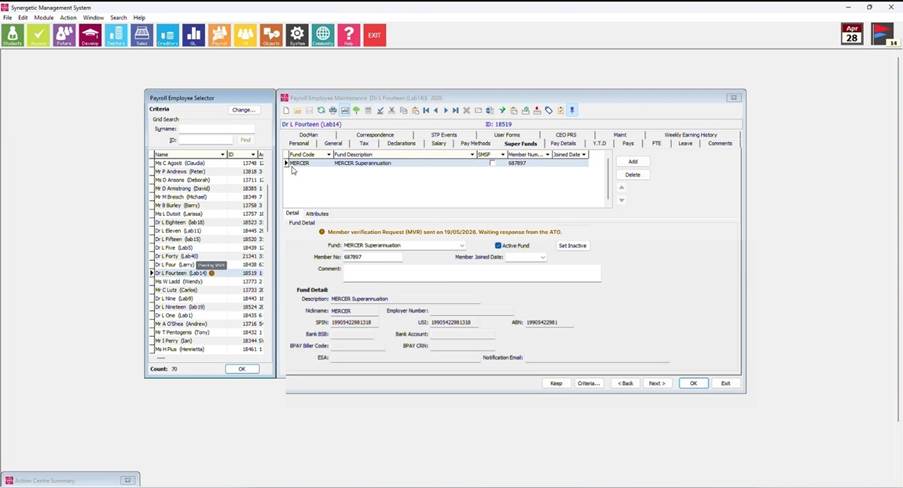
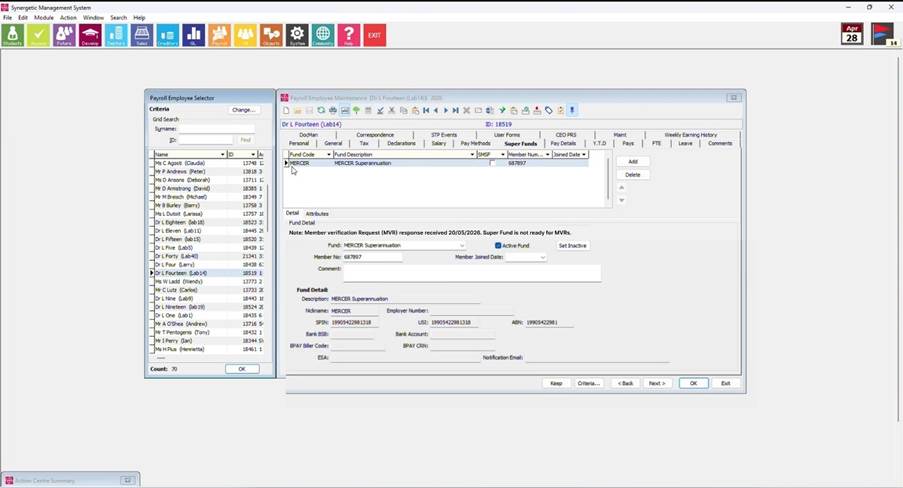
While the request is being processed, a message will appear on the Super Funds tab within the Payroll Employee Maintenance screen for the selected employee. At the same time, a corresponding icon will display next to the employee’s name in the Payroll Employee Selector.
If an additional update is made to the Super Funds tab before the submission is verified, a new MVR will be triggered. This new MVR will supersede any previously submitted requests.
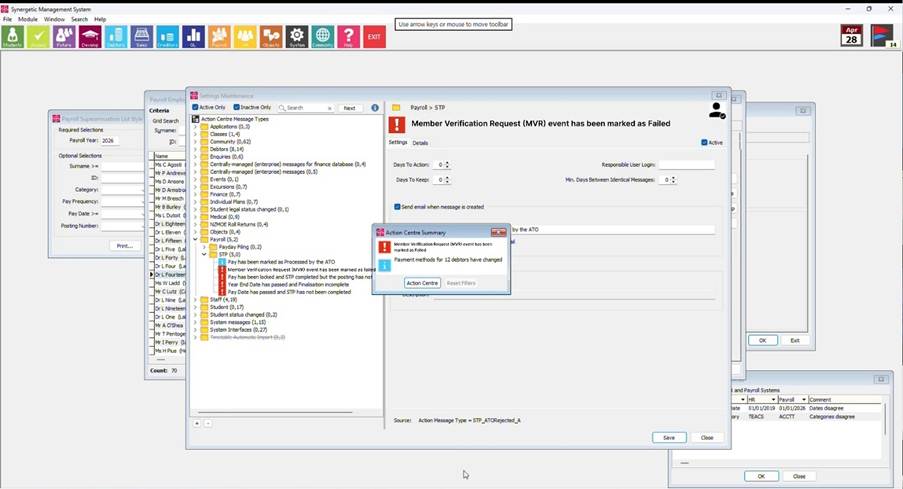
If the MVR fails, a notification will appear on the Super Funds tab within the Payroll Employee Maintenance screen for the affected employee. An icon will also be displayed next to the employee’s name in the Payroll Employee Selector to highlight the issue.
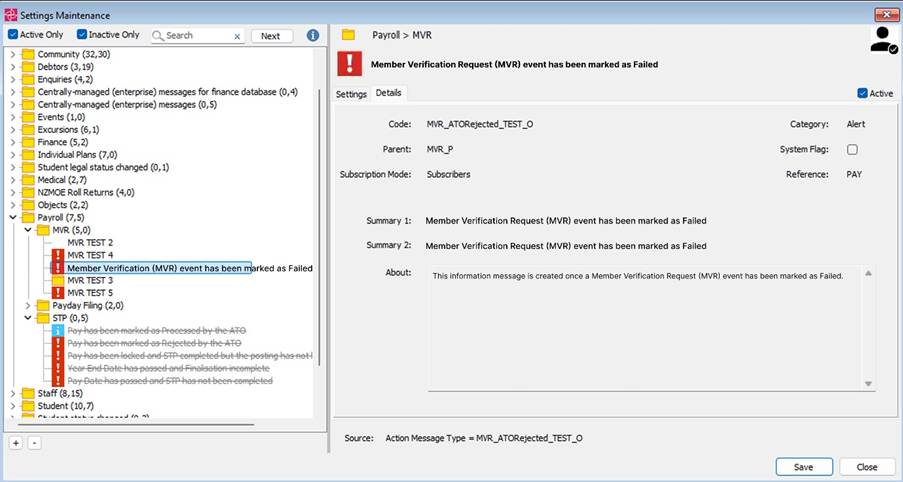
In addition, this will trigger an entry in the Action Centre, providing details of the response received from the ATO. From the Action Centre, you can navigate directly to the employee’s Super Funds tab and update the required information to resolve the issue.
Image of message and icon, plus action centre steps to see the error and navigate to the relevant screen to update data.
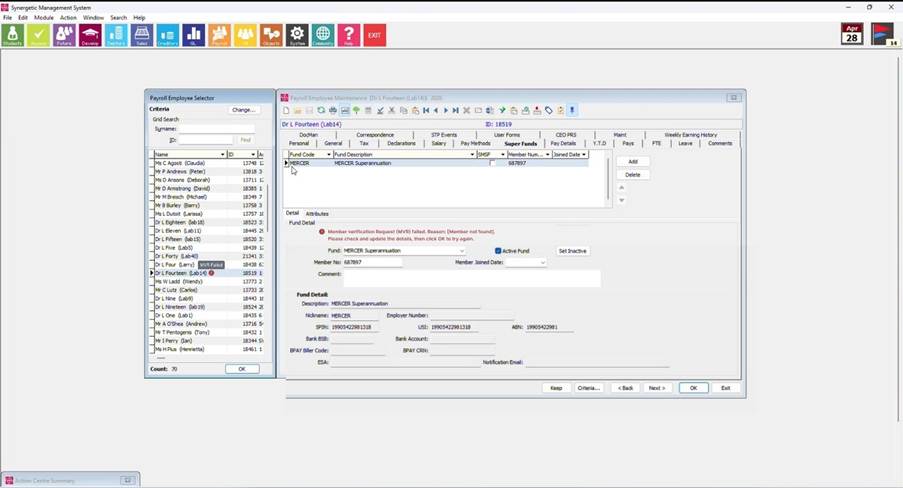
An Action Centre Message will trigger when an MVR event has been marked as Failed
Please note: You will need to add new employees’ super fund details and existing employees’ super fund details using the Synergetic application. Uploading employee data directly into the database will not trigger an MVR
Was this article helpful?
That’s Great!
Thank you for your feedback
Sorry! We couldn't be helpful
Thank you for your feedback
Feedback sent
We appreciate your effort and will try to fix the article