The Azure tenant ID is required for a number of services. Our support team is unable to retrieve the ID from Azure for you due to security and privacy restrictions. Retrieving the tenant ID is simple and just requires someone authorised to log in to the Azure portal to access it.
To retrieve the Azure tenant ID:
Log in to the Azure portal - https://portal.azure.com/
Type 'tenant' into the search box
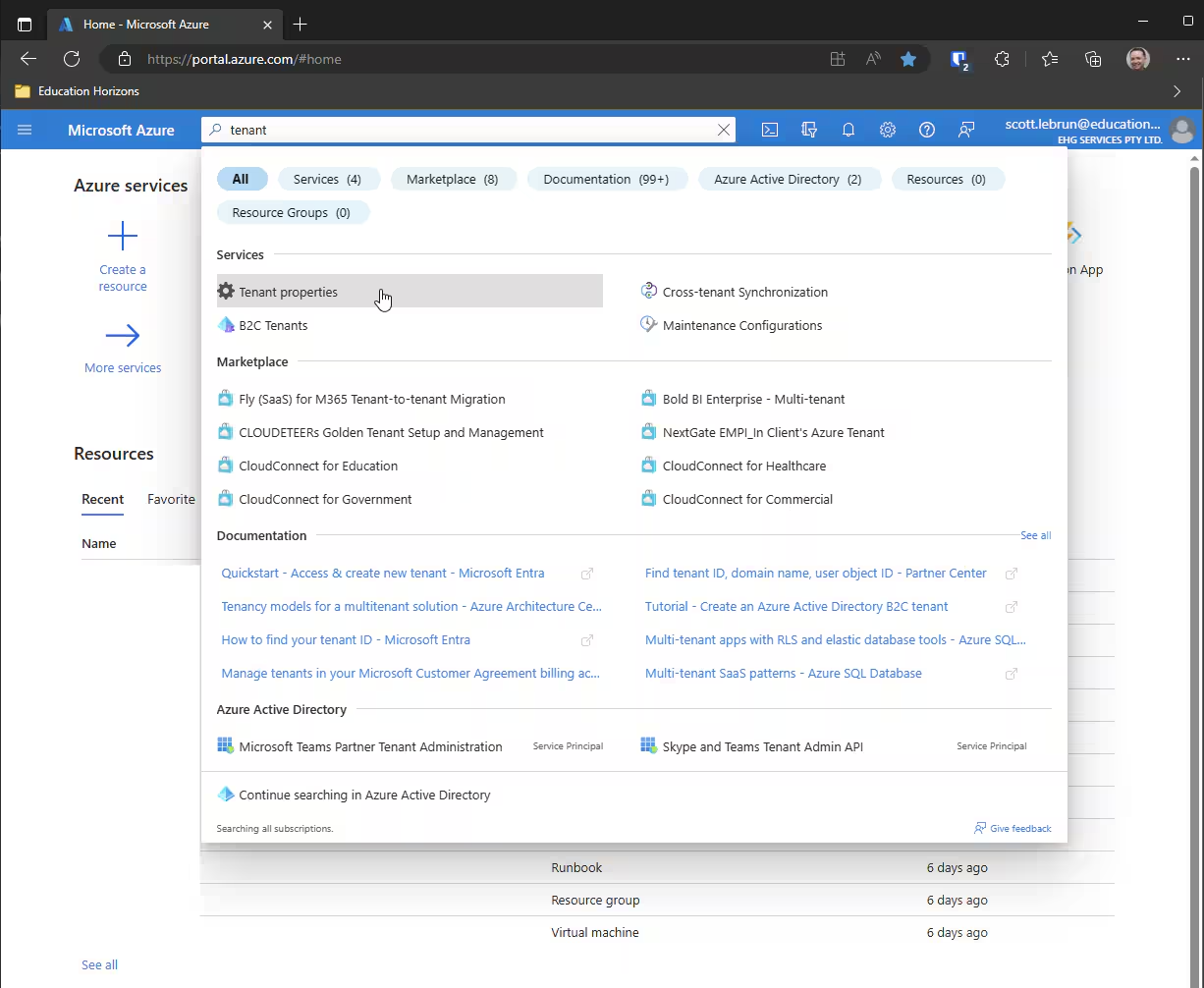
Select 'Tenant properties'
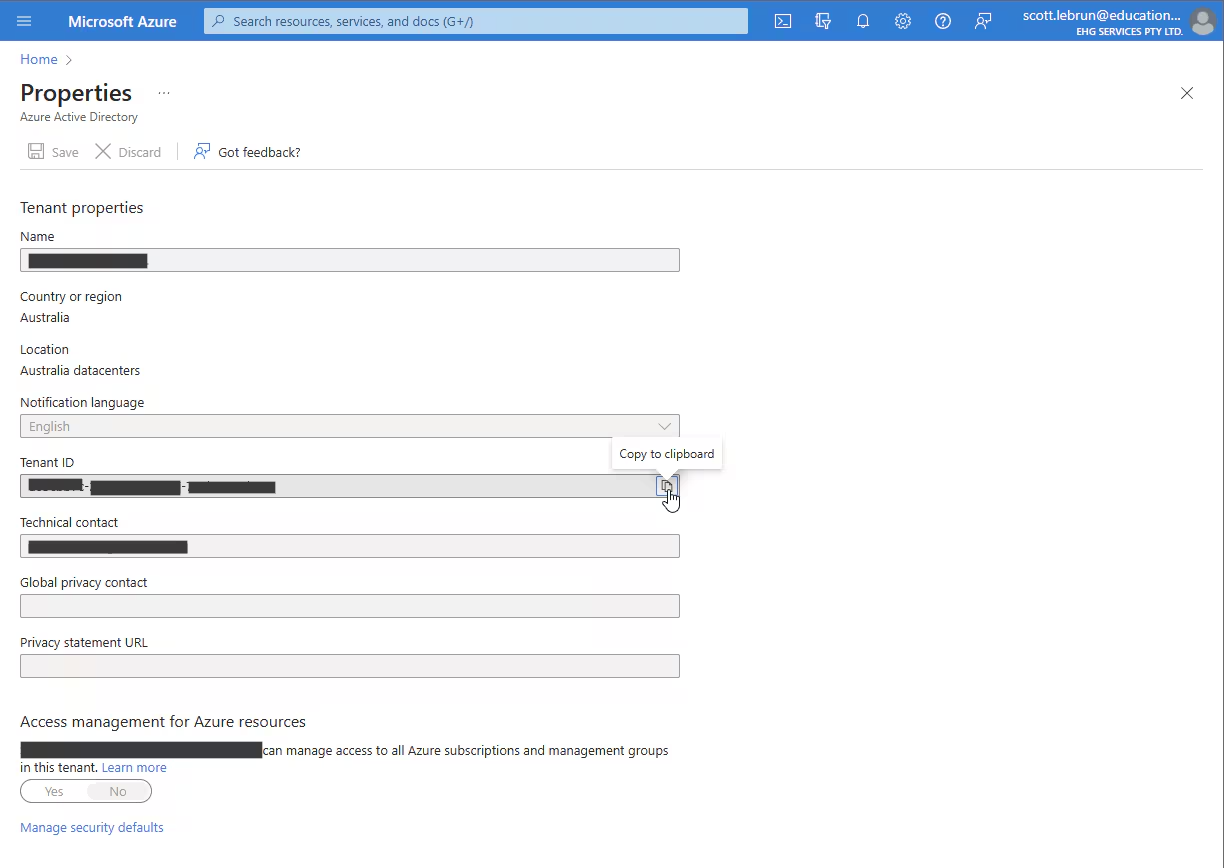
From 'Tenant ID', click 'Copy to clipboard'. Copy and send the information as requested, preferably through an encrypted service such as https://onetimesecret.com/
Was this article helpful?
That’s Great!
Thank you for your feedback
Sorry! We couldn't be helpful
Thank you for your feedback
Feedback sent
We appreciate your effort and will try to fix the article