Summary
If you get this error while trying to run Synergetic Windows Application
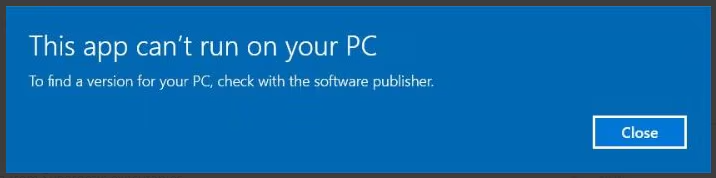
Follow the steps in this guide to resolve the issue
Step 1 - Backup SynMain.exe
Go to your Synergetic share directory (where SynMain.exe is located)
Create a folder called SynMainBackup (or anything else you want to call it)
Move the SynMain.exe file into the backup folder you created
Step 2 - SynMainBig.exe
Rename this file to SynMain.exe (it is possible to skip the first step and run SynMainBig.exe without renaming it, however, this would require changing all the individual shortcuts to point to the SynMainBig.exe file)
Why am I seeing this error
SynMain.exe is a compressed version of SynMainBig.exe and when it is run it self extracts. Windows 10 has an overly aggressive check that falsely detects SynMain.exe as malware and stops the process from running. Running Synergetic by using SynMainBig.exe stops this issue from occurring.
Was this article helpful?
That’s Great!
Thank you for your feedback
Sorry! We couldn't be helpful
Thank you for your feedback
Feedback sent
We appreciate your effort and will try to fix the article