TABLE OF CONTENTS
Issue
Screen Connect remote access connections are not appearing in the Screen Connect connections list for a particular customer.
Resolution
The Screen Connect server has been relocated and migrated to Azure. The server now has a new URL and IP address.
https://connect.educationhorizons.com 40.82.213.163
These changes may need to be incorporated into firewall / router configurations by your IT team in order for the remote access service to function correctly.
Additional notes
- CyberHound - Add connect.educationhorizons.com (40.82.213.163) to the HTTPS Exclusions under Configuration > Web Proxy > Destination IP address HTTPS exclusion
- Remote access needs outgoing ports 80 & 443 opened to 40.82.213.163 ‘connect.educationhorizons.com’. Firewall ‘deep packet inspection’ may also interfere with connections and recommend whitelisting ‘connect.educationhorizons.com’.
Restart the Screen Connect Service
Sometimes the Service may need to be started or restarted to regain connection
On the relevant Server (SQL, Web, App server or other)
Run the Services Program
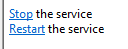
Navigate to the ScreenConnect Client service (example below)
Ensure it is running : Select Start and/or Restart

Disabling the service
We strongly recommend that you leave the service enabled, as it is a secure link and only accessible by us.
We will need access to configure the environment for SDT, but our support staff may need access in order to support you on an ongoing basis.
If your service is disabled then we are also unable to roll out any critical updates.
For example, in February 2024 a critical update was identified and immediately patched which was rolled out to all clients, however those who were not accessible online needed to be manually updated resulting in avoidable risk.
https://www.connectwise.com/en-au/company/trust/security-bulletins/connectwise-screenconnect-23.9.8
Was this article helpful?
That’s Great!
Thank you for your feedback
Sorry! We couldn't be helpful
Thank you for your feedback
Feedback sent
We appreciate your effort and will try to fix the article