It is possible to create a Superannuation Export Format to meet the requirements of your Clearing House if one does not exist in Synergetic already.
Step 1) Create a Superannuation Export Type
In Lookup Table Maintenance - Finance, create an entry in luPayrollSuperannuationExport with the correct name. Make sure you choose the appropriate options for:
- ExportHeaderFlag (should there be a header row?)
- ExportFieldSeparator.(usually ',' for comma separated files)
- ExportDateFormat
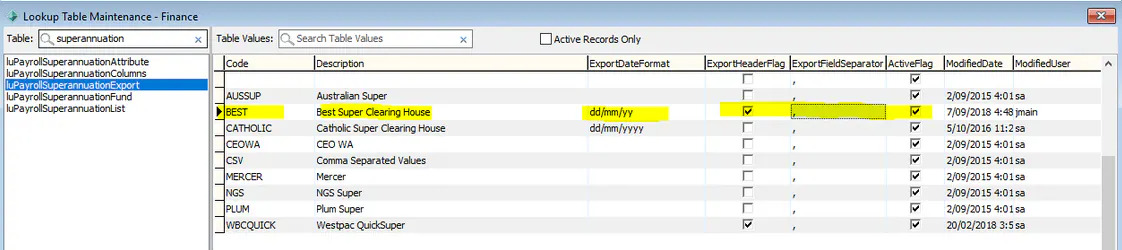
Step 2) Create entries in luPayrollSuperannuationColumns to match the requirements of the clearing houses' file format.
Note: You will need to close lookup tables maintenance and reopen so that the newly added clearing house is an option in luPayrollSuperannuationColumns.

For each column, you will need to create a row with:
- Which Export Format the column is for
- The Column Number
- The Description of the Column
- You will then use one of the four remaining columns to define what the system will pick up for that column:
- SuperannuationAmountColumnNumber - this is used for superannuation amounts. Which column an amount is put into is defined in the Pay Code.
- StandardValue: A standard value that is commonly used and which is predefined by Synergetic. This includes most values about employees and their super funds that are required in superannuation exports
- FixedValue - if this column needs to have a value that is the same for every employee that can be defined in this column
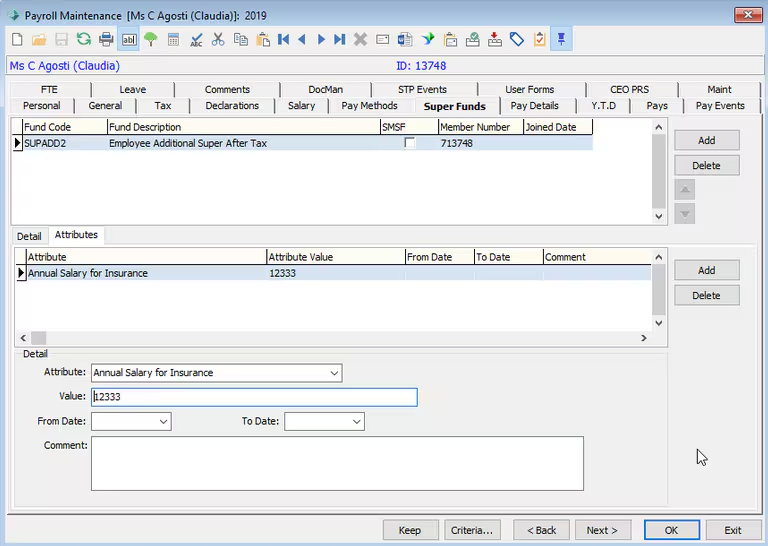
- luPayrollSuperannuationAttributeSeq: A superannuation attribute. This can be used to rarely used values that Synergetic doesn't store by default. These are entered on the Payroll Maintenance > Super Funds > Attributes tab.
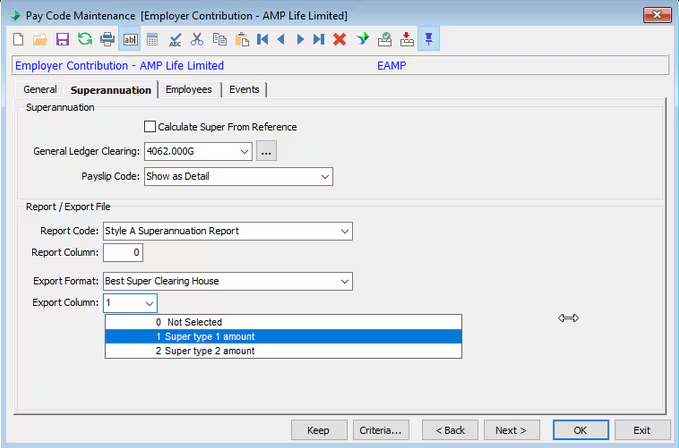
Step 3) Map your Superannuation Pay Codes to the correct Export Format and Column.
Step 4) Assign Super Attributes for an employee if needed.
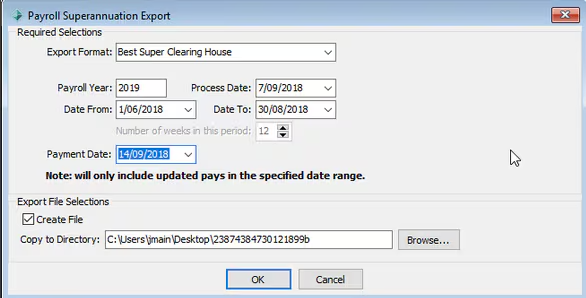
Using the Superannuation Export
You can now use the export format in the Payroll Superannuation Export program:
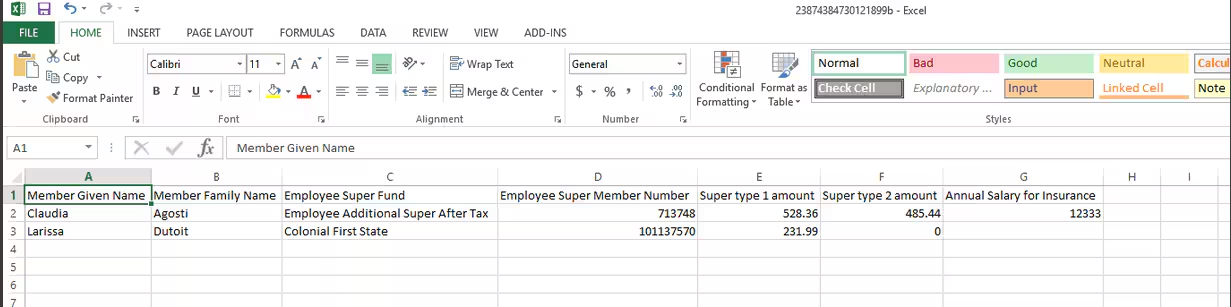
Sample File produced with the above definition:
Was this article helpful?
That’s Great!
Thank you for your feedback
Sorry! We couldn't be helpful
Thank you for your feedback
Feedback sent
We appreciate your effort and will try to fix the article