Method
To create a debtor Sub-ledger Add a new code under luDebtorSubledger and a look up table entry under luDebtorFeeCategory where the sub-ledger is linked to the relevant category of fee(s). To do thiscategory which must then be linked to a fee category under luDebtorFeeCategory. From here you need to select a Fee Category against that Fee code which is using the newly created debtor sub-ledger code as debtor DebtorSubLedgerCode.
Finance configuration of Sub ledger is done under Systems > Finance configuration > Debtors > Sub ledger.
Configure Sub Ledgers
Synergetic must be configured to permit multiple debtor accounts.
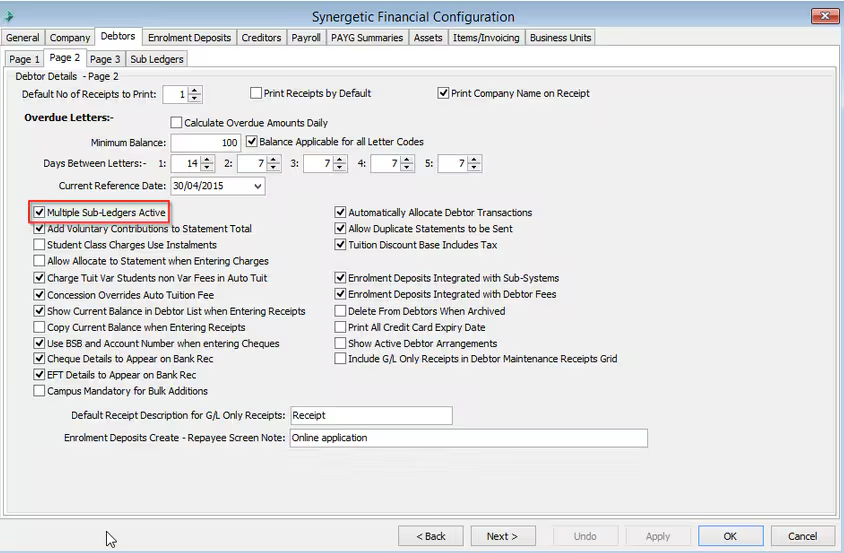
Use the Sub Ledgers sub-tab to configure:
- debtor sub-ledgers
- statement and invoice notifications per sub-ledger
- statement and invoice reminders per sub-ledger
- PDF underlays for statement and invoice reminders and notifications.
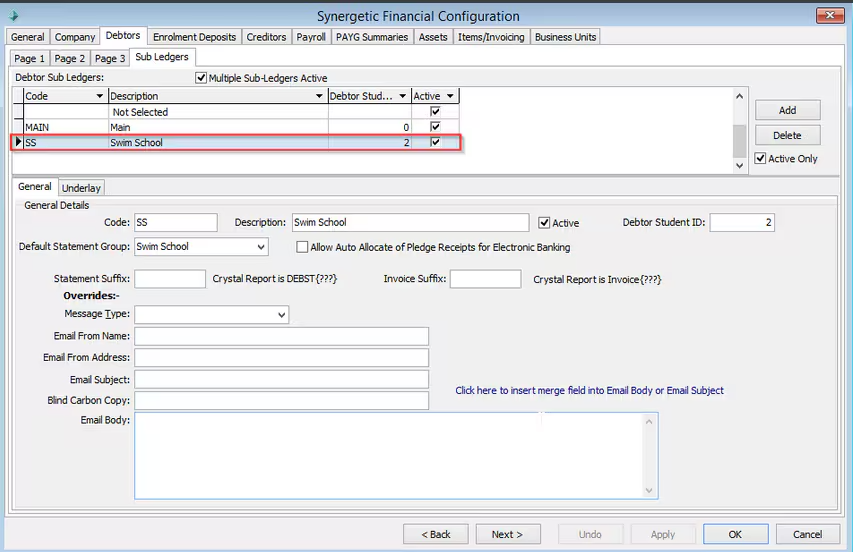
Multiple debtor accounts are handled through sub ledgers. Each billing account needs a different sub ledger.
For example, you may have one sub ledger for a swimming school and another sub ledger for a school holiday adventure camp.
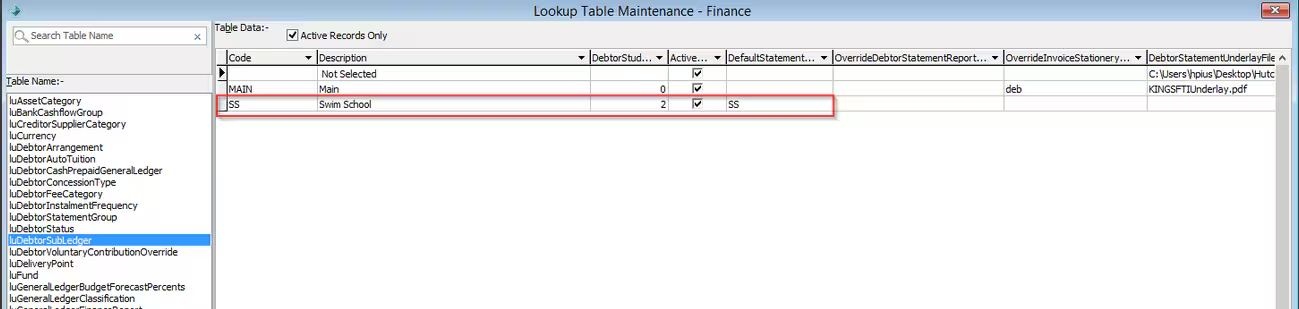
Sub ledgers are created in the Lookup Tables Maintenance - Finance luDebtorSubLedger.
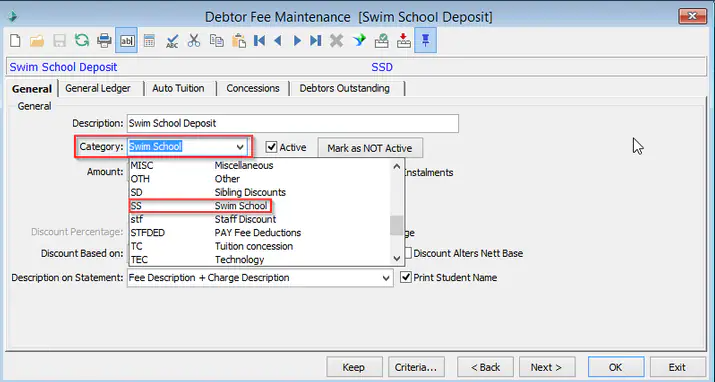
Each sub ledger must be linked to a new fee category. luDebtorFeeCategory
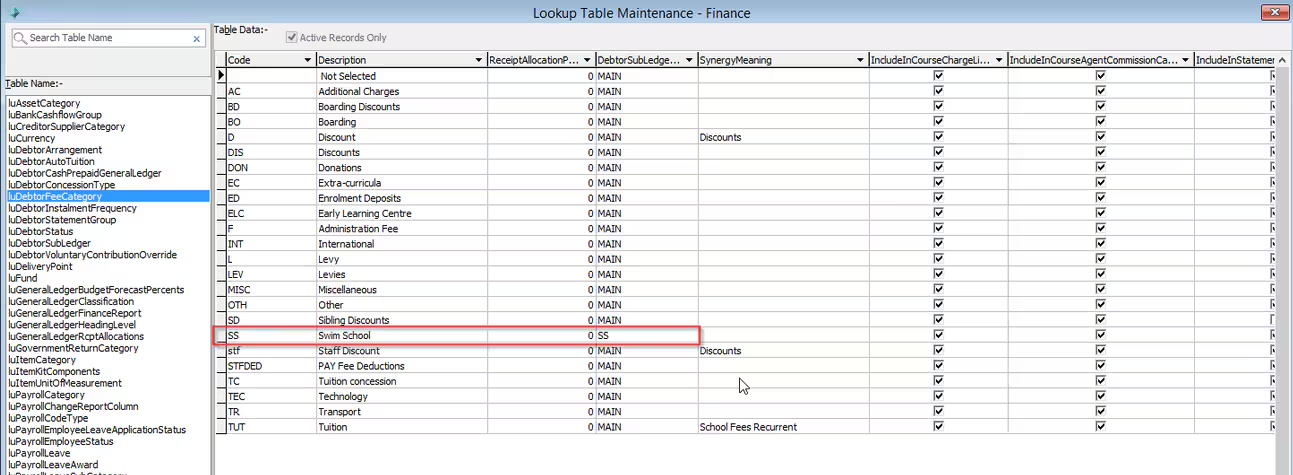
Create new fees for the services to be provided by the new sub ledger entity, and link those fees to the new fee category.
Debtor accounts created for a sub ledger have the sub ledger's DebtorStudentID field included in their Debtor ID, separated with a forward slash. For example, if the debtor's Synergetic ID is 100 and the swimming school sub ledger's DebtorStudentID is 2, the Debtor ID for the swimming school debtor account will be 100/2.
Was this article helpful?
That’s Great!
Thank you for your feedback
Sorry! We couldn't be helpful
Thank you for your feedback
Feedback sent
We appreciate your effort and will try to fix the article