Summary
This article explains how to process GST when an Upfront GST prepaid payment is required
End Result
All GST for the transaction will be paid on the initial invoice.
Method
Creditors > Creditor Invoice Entry (GST prepaid payment for goods/service)
When entering in the invoice tab the amount needs to be only the GST portion.
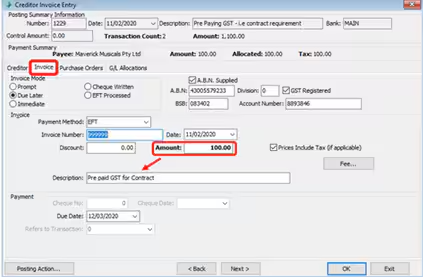
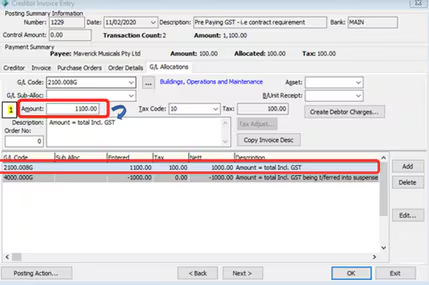
When entering in the GL Allocations tab 2 entry lines are required
First line – GL code is for the total amount incl GST (*this will then post the GST to the correct Gl a/c and it will be in the BAS)
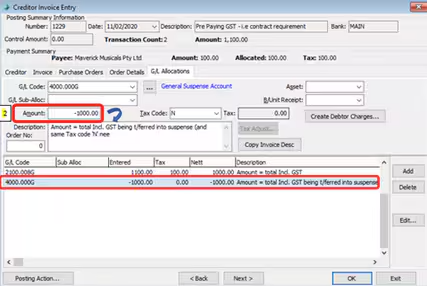
Second line – Select a GL Suspense a/c or equivalent and enter the amount (excl GST) as a negative. *As the amount excl. GST you need to select appropriate Tax code (e.g. either ‘N’ or ‘F’). You must remember to use the exact same Tax Code when
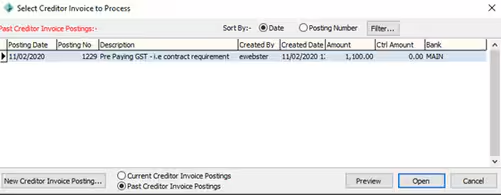
Creditors>Creditor Invoice Entry to be able to pay for the goods/service (Entering the invoice for the cost of goods/service excl GST)
When entering in the invoice tab the amount needs to be only the cost (excl GST portion).
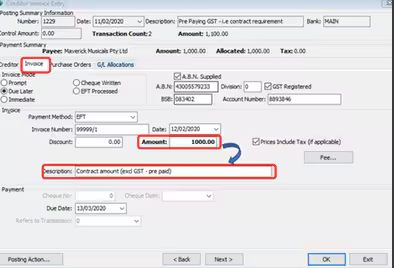
When entering in the GL Allocations enter the total amount (excl. GST)
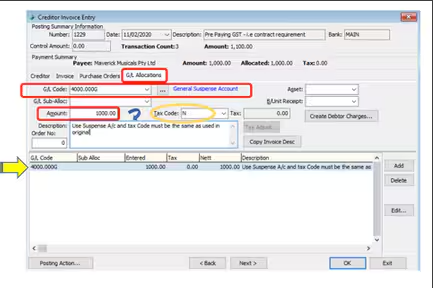
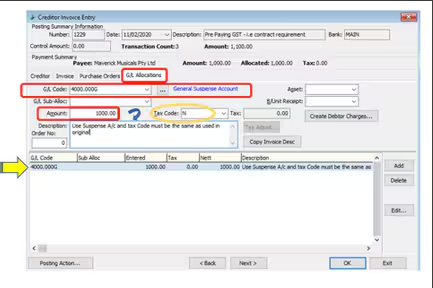
I have processed the GST Payment and the goods/service invoice entries into the same posting for demonstration purposes only.
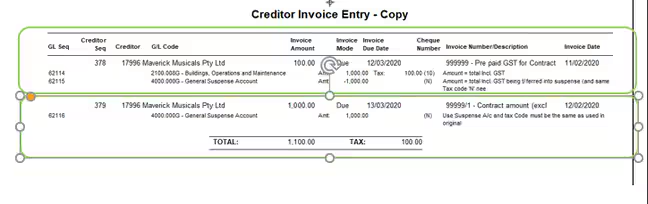
What it should look like in Payment Selections

Was this article helpful?
That’s Great!
Thank you for your feedback
Sorry! We couldn't be helpful
Thank you for your feedback
Feedback sent
We appreciate your effort and will try to fix the article