Summary
This article explains how to settle an account that has a credit balance. Caused by the supplier providing a credit note, but no further invoices are likely to be processed in future to offset that credit note.
End Result
This will result in a zero balance for the creditor.
Method
- Create a new Creditor Invoice Posting. Ensure that the date that the invoice is due for payment is the same as (or later) than the date of the credit(s) that are being cleared.
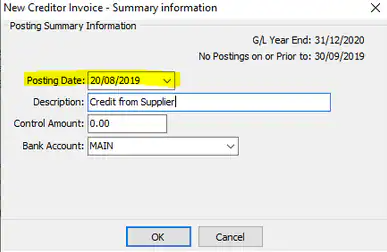
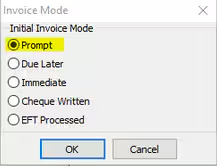
- Set the Invoice mode as Prompt, but also ensure that the credit note(s) are ticked for payment.
- Process an invoice allocated to a Contra or Clearing account. The invoice and credit note(s) will be cleared out when you next do a cheque run.
- Process the cheque receipt to the same Contra or Clearing account
Note that this assumes that a Credit Note has already been processed if it has not then you will firstly need to post a credit to the supplier's account. The credit would normally be allocated against the expense G/L code(s) used for the original invoice(s) that caused the over payment.
Considerations
Are you likely to order from this creditor again? If you are it would be best to leave the credit and apply it to the next order.
Was this article helpful?
That’s Great!
Thank you for your feedback
Sorry! We couldn't be helpful
Thank you for your feedback
Feedback sent
We appreciate your effort and will try to fix the article