TABLE OF CONTENTS
Summary
This article explains how to ensure that your LOTE classes are picked up on the census report.
End Result
Language classes will be represented on the census report
Method
There are a few areas that need to be configured in order for the LOTE classes to display correctly on the census.
Look Up Table Maintenance
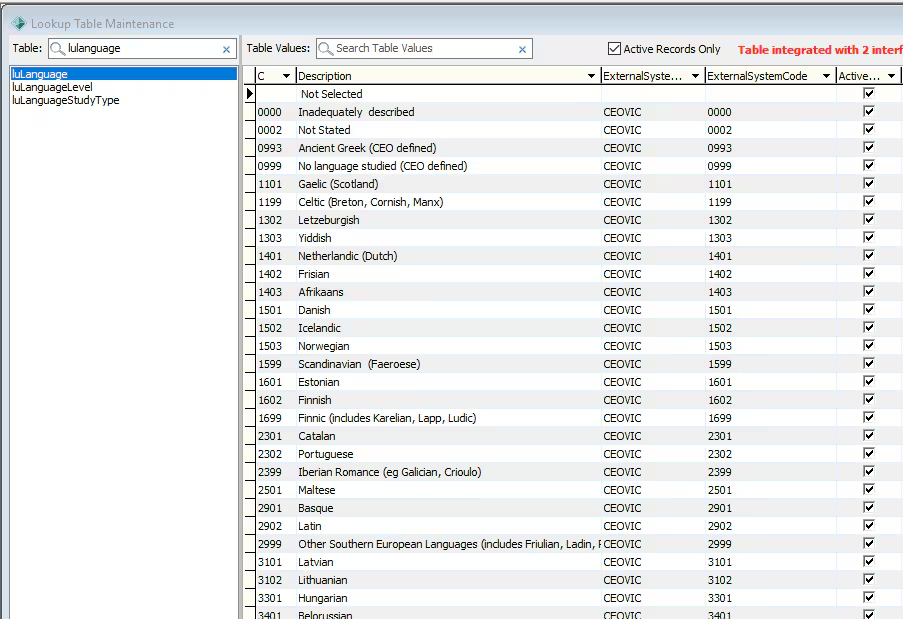
- Firstly you will need to ensure that in System > Lookup Table Maintenance > lulanguage that the Languages your school offers are set up and have the appropriate codes and system type
School Settings Maintenance
In System > School Settings Maintenance > LOTE Codes Tab - You need to ensure you have your LOTE subjects set up.
You need to provide a program type if the language is offered in a Junior School
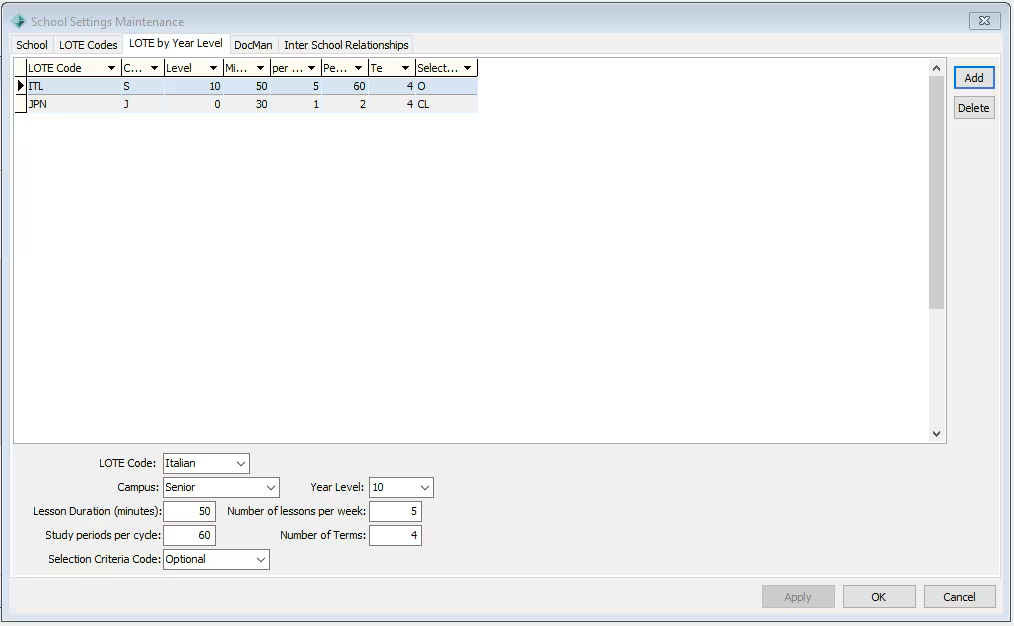
Then on the LOTE by Year Level Tab you need to enter the details of how often the LOTE class is run and for each year level
The Number of Terms in LOTE by Year Level Sub Tab should reflect how many terms the language is offered, not how many terms that the student takes it for

Class Maintenance
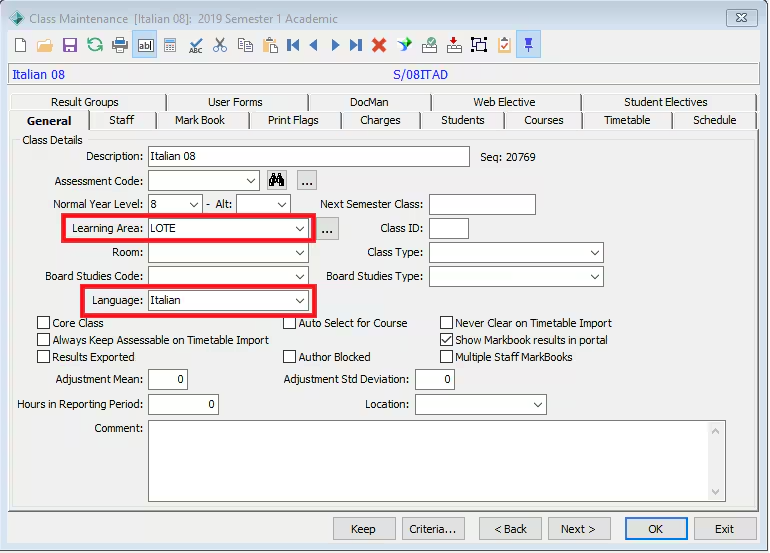
- In Students > Class Maintenance you need to ensure for each Language class that the Learning Area is marked as LOTE and the Language field is also complete.
 Timetable Definition
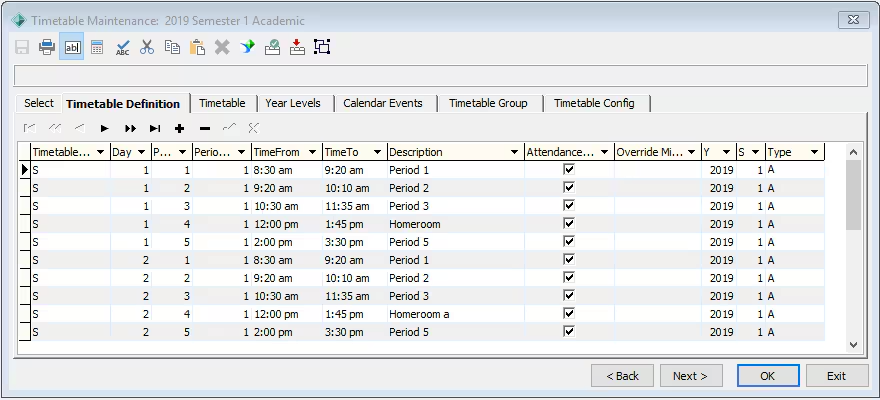
- For accurate reporting you also need to have Timetable Definition set up in Current Student Maintenance > Timetable Maintenance > Timetable Definition.
If you get a negative value for average minutes on the Census report; it is most likely due to an incorrect timetable definition, for example
a period that goes from 11am to 12pm, has been set as 11am to 12am
Considerations
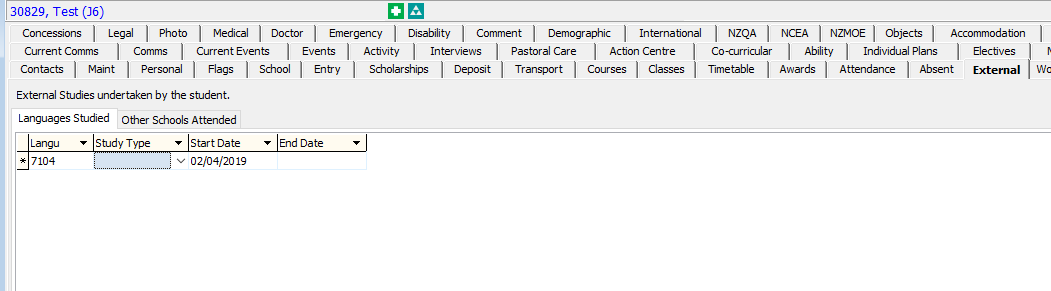
If a student is studying a language outside of the school but still need to be represented on the census report you need to set that up under
Current Student Maintenance > External Tab > Languages Studied Sub tab
Was this article helpful?
That’s Great!
Thank you for your feedback
Sorry! We couldn't be helpful
Thank you for your feedback
Feedback sent
We appreciate your effort and will try to fix the article