Marking a Current Parent as Deceased
In the unfortunate event that a Parent passes, you can mark them as deceased using the steps below.
NOTE: If the parent was a debtor you will first need to merge the debtor record with the new debtor in Debtor Maintenance
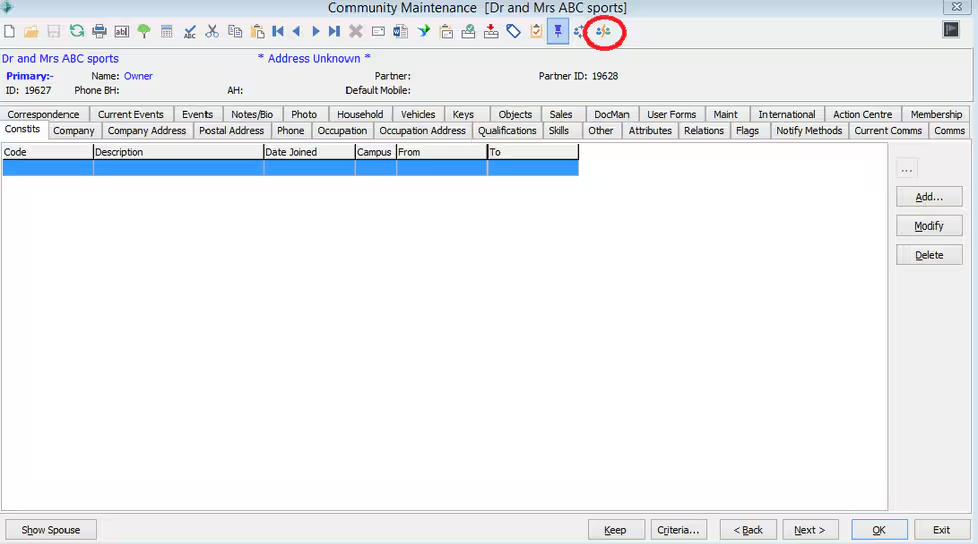
1. To mark the community member as deceased, first any spousal relationships must be broken. This is done using the 'Break Relationship' Icon in the toolbar
2. Remove the parent from the student via the Contacts Tab of the Students community record.
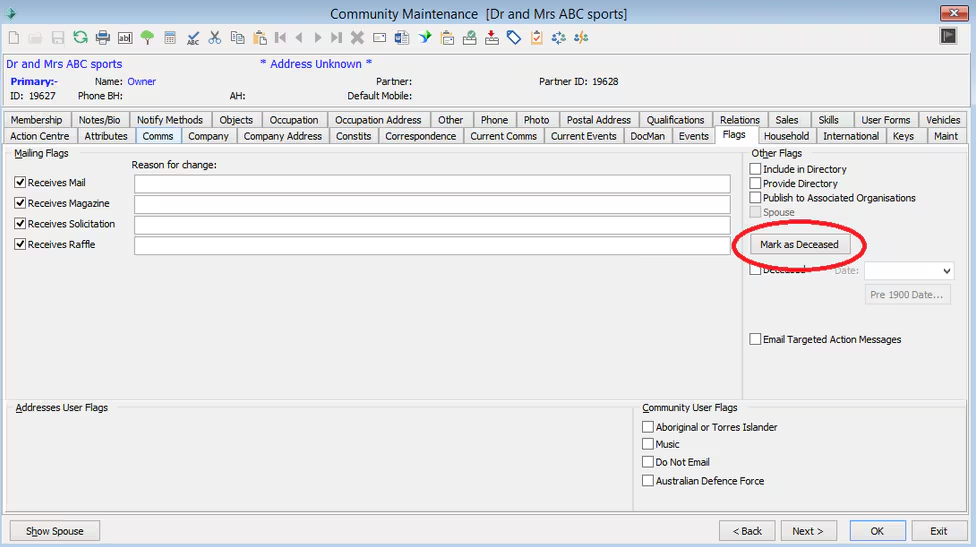
3. You can then go to the Flags TAB of the Community Maintenance and Mark as Deceased using the button on the Right hand side.
4.Re-add and the relationship to the student. You should then find that the parent now has a (DEC) against their relations description within the 'Relations' tab.
Was this article helpful?
That’s Great!
Thank you for your feedback
Sorry! We couldn't be helpful
Thank you for your feedback
Feedback sent
We appreciate your effort and will try to fix the article