The attached query (please log in to view files) was requested as part of the Payroll End of Year Rollover Webinar held in May 2019
The query has parametised criteria for the Payroll Year.
To apply this query to your instance of Synergetic :
- Click on the above workbook > select Download > Save the workbook to a safe location you can access
- Open the workbook and select Data > Queries & Connections > double click on "Query from Synergetic"
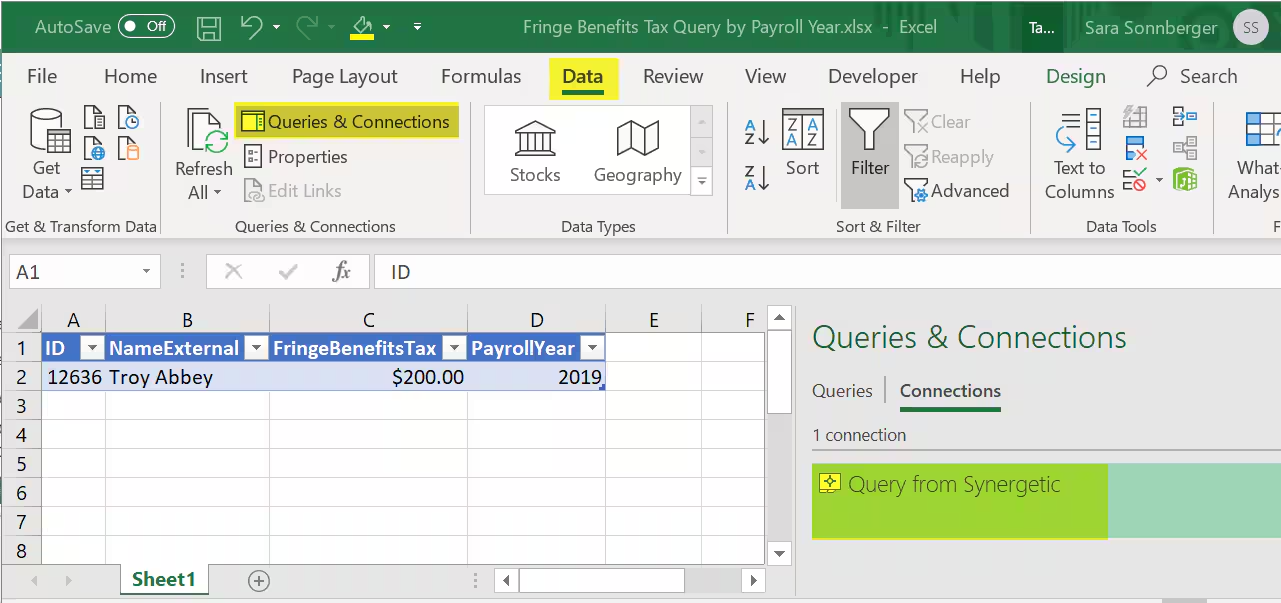
Select Definition > Connection string > delete everything after "DSN=Synergetic" > Select OK
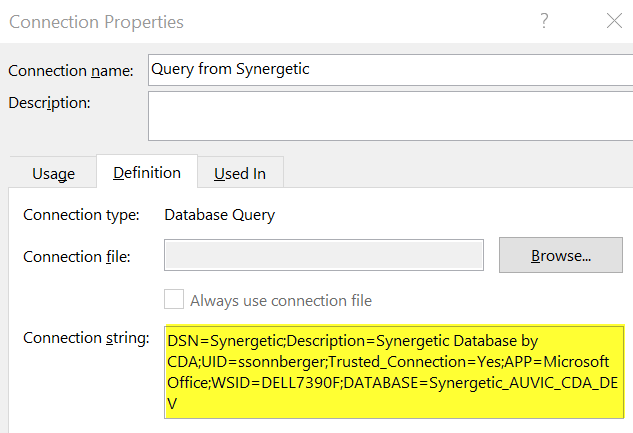
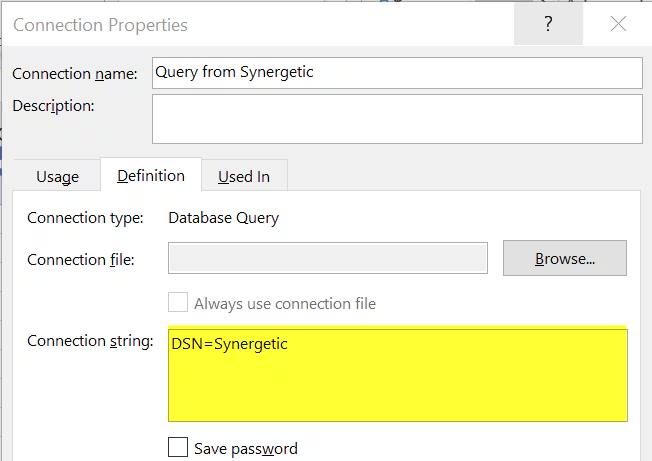
The query will now connect with your instance of Synergetic. You can check this by reviewing the Connection string again.
Was this article helpful?
That’s Great!
Thank you for your feedback
Sorry! We couldn't be helpful
Thank you for your feedback
Feedback sent
We appreciate your effort and will try to fix the article