Summary
This article offers solutions to some of the most common reasons that Action Centre Messages not being sent to users.
Reasons
User Has Been Made Inactive
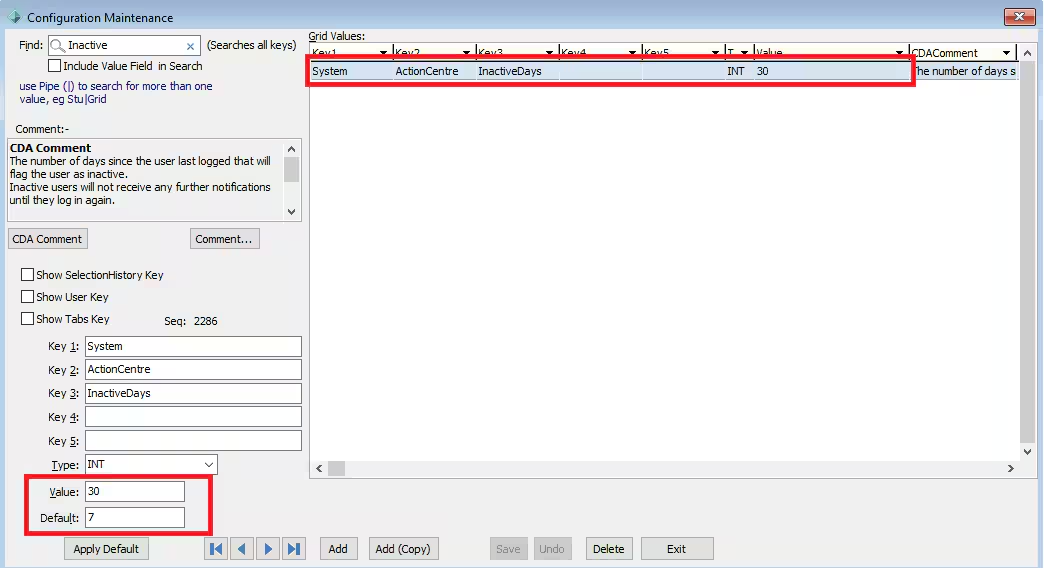
If a staff member has not signed into Synergetic for a short period of time (for example they have been on leave) then their Action Centre profile may have become inactive. Inactive users will not receive any further notifications until they log in again. To increase the number of inactive days so this doesn't happen as often go to System > Configuration Maintenance and under the Configuration Key
System | Action Centre | InactiveDays
- increase the default days from 7 to the desired amount of days
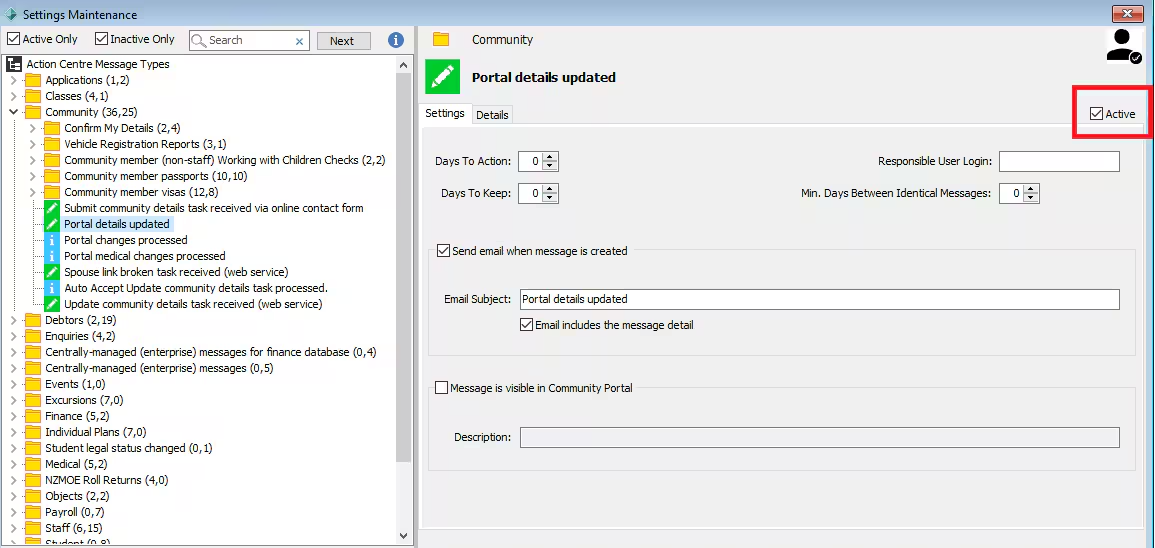
The Action Centre Message is not active
In System > Setting Maintenance (Action Centre Message Types) The Action Centre Message must be ticked as Active.
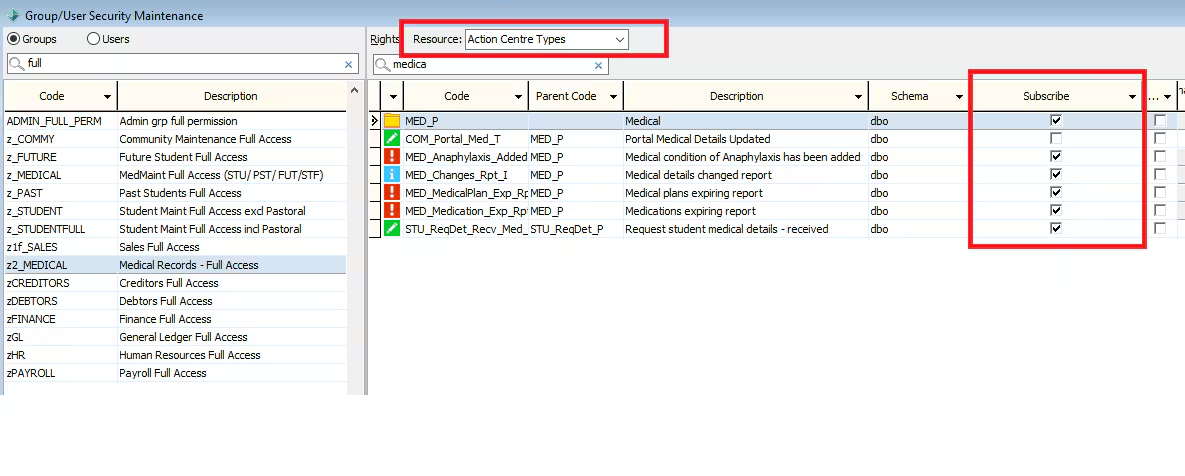
User Has been Unsubscribed
In System > Group/User Security Maintenance - The users group permissions need to be ticked as subscribed to the messages. If this is not selected then the user will not receive messages.
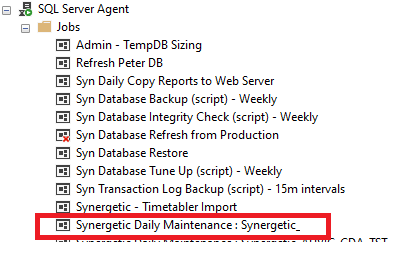
The Daily Maintenance Job is not running
If in SQL the Daily Maintenance is not running this will cause Action Centre Messages to not be sent. The Daily Maintenance Job should be kept running at all times as Action Centre is just one of many tasks this job runs. After restarting and running the Daily Maintenance job users should start to see Action Centre messages return.
Considerations
This article lists some of the most common causes for Action Centre not sending notifications. This does not covers all possible causes and if users are still not receiving messages after checking the above possibilities please raise a Support Request.
Was this article helpful?
That’s Great!
Thank you for your feedback
Sorry! We couldn't be helpful
Thank you for your feedback
Feedback sent
We appreciate your effort and will try to fix the article