Google Analytics
Google Analytics is a powerful web analytics tool to assist Sysadmins to track traffic and user engagement with various school applications.
Currently analytics data can be collected on the following Synergetic Web Applications
SynWeb
Community Portal
Online Payments
FormBuilder
Application Portal
Public Forms
For more information and configuration refer https://wiki.synergetic.net.au/display/PUB/Google+Analytics
A summary of set up is the following:
Ensure your coreapi is properly setup on https:// and have proper URL binding (localhost is not supported).

A Google account has been created for this tracking purpose and a Google Analytics Tracking ID is generated.
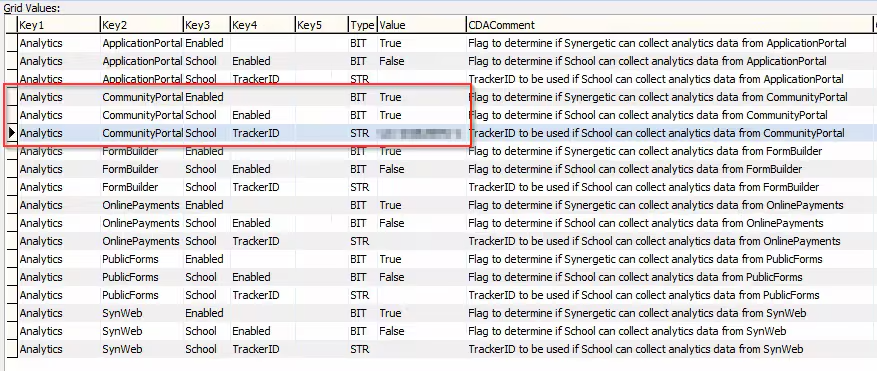
In System -> Configuration File maintenance enter the Tracking ID into your required Analytics app
Enable Analytics (set value = True) for the application you intend to collect data
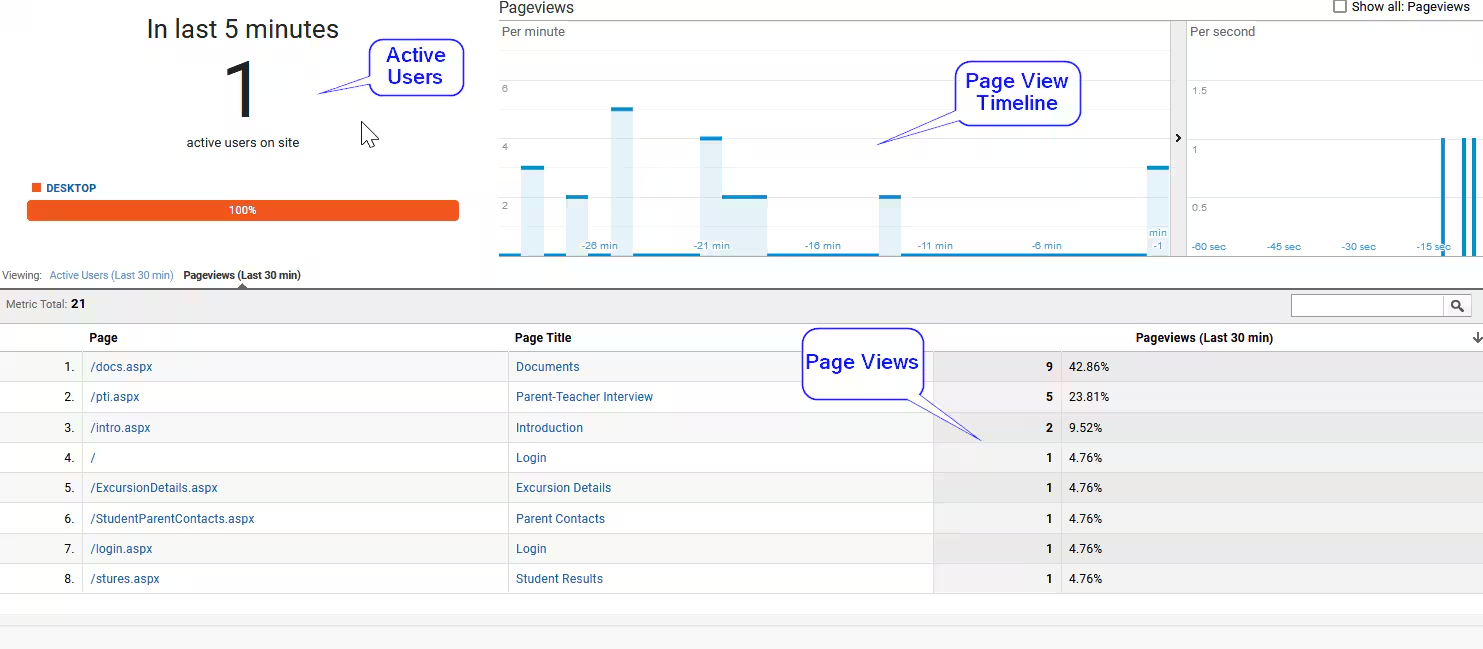
Launch into your Google Analytics account. Below is an example of data collected for Community Portal
Considerations
Data captured is bound by the Google Analytics data capturing algorithm. The base Google Analytics code does not track file downloads.
Was this article helpful?
That’s Great!
Thank you for your feedback
Sorry! We couldn't be helpful
Thank you for your feedback
Feedback sent
We appreciate your effort and will try to fix the article