As part of Education Horizons commitment to security, Content Security Policy (CSP) has been implemented in the web products. Its main purpose is to prevent Cross-Site Scripting (XSS).
As there may be many reasons why your site may want to control what resources the user agent is allowed to load for that page, for example when embedding Synergetic in an iFrame the following configuration keys have been included for both the Community Portal and SynWeb.
If multiple pages are required to be included for the one particular value, separate with a space as per the example image below.

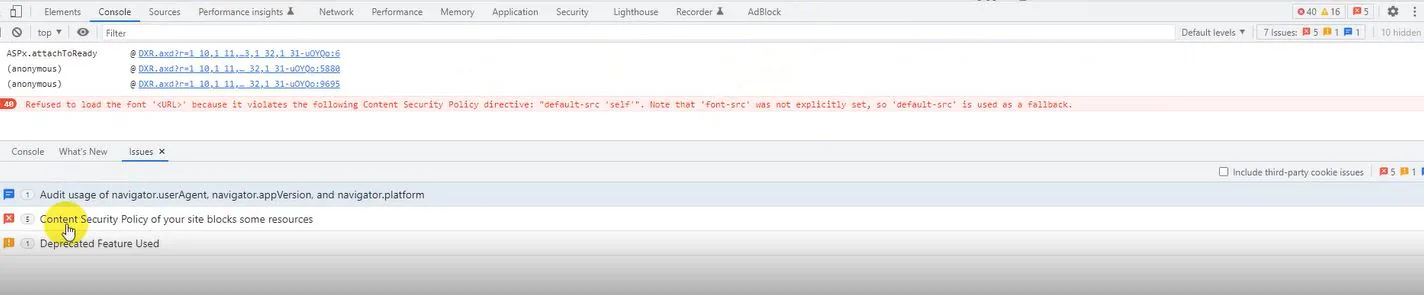
You will tend to find that CSP is your issue when using the browsers development tools. The Console may report something similar to the following
Refused to load the font '<URL>' because it violates the followign Content Security Policy directive: "default-src 'self'". Note that 'font-src' was not explicitly set, so 'default-src' is used as a fallback
The browser may also show you there are issues with 'Content Security Policy of your site blocks some resources'.
If you are not using any customisations please report to Synergetic Support.
Further information
Was this article helpful?
That’s Great!
Thank you for your feedback
Sorry! We couldn't be helpful
Thank you for your feedback
Feedback sent
We appreciate your effort and will try to fix the article