The point of sale system can print to either a com port or a parallel port.
The port is setup in Business Units Maintenance.
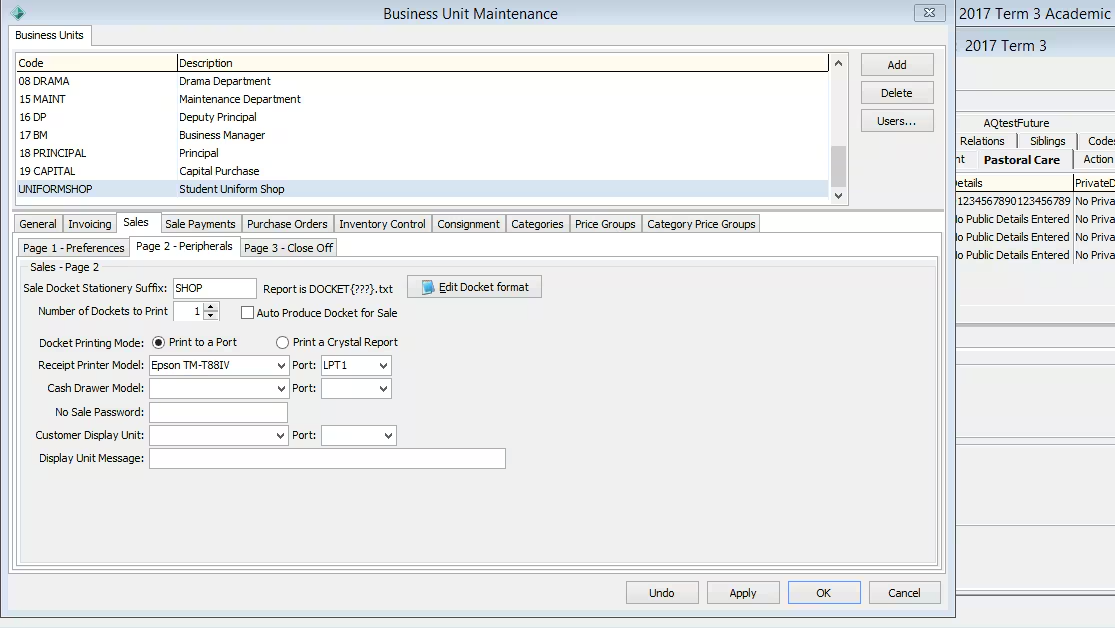
To use a USB docket printer:
- Share the printer and give it a name.
- Make it the default printer.
- Run the following command in CMD: Net use LPT1 \\<ComputerName>\<Printer Name> /persistent:yes
This command directs printing sent to LPT1 to the printer.
Was this article helpful?
That’s Great!
Thank you for your feedback
Sorry! We couldn't be helpful
Thank you for your feedback
Feedback sent
We appreciate your effort and will try to fix the article