Issue
The school has imported student classes for the new term but their start date is wrong.
Resolution
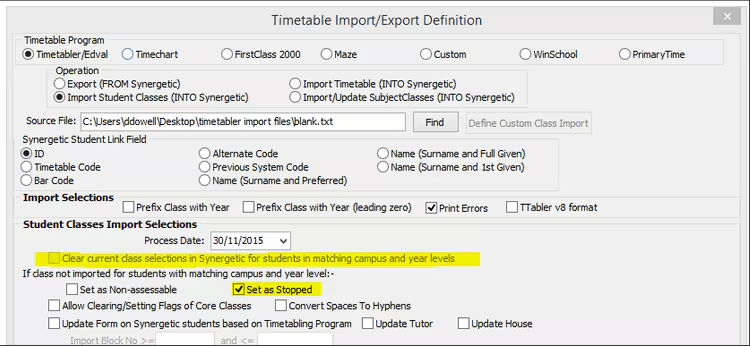
When student classes are imported for the first time, the start date is set to the process date shown on the first page of the importer.
Once the classes are imported, the start date will not change if the importer has 'Set As Stopped' selected. To change the start date, select "Clear current class selections in Synergetic" and set the process date to the correct start date.
Was this article helpful?
That’s Great!
Thank you for your feedback
Sorry! We couldn't be helpful
Thank you for your feedback
Feedback sent
We appreciate your effort and will try to fix the article