TABLE OF CONTENTS
Student Census
This help page covers the Non Government School August Census. The census date is usually the first August Friday.
Synergetic has a Crystal Report to extract student census information
Run STUCENS3 - Student Census - Australian non-Government Schools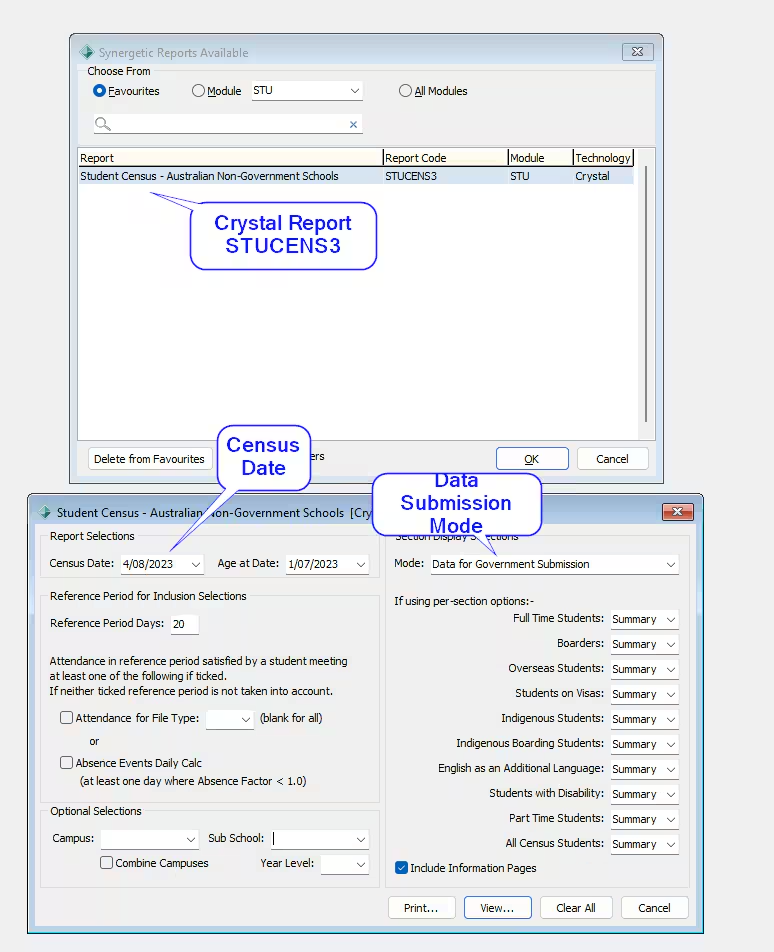
This instructional video outlines the steps to extract the Non Government Student Census from Synergetic
Note : this video is based on the original Schools Hub extract (pre 2026)
Refer the Education Hub page for all the official government documentation
The following Synergetic User Hub Pages contain instructions to prepare and run the Student census.
- Import_Export Student Data - NGSC (Census)
- Running the Student Census - Australian Non-Government Schools report
- Preparing Student Census data for submission (Non-Government Schools)
Hint: You may need to unblock the Education Hub template as it contains macros
Included Year Levels
Only certain year levels are required for submission to the NGSC census
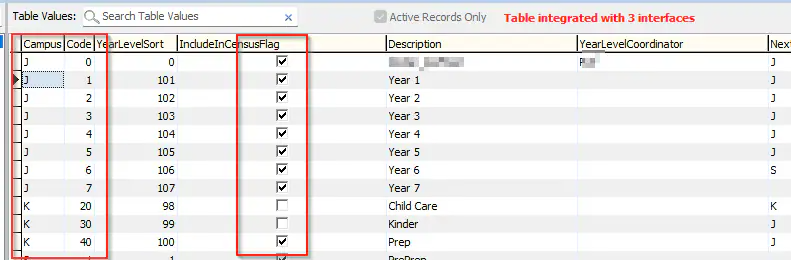
Select System -> Lookup table Maintenance
Select luyearlevel
Ensure IncludeinCensusFlag is selected for the year levels you wish to appear in the census
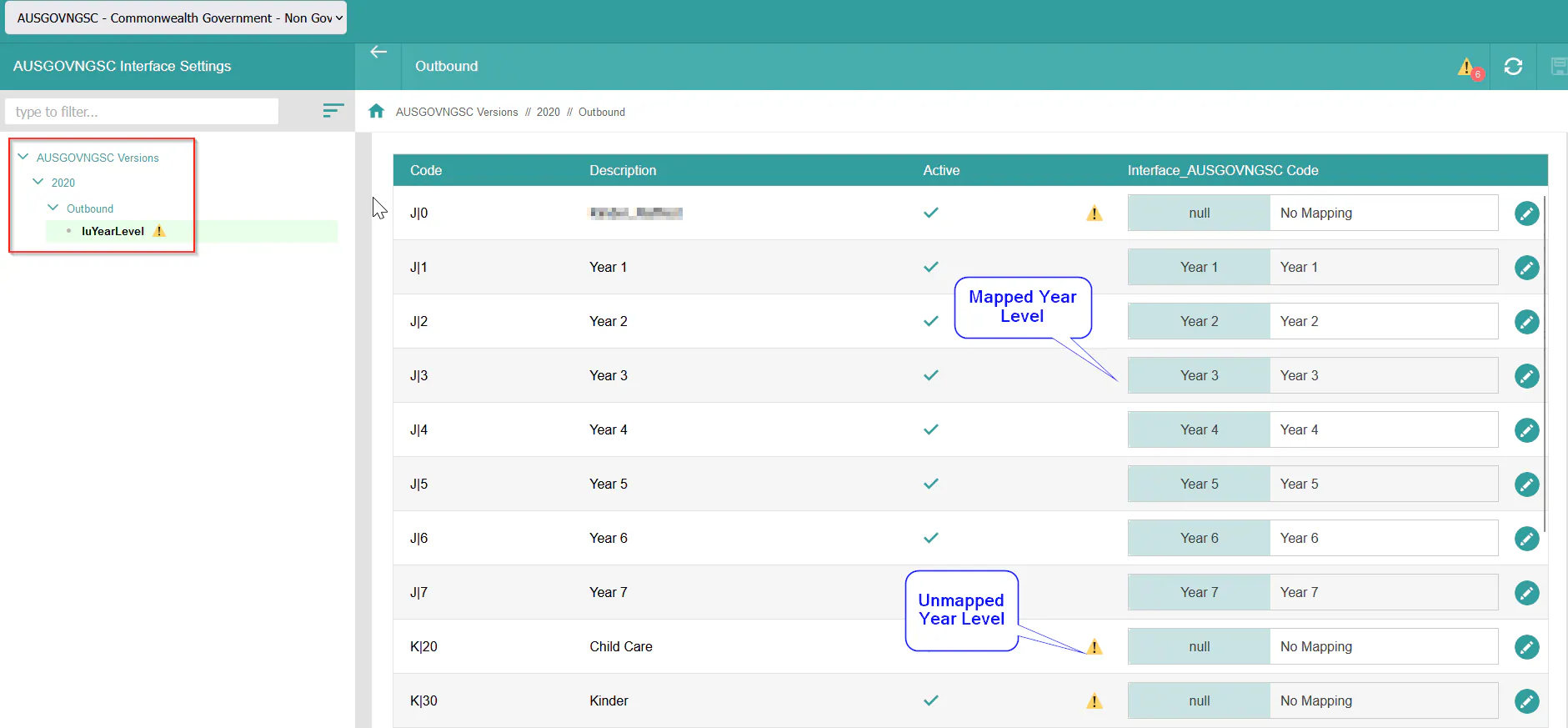
In SynMain or SynWeb Select System -> Interface Settings
Select the AUSGOVNGSC interface setting
Navigate to 2020 -> Outbound-> LuYearlevel
Ensure all required Yearlevels are mapped
Any unmapped Year levels will receive this warning Icon. This is ok.
Student Disability
There are 4 student disability types which can be recorded in the census. Cognitive, Physical, Sensory, Social
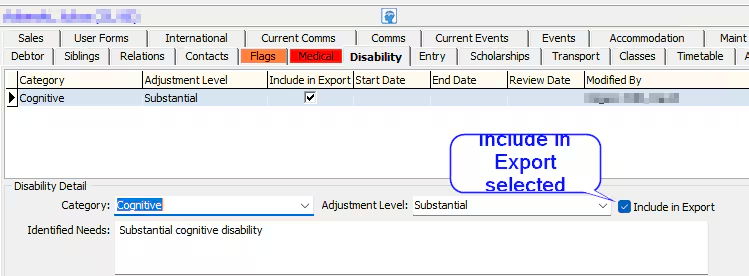
Select Current Student Maintenance -> Disability Tab
Generate a disability record for each required student
IMPORTANT - Ensure Include in Export is selected
Other Important fields
The following Tabs in Current student Maintenance contain important fields
Flags Tab -> Indigenous status of student
Debtor Tab -> Full Fee Paying Status (for overseas student)
International Tab -> Citizenship and Visa subclass (for overseas student)
School Tab -> Boarder or Day Student Status
School Tab -> FTE Status
School Tab -> Status , Leaving Date and Leaving Reason (for students who have left the school)
Personal Tab -> Student Gender
Entry Tab -> -> Entry Date (For students who entered the school part way through the census period)
School Location tab (Location Collection)
Fill this tab manually as per Education Hub Requirements
Did all students attend the census reference period?
in STUCENS3 Select Absence Events Daily calc to acknowledge students who have all non attendances during the census period

Are all students Australian Citizens?
This list can be generated by Synergetic using STUCITIZEN Crystal Report
Do You have Part Time Students?
STUCENS3 generates a list of Part Time students
Do you have Boarding Students?
STUCENS3 generates a list of Boarding students
Staff Census (Staff Data Tab)
There is no change to Synergetic regarding the Schools Hub Staff Census.
Please follow the same process you did for prior years.
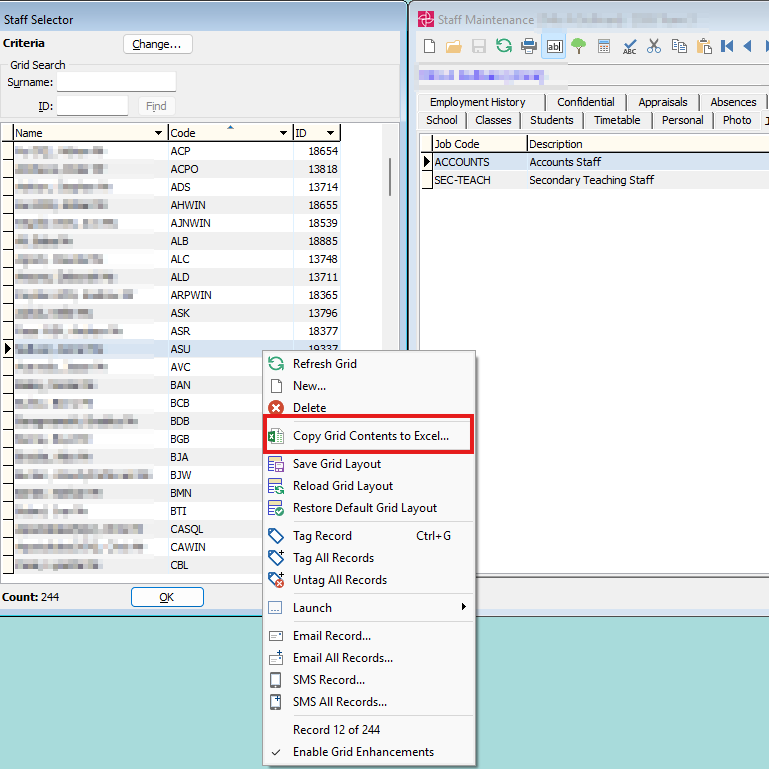
To extract a list of ALL current staff Select Staff Maintenance. (Use the Set Staff Search Criteria to customize the list)
In the staff selector Right click the mouse and select copy Grid Contents to Excel
This will export to excel fields including Preferred Name, Surname and Gender fields
Was this article helpful?
That’s Great!
Thank you for your feedback
Sorry! We couldn't be helpful
Thank you for your feedback
Feedback sent
We appreciate your effort and will try to fix the article