TABLE OF CONTENTS
Summary
How to set Debtor sitting under group: Not Selected in specific Finance Report eg: Aged Balances into the correct Statement Group
End Result
Debtors will be grouped correctly into relevant statement groups
Method
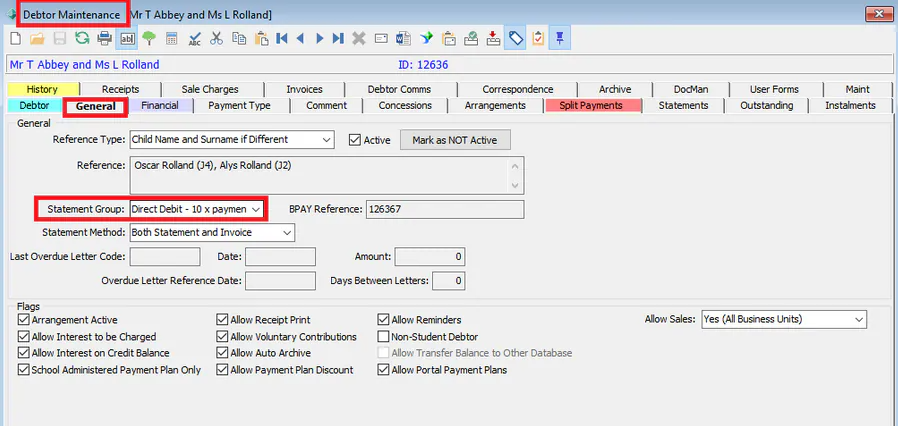
To change the debtors statement group go to Debtors > Debtor Maintenance > General Tab > Select option from Statement Group Drop down
Was this article helpful?
That’s Great!
Thank you for your feedback
Sorry! We couldn't be helpful
Thank you for your feedback
Feedback sent
We appreciate your effort and will try to fix the article