TABLE OF CONTENTS
Issue
Crystal reports are scheduled but data doesn't seem to be generated.
This is due to the scheduled reports being run under a different context than normal Crystal reports, and there are no explicit permissions are applied where the luDocument classification is set to 'Group'
Workaround
- Create a zCrystalSchedule (or equivalent) SQL user (This will be converted to zSynergetic_CrystalSchedule_finance in v68 if it already exists)
- Create a security group in Synergetic (something like 'CrystalScheduler')
Grant common permissions as required to the group created in #2 - note that per user permissions are not in effect for scheduled reports (Under Group/User Security Maintenance > Document Classifications)
When you set common permissions to CrystalScheduler these may be more that the individual may be able to access when generating the report directly.
If the user that is linked (ie. zSynergetic_CrystalSchedule_finance, zSynergetic_ServiceSuite_dbo etc) does not have access to the base reports role (Synergetic_report_finance_ReservedDBRole) then the report will run but no data will be returned.
- Update the config file with the details (username and password) for the zCrystalSchedule (or zSynergetic_CrystalSchedule_finance) user
V67 example config keys
<addkey="OverrideUserCredentials"value="true"/><addkey="ReportUserName"value="zCrystalSchedule"/><addkey="ReportPassword"value="pw"/>V68 example config keys
<addkey="OverrideUserCredentials"value="true"/><addkey="ReportUserName"value="zSynergetic_crystalschedule_finance"/><addkey="ReportPassword"value="pw"/>Please note that if reports are run using a specified user, and that user does not have access to a particular document classification, then the scheduled reports will not generate records associated with that document classification.
As an alternative to using a named user you can use a higher level permission with DB Owner permissions (ie. sa) to mitigate this.
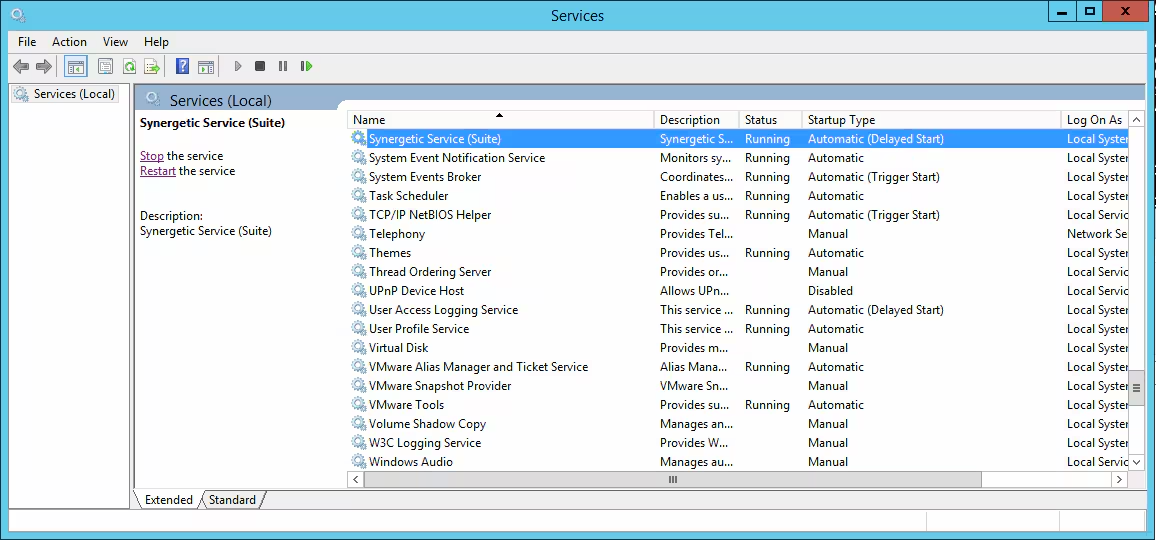
- Restart the Synergetic Service Suite Service
Notes
- By creating a new scheduler group we are avoiding oversharing and giving any blanket permissions to the standard zCrystal user.
- Logs are record for the Crystal scheduler and can be referred to at C:\SynergeticServices\logs
- Similar issues are likely for scheduled reports using general ledger security.
Was this article helpful?
That’s Great!
Thank you for your feedback
Sorry! We couldn't be helpful
Thank you for your feedback
Feedback sent
We appreciate your effort and will try to fix the article