Do NOT do use db_datareader. This gives users access to all object in the database. The recommended approach to use for this is detailed publicly at https://help.synergetic.net.au/s/article/Granting-access-to-SQL-objects |
Set up MSQuery Access for entire SynergyOne (or SynergyOneFinance) Database (ie all tables and views)
For AD user :-
In Active Directory create an AD group and add relevant AD\users to that group (ie AD\MSquery)
In SQL Server Management Studio login as an Admin
Select Security -> Logins
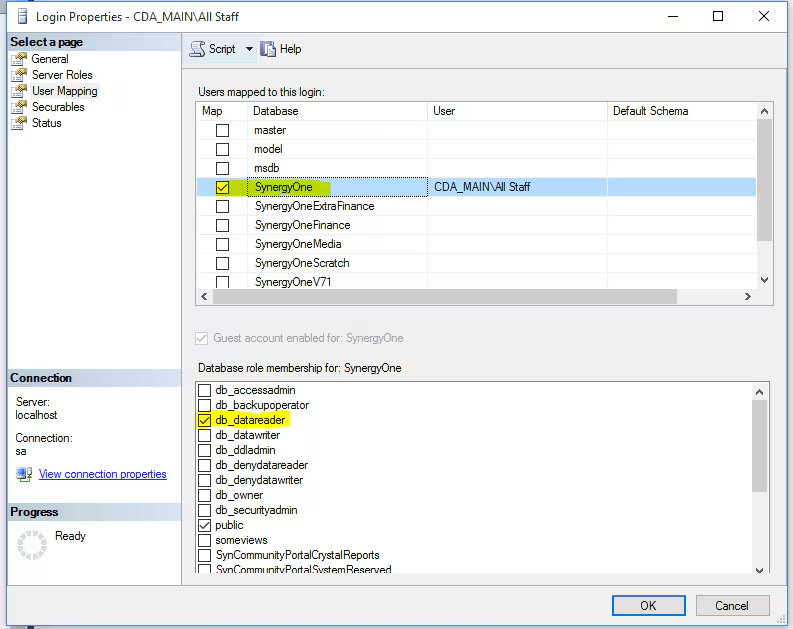
Right Click AD group the user is in -> Properties -> User Mapping
Select SynergyOne database on Top panel
Select db_datareader on Bottom Panel
For SQL user
Do same as above but for the individual SQL User in Security -> Logins
Set up MSQUERY Access for SQL or Windows Users for selected Tables & Views
For SQL User Create the User in SQL Server Management Studio (SSMS) and Synergetic as normal
For Windows/AD users just Create the user in Synergetic as normal (AD\username) and assign them to the relevant Active Directory group.
In Synergetic – log in as an Admin
- Create a MSQUERY Group
System -> Group/User Security
Select Groups
Create a group called MSQUERY or similar
Select Resource = SQL Server Objects
(This will create a list of all View/Tables..etc you want to give access to)
If no objects appear select Create SQL Group/Permission
Tick 'Select' for the tables you want this group to have access.
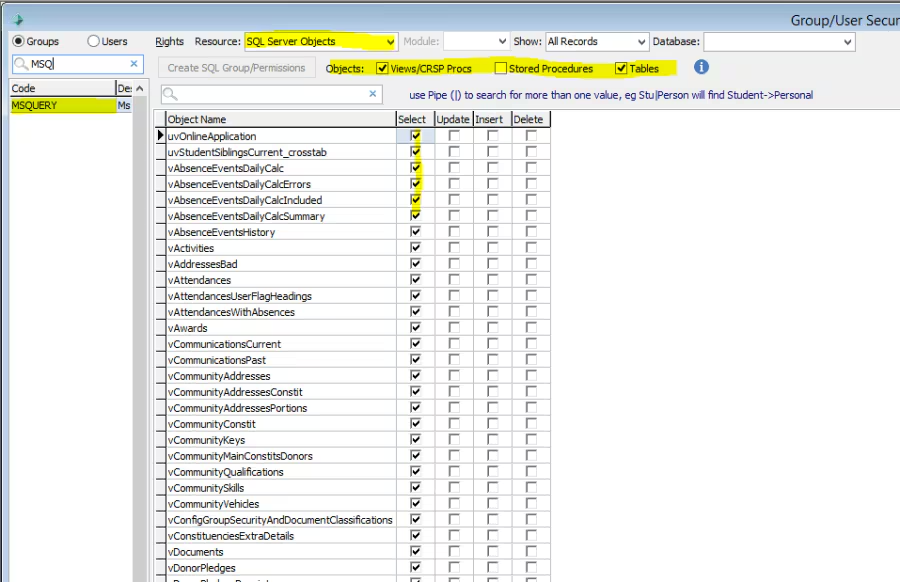
Select Users Radio ButtonAdd Users to the MSQUERY group you want MSQuery access
In SQL ServerManagement Studio - log in as an Admin
Select Databases -> [Database] -> Security -> Roles -> DatabaseRoles
You should see a Role called Syn[MSQUERY] ie. Syn[Synergetic Group Name]
For SynMSQUERY Right Click -> Properties -> General Tab
Add User to that Role in Role Members
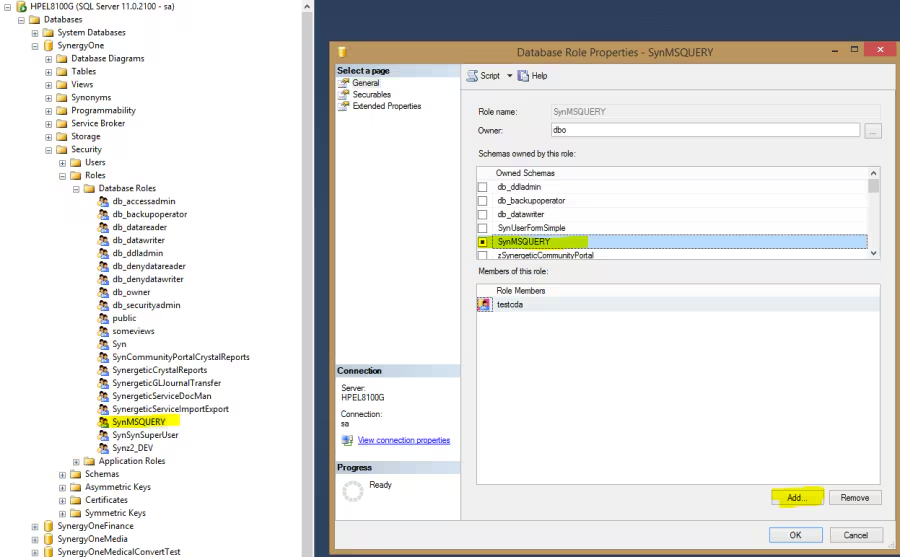
User should now have MSQUERY access for that RoleSo in future when creating a new User you need to grant access to the MSQUERY group in Synergetic and against that SynMSQuery role in SSMS
Was this article helpful?
That’s Great!
Thank you for your feedback
Sorry! We couldn't be helpful
Thank you for your feedback
Feedback sent
We appreciate your effort and will try to fix the article