Issue
You may have a finance-based MS Query that is not showing data in some columns.
This will only apply where Payroll Encryption has been configured.
Resolution
MS Query stores a workstation ID (WSID) in the connection string. This needs to be the same machine name as you have authenticated against for the payroll password.
If you have authenticated payroll against a workstation that is not this WSID you will not see the respective values.
Simply remove the WSID reference in the connection string as highlighted below and ensure you have authenticated against payroll locally.
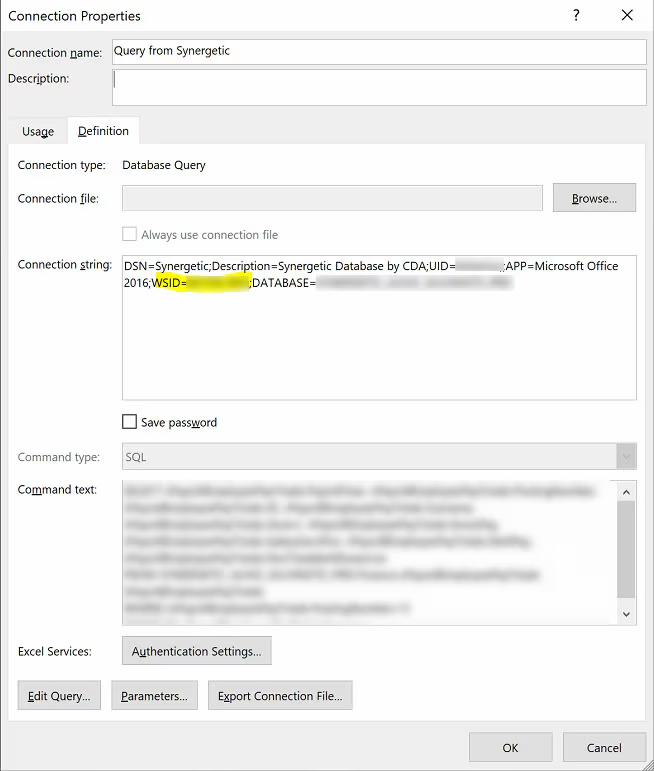
Was this article helpful?
That’s Great!
Thank you for your feedback
Sorry! We couldn't be helpful
Thank you for your feedback
Feedback sent
We appreciate your effort and will try to fix the article