Schools have been requested to provide NAPLAN data for years outside of the 3, 5, 7 and 9 standard.
Note: You only need to act on this if your state has requested non Year (Grade) 3, 5, 7 or 9 data.
To extract other years information in a NAPLAN submission the following will need to be done.
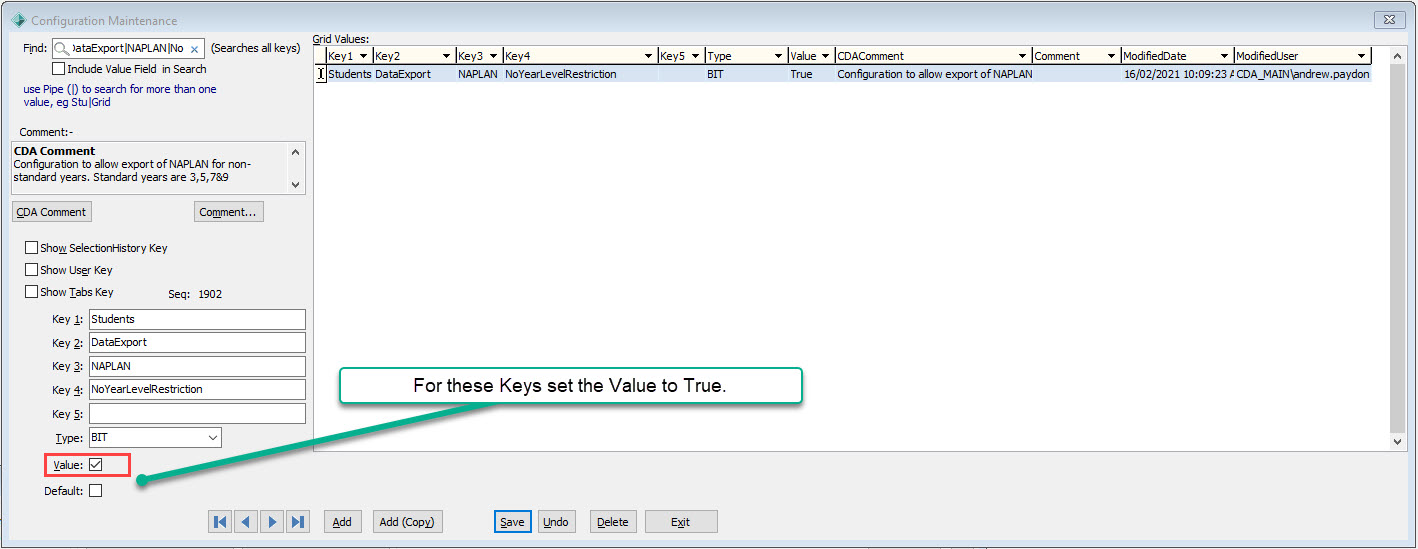
Update the config key (System > Configuration File Maintenance) mentioned below to be true:
- Key1 = Students
- Key2 = DataExport
- Key3 = NAPLAN
- Key4 = NoYearLevelRestriction
- Set Value = True
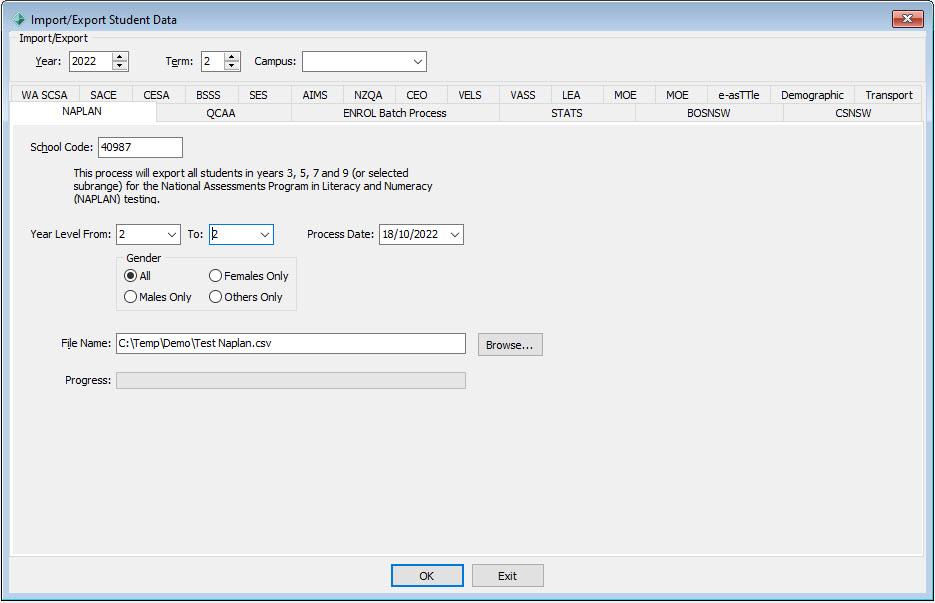
Run the NAPLAN Export Process (Students > Student Data Import/Export… > NAPLAN) eg for Year Level 2
- Year Level From: 2
- To: 2
Then you will need to manually identify and insert into the data submission any Future Students for 2023 you wish to include.
Load this data into your states NAPLAN template and submit.
Was this article helpful?
That’s Great!
Thank you for your feedback
Sorry! We couldn't be helpful
Thank you for your feedback
Feedback sent
We appreciate your effort and will try to fix the article