When running some exports from Students > Student Data Import Export - some submissions require the mapping of luLanguage codes to the external agencies codes.
In some cases you will need to map multiple luLanguages to a single External Code. (The guide below refers to the ACARA interface settings, however, there are other Code Set Providers that this guide will work for).
Step-by-step guide
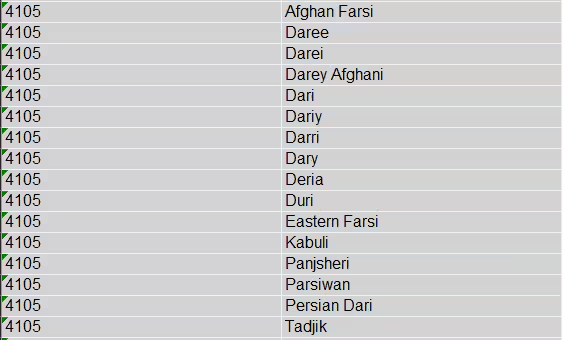
Mapping multiple languages to one language code isn’t possible to do in luLanguages, which only allows one code to be mapped per language.
In the screenshot below there is language with code 4015 - Dari

If we try to add a second language (Afghan Farsi with a Code 4105), we will get this error
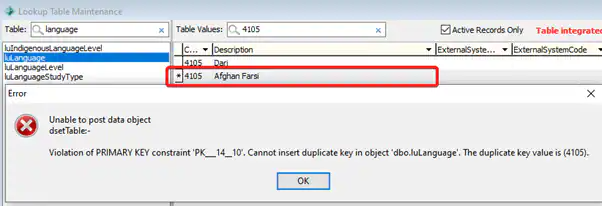
In order to map multiple languages to one language code:
Create the language in luLanguages but assign it a different Code (I used AFGF)

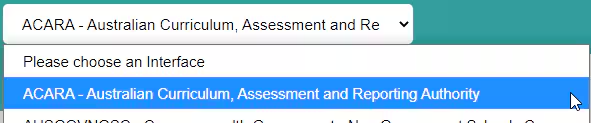
Go to System > Interface Settings – select ACARA from the Drop down
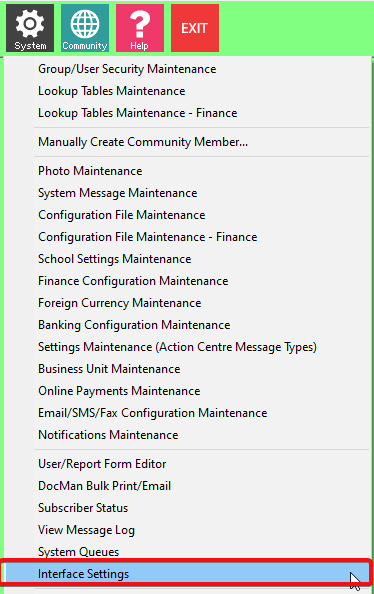
If you are using an older version of Synergetic which doesn't have this option
Go to SynWeb > System > Interface Settings – select ACARA from the Drop down
Click on ACARA Versions > 2019 > Outbound > luLanguage
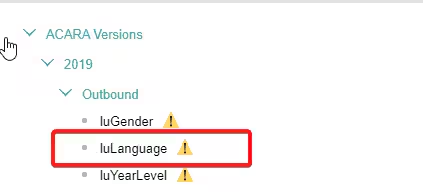
In interface settings 4105 is mapped to Dari

In order to map a 2nd language (Afghan Farsi AFGF to 4105) search for AFGF code then click on the Pen Icon

Enter 4105 here and Select Dari then Click the Save Button in the top right corner


The page will reload, then when you search for AFGF you will see it is mapped to Code 4105 Dari and when the ACARA report is run any student who has AFGF as their Language will appear as 4105 in the export.
Was this article helpful?
That’s Great!
Thank you for your feedback
Sorry! We couldn't be helpful
Thank you for your feedback
Feedback sent
We appreciate your effort and will try to fix the article