TABLE OF CONTENTS
Summary
This article explains how to set up leave loading to calculate automatically.
End Result
The leave loading will calculate automatically based on the Gross Pay
Method
Step 1
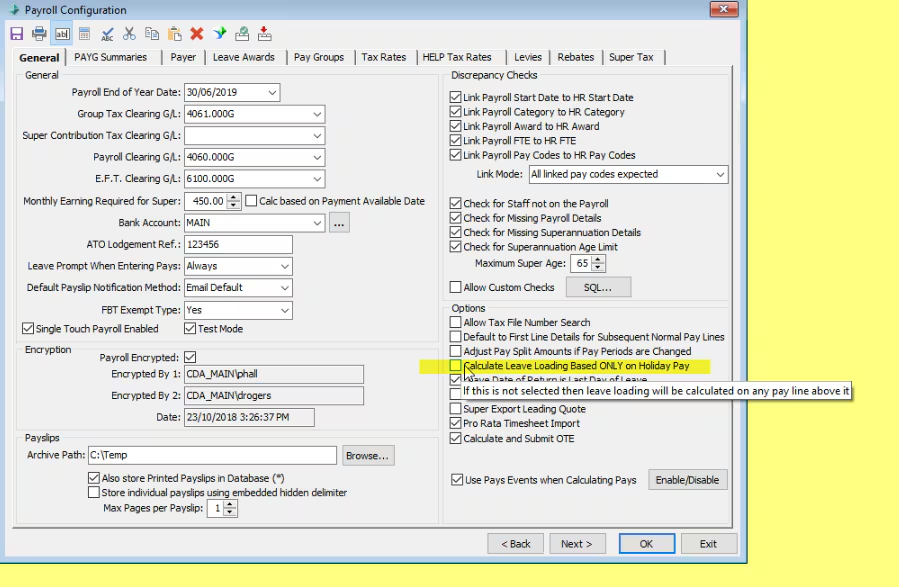
In Payroll > Payroll configuration Maintenance.
Please ensure that option "Calculate Leave Loading based ONLY on Holiday Pay" is not selected.
Step 2
Create a Pay Code called NLOAD
Note that the paycode must have this name for it to be treated as Leave Loading by the payroll calculations.
Pay Code Type :Normal Payment
Leave Code : Annual Leave
Step 3
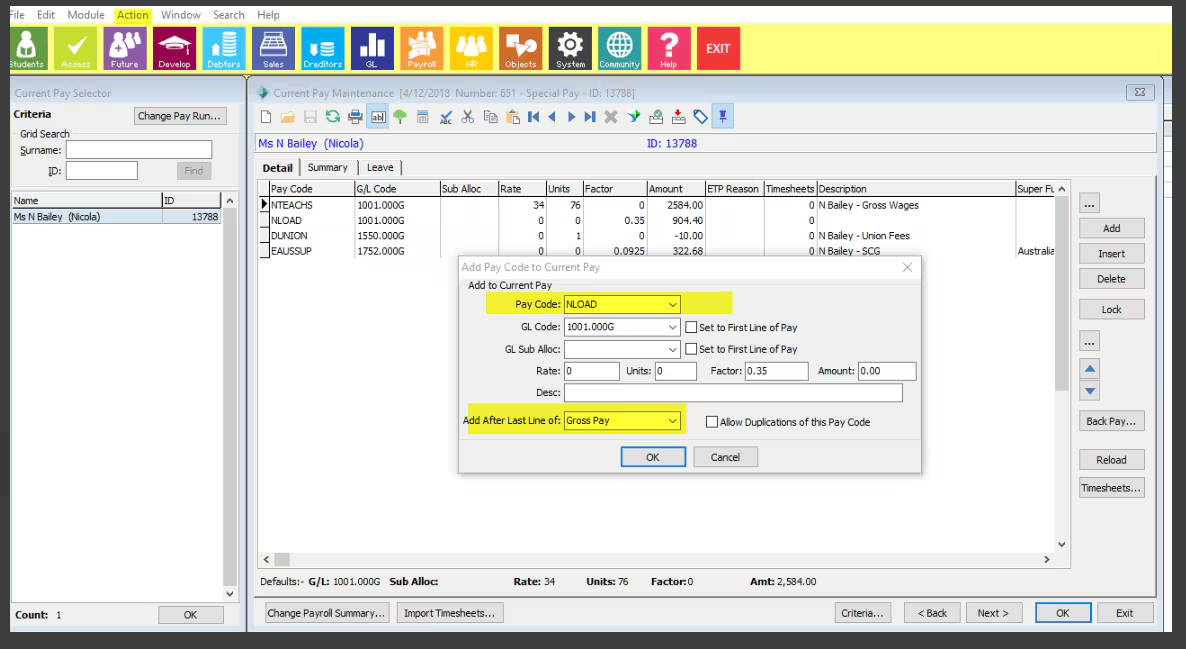
In Current Pay Maintenance (From Payroll Module) select the "Action" menu item.
Select "Add Pay Code to Current Pay".
Select the Leave Loading Pay Code (should have the leave loading as a factor).
Select the option to "Add after last line" of "Gross Pay".
Considerations
You may need to have more than one NLOAD pay code for different factors/amounts or adjust these each pay run.
Was this article helpful?
That’s Great!
Thank you for your feedback
Sorry! We couldn't be helpful
Thank you for your feedback
Feedback sent
We appreciate your effort and will try to fix the article