Issue:
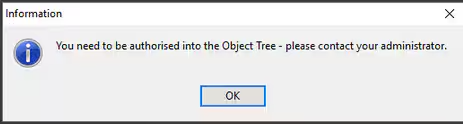
When using Objects for the first time, a user may receive the following information message:
"You need to be authorised into the Object Tree - Please contact your administrator."
Resolution:
- A user with Syn Super User access will need to log in first.
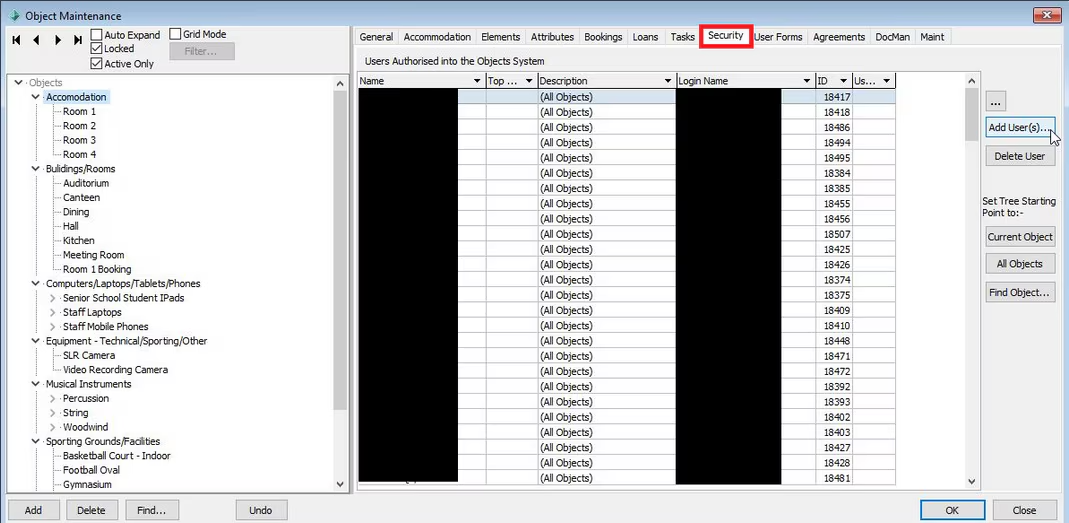
- Go to the Security Tab of Object Maintenance (Objects > Object Maintenance > Highlight the base of the Object tree > Security (tab)) and give access to relevant users.
Prior to doing this, an object group/category will need to be created first using the 'Add' button within the Object Maintenance screen.
- Setting permissions to one level of the object tree will also apply that permission to other objects/levels within the tree.
This process allows you to define the user permissions for objects within the object tree. You can also set permissions for the top level that you would like a user to have access to. e.g. if you only wanted a user to view 'Accommodation' and the sub objects under Accommodation, use the 'Set Tree Starting Point to:-' buttons to restrict access to some objects instead of all objects.
If a user has access to view the Objects module via Group/User Security Maintenance, but has no permissions against an object, they will see a blank list within Object Maintenance and will receive the 'You need to be authorised' message.
Was this article helpful?
That’s Great!
Thank you for your feedback
Sorry! We couldn't be helpful
Thank you for your feedback
Feedback sent
We appreciate your effort and will try to fix the article