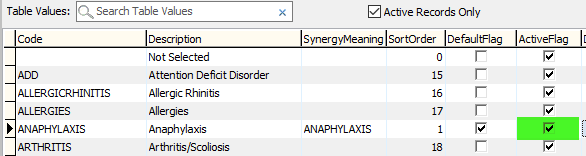
Explains the purpose of DefaultFlag and ActiveFlag in the luMedicalConditionType table
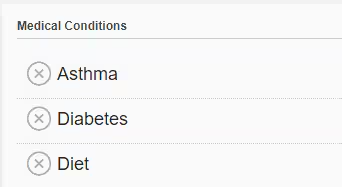
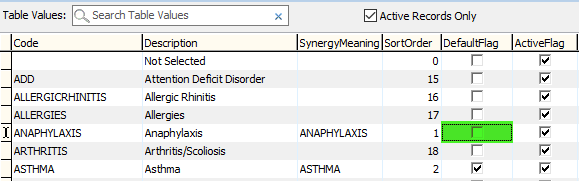
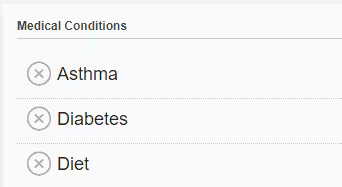
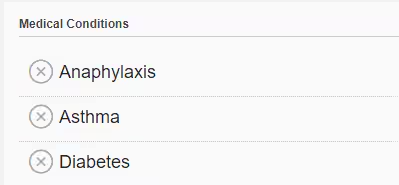
Changes made in Synergetic Windows Application are reflected on the community portal (left side as appears in SynMain, right side as appears in Community Portal)
|
| 
|
|---|---|---|
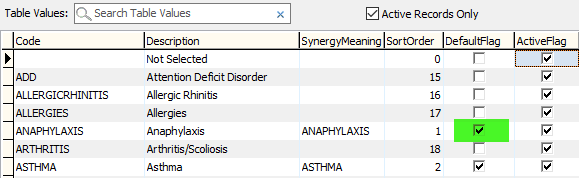
Default Flag - The default flag determines whether or not a medical condition persistently appears on a student record if they have the condition or not. | ||
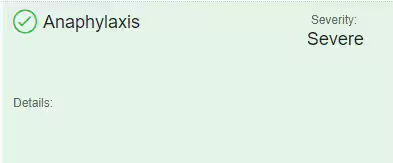
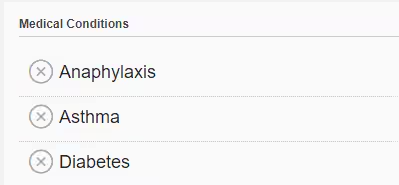
Default Flag Ticked | If student has the condition it will appear as a green tick | If the student doesn’t have the condition this will be shown with a grey cross. |
|
|
|
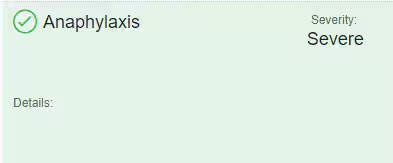
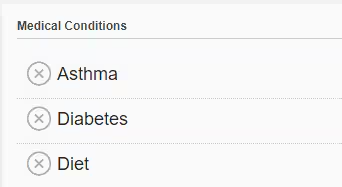
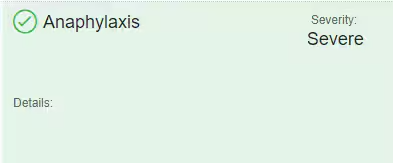
Default Flag Not Ticked | If the student has the condition, it is shown with a green tick | If student doesn’t have the condition it will not appear on the list of conditions |
|
|
 |
|---|---|---|
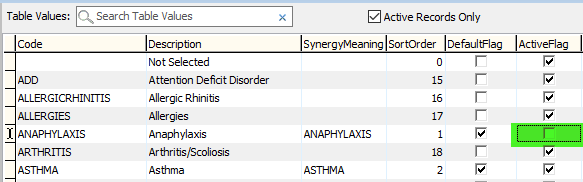
ActiveFlag Not Ticked | If it is not selected, the condition will not appear in selection lists/drop-downs | |
|
| |
ActiveFlag Ticked | If it is selected, the condition will be available for selection in lists/drop-downs | |
Student has Anaphylaxis | Student does not have Anaphylaxis | |
Active flag - Determines whether a condition appears in the list of selectable conditions. | ||
When to use the various options?
Active Flag Ticked / Default Flag ticked: If you would like parents to have the option to add the condition to a student via Community Portal
Active Flag Not Ticked / Default Flag ticked: If you would like parents who have a student with the specific condition to be able to edit medications etc, however, you don't want parents to have the option to add this as a new condition to students via Community Portal
Active Flag Not Ticked / Default Flag not ticked: If you don't want the specific condition to be selectable
Active Flag Ticked / Default Flag not ticked: Default Flag overrides Active Flag therefore effect is same as Active Flag Not Ticked, Default Flag Not ticked scenario.
Difference between Active Flag and Default Flag
Default Flag:
When Default Flag is not ticked this means that the condition cannot be added to a student, even if the Active Flag is ticked.
If ticked allows parents to add the condition to a student via Portal themselves, if not ticked condition can only be edited by parents who already have a student with the specific condition, or staff.
Active Flag:
If Active Flag is not ticked, only parents that have a student with the condition already or staff can edit the condition.
Note: Default Flag works independently of Active Flag, however, for Active Flag to work Default Flag must be ticked.
Was this article helpful?
That’s Great!
Thank you for your feedback
Sorry! We couldn't be helpful
Thank you for your feedback
Feedback sent
We appreciate your effort and will try to fix the article