TABLE OF CONTENTS
The latest iOS (Version 2.12.2) and Android (v2.7.0) update to SynMobile app require web service to be running on 'https'. If you get an error message “java.io.IOException: Cleartext HTTP traffic to synmobile.school.com not permitted” after updating the app. SynMobile binding needs to be updated from 'http' to 'https'.
You may already have a separate profile configured for 'https' as this was supported by old Android versions. If the profile is available you can just switch to the 'https' profile and continue using the app.
|
 Inform Synergetic to decommission the 'http' profile.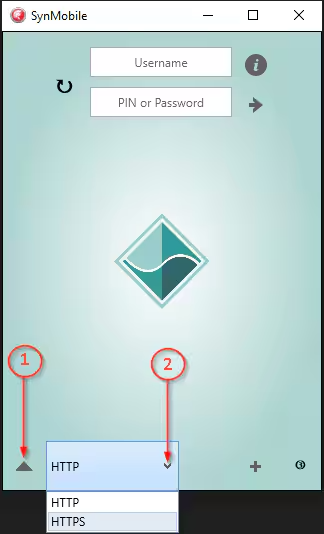
Prerequisites
- SynMobile Installed in the WEB Server.
- DNS record for SynMobile.
- Valid 'https' certificate installed in IIS.
Step-by-step process
- Login to the WEB Server with an account that has local admin permission.
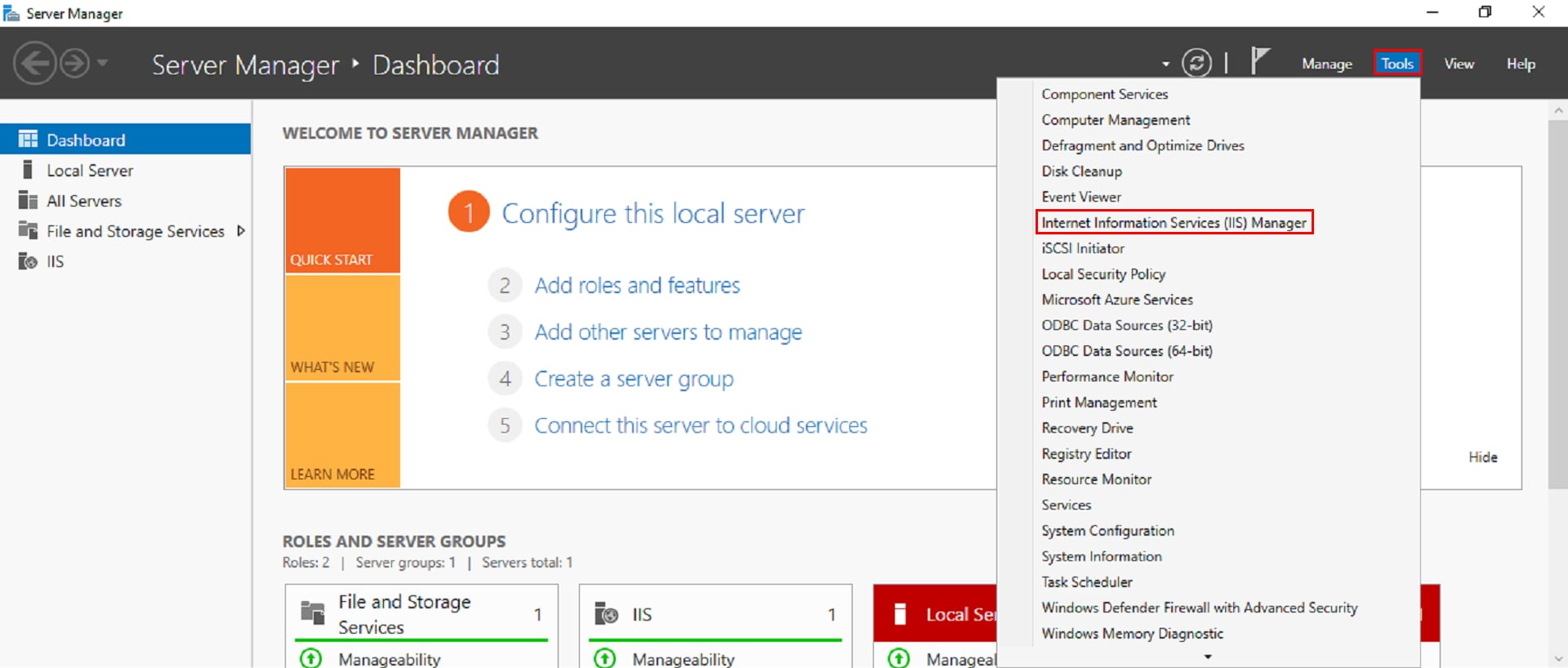
- Open IIS (Server Manager → Tools → Internet Infomation Services (IIS) Manager).
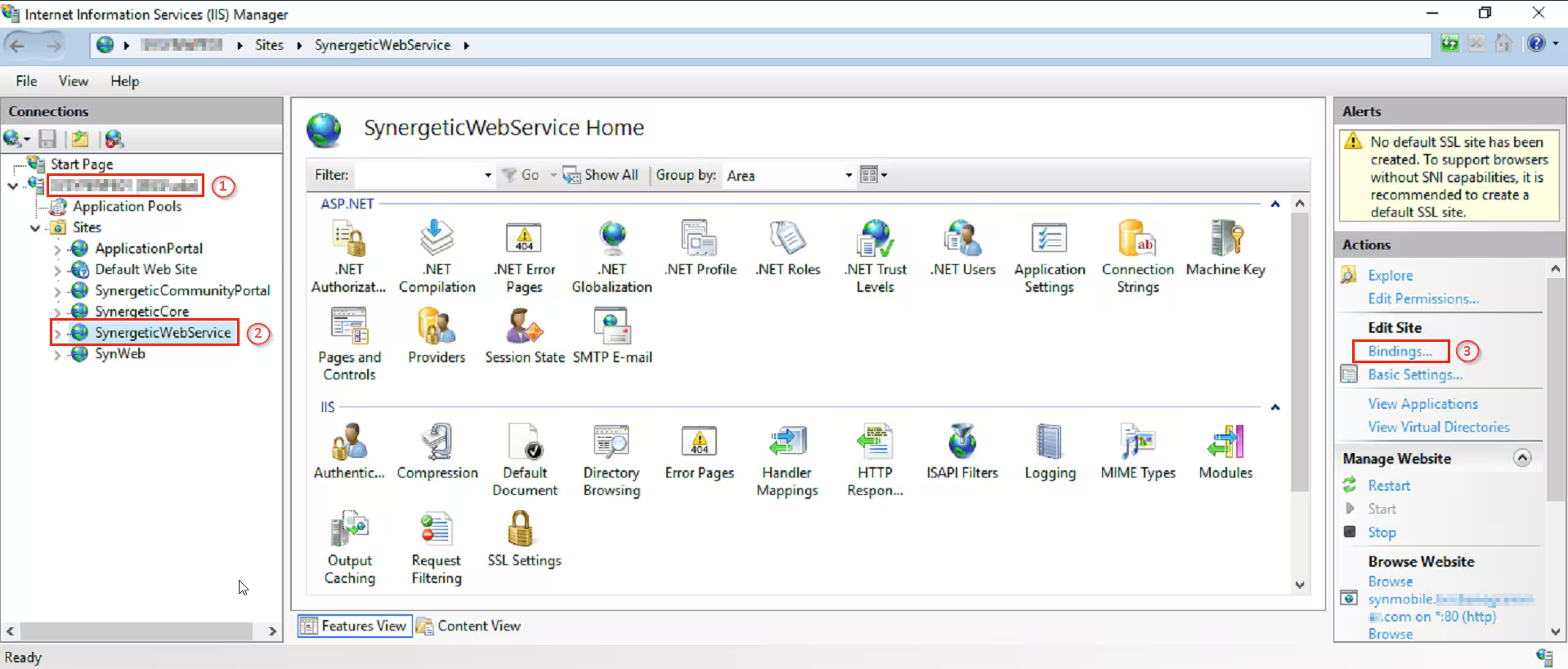
- In IIS → Select SynergeticWebService → Bindings
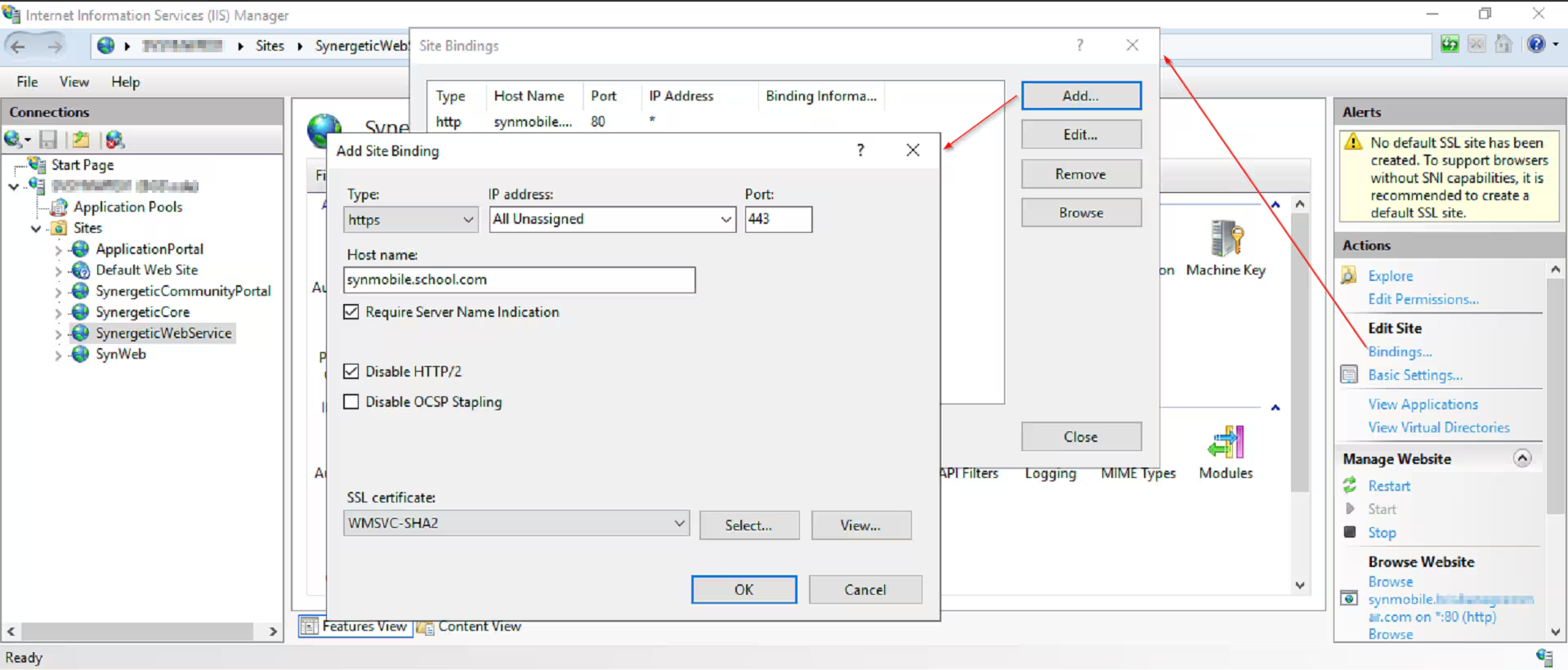
- Site Bindings → Add
- Add Site Binding
- Type - https
- IP address - All Unassigned
- Port - 443
- Host name - synmobile.school.com
- Require Server Name Indication - Tick
- Disable HTTP/2 - Tick
- SSL Certificate - Select from the Dropdown menu
- Click → OK
- Select 'http' binding and → Remove
- Test if you can access SynMobile URL externally by going to https://synmobile.school.com/synergeticwebservice.asmx?wsdl
- Contact Synergetic support and provide the new 'https' URL.
 Synergetic needs to update SynMobile licensing before app works with 'https'
Was this article helpful?
That’s Great!
Thank you for your feedback
Sorry! We couldn't be helpful
Thank you for your feedback
Feedback sent
We appreciate your effort and will try to fix the article