Summary
This KB article is a guide on how to link a Job Position to a Security Group
Method
How to create Job Positions
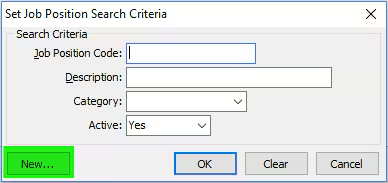
Go to HR > Job Position Maintenance
The Set Position Search Criteria window will appear
Click New
- Enter Job Position Code, Description
For more information on How to Create Job positions click the following link: Creating new job positions
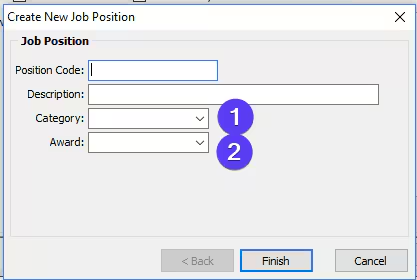
Select Category
1) Category drop down list
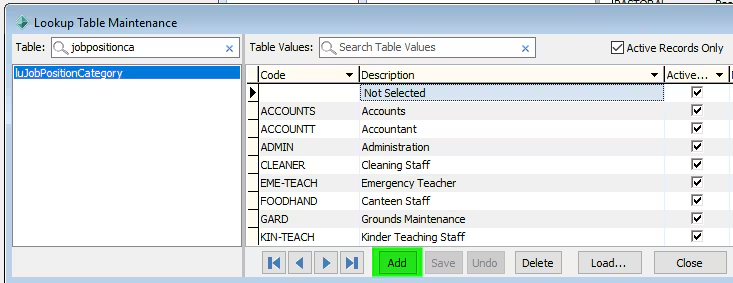
Go to System > Lookup Table Maintenance > luJobPositionCategory
Click Add
Enter Code and Description
Save
(For more information click: luJobPositionCategory lookup table)
Select Award
2) Award drop down list
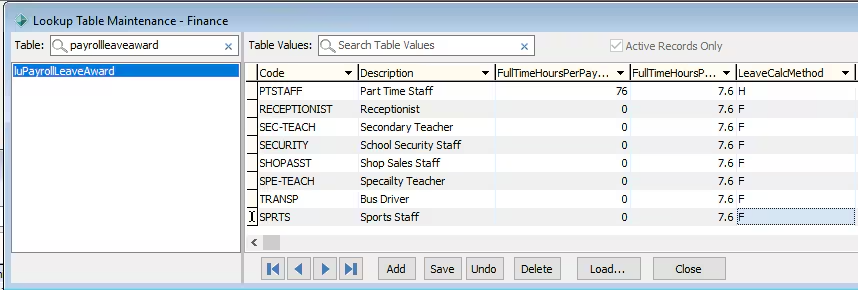
Go to System > Lookup Table Maintenance - Finance >luPayRollLeaveAward
Click Add
Enter Code, Description, FullTimeHoursPay and LeaveCalcMethod
Save
(For more information click on the link: luPayrollLeaveAward lookup table)
How to Create Security Groups
Creating Security Group
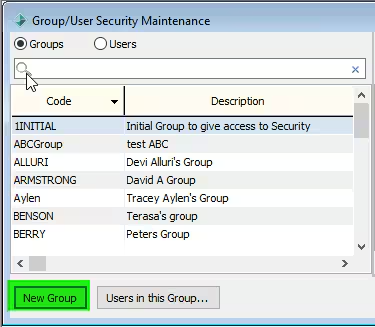
Go to System > Group User Security
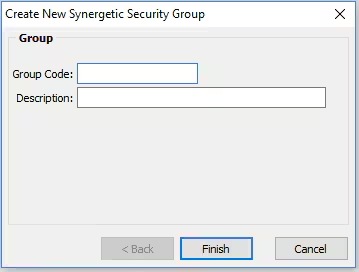
Click New Group
Enter Group Code and Description for the Security Group
Assign permissions relevant to the Group
(For more information click on the link: Group_User Security Maintenance - Groups View)
Linking Job Position to Security Group
Linking Job Position to Security Group
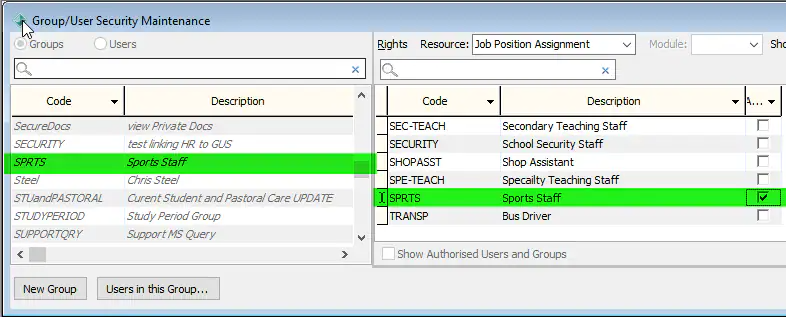
Select the Security Group that will be linked to a Job Position
Select Job Position Assignment in the Resource drop down
Click AssignClick Apply Updates
Assign a staff member to a Job Position
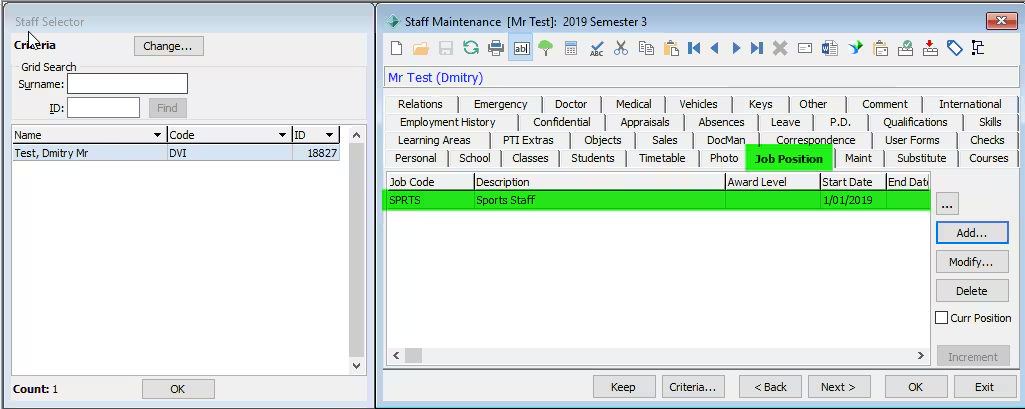
Go to HR > Staff Maintenance > Job Position tab
Click Add
Select the Job Position the staff member is being assigned to
Click OK
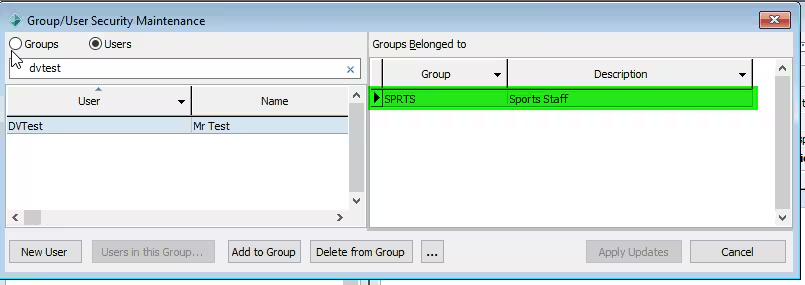
Check if User has been automatically added to Security Group
Was this article helpful?
That’s Great!
Thank you for your feedback
Sorry! We couldn't be helpful
Thank you for your feedback
Feedback sent
We appreciate your effort and will try to fix the article