There are times when a Future Student might accidentally get transfered from Future to Current, in those cases, they can be transferred back using the following steps:
- Go to Future > Future Student Maintenance and when the search box appears, tick the 'Archive Search' tick box
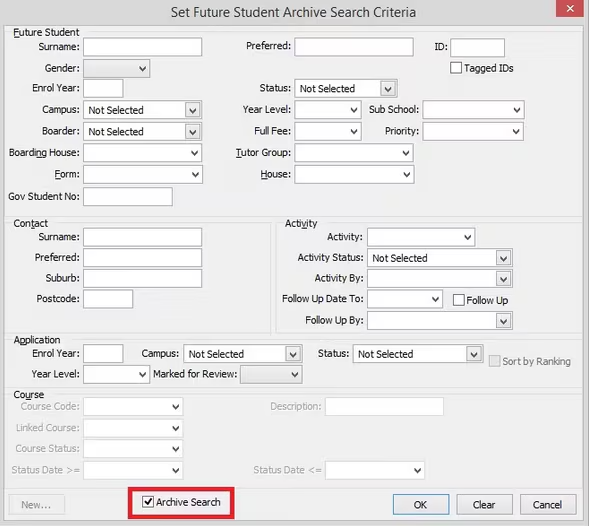
- With the Archive Search enabled, search for the student's ID
- once the record has been retrieved, go to the icon bar at the top of the Future Student Maintenance window and click the 'Transfer back to Future Students' button

- They should now be in Future Students.
- Go to Students > Current Student Maintenance and search for the Future student using their ID see if they still have a current record, if they do, they will need to be deleted by right clicking the record and selecting 'Delete'
- They should now only appear in Future Students and will be transferable to Current at a later date.
- If the student has classes assigned then first remove the classes from the student.
Was this article helpful?
That’s Great!
Thank you for your feedback
Sorry! We couldn't be helpful
Thank you for your feedback
Feedback sent
We appreciate your effort and will try to fix the article