Setting up next term / semester
- Go to Students > Create next Term Details
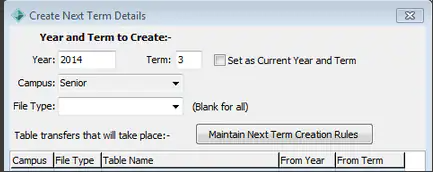
- Check details for the next term by selecting Maintain Next Term Creation Rules
- Once this is checked you can then select OK to create the next Term
Note: This can be done as many times as needed if details are missed.
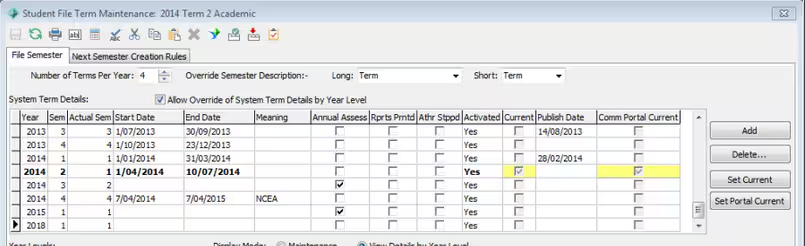
- Go to Students > File Term Maintenance
- Select the Start date for the next term and select 'Set Current'
- Go to Students > Timetable Maintenance > Calendar Events TAB
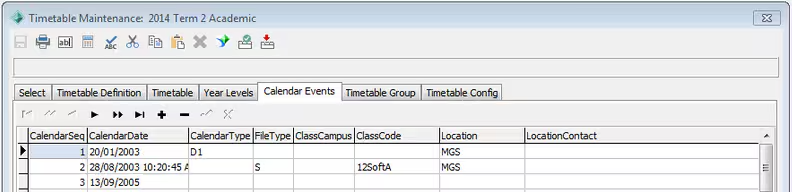
- In Calender Events set the first day of the holidays with a Calender Type D0
- You will then need to set the first day of next term as well.
- Use the + icon to create a new Calender entry
Was this article helpful?
That’s Great!
Thank you for your feedback
Sorry! We couldn't be helpful
Thank you for your feedback
Feedback sent
We appreciate your effort and will try to fix the article