TABLE OF CONTENTS
Summary
This article explains how to remove the blank lines from the Classes Tab in Student Maintenance
End Result
No blank lines will appear on the Classes Tab
Method
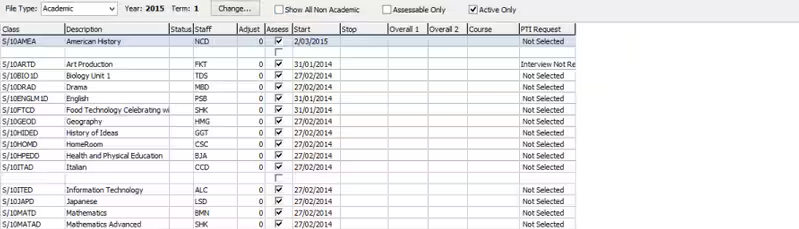
This is usually caused when classes have been deleted from the StudentClasses table.
This can be done by choosing clear current classes when importing the student classes or by the classes being deleted using the script below in SQL Server Management Studio.
To fix it run this script. Adjust the parameters as appropriate. This requires SQL Server Management skills
EXEC spuStudentClassSequence
@FileType = 'A',
@FileYear = 2022,
@FileSemester = 1,
Was this article helpful?
That’s Great!
Thank you for your feedback
Sorry! We couldn't be helpful
Thank you for your feedback
Feedback sent
We appreciate your effort and will try to fix the article