TABLE OF CONTENTS
- Inclusions
- Considerations
- To run the STATS Export
- Summary
- Interpreting the STATS export (How is it Calculated)
- Common Issues and how to troubleshoot
This help page covers the Non Government School STATS Collection. This collection occurs twice yearly usually July/August(Semester 1 Collection) and September/October(Term 3 Collection)
Refer the schools Hub page for all the official government documentation. This will include due dates, incuded student and attendance criteria.
The following Synergetic User Hub Page contains instructions to prepare and run the STATS Collection.
Import Export Student Data - STATS Tab
The Schools Hub STATS page contains a downloads section.
The Synergetic Export is compatible with the STATS Cohort Level Data Collection Tool.
The STATS Student Level Data Collection Tool is for manual entry only
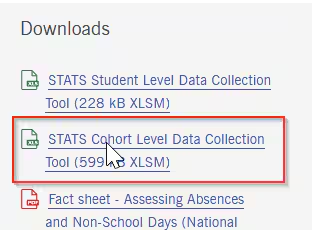
Download this tool to a local directory
Hint: You may need to unblock the Schools Hub Data Collection Tool as it contains macros
A potentially dangerous macro has been blocked - Microsoft Support 1
Inclusions
Included students:
- Full-time students at school location in Year 1 through to, and including, Year 10
- Any ungraded students in Special Schools who are in the typical age group for students in years 1 to 10
Note: Students enrolled full-time for only part of the reference period, but who ceased enrolment are included for the period they were enrolled at the school.
Excluded students:
- Foundation (Year 1 minus 1) and earlier programs
- Years 11 and 12
- Part-time students
- Distance education students
- Home schooled students
- Students no longer enrolled at the school or were expelled during the entire reference period.
- (from v71.6 and above) : Students with no Attendances for the Entire Reference Period Are Excluded
Considerations
Ensure year levels and gender are correctly mapped in Interface settings
In SynMain or SynWeb Select System -> Interface Settings
Select the AUSGOVSTATS interface setting
Navigate to 2020 -> Outbound-> LuGender
Ensure all required Genders are mapped to Male/Female or Other.
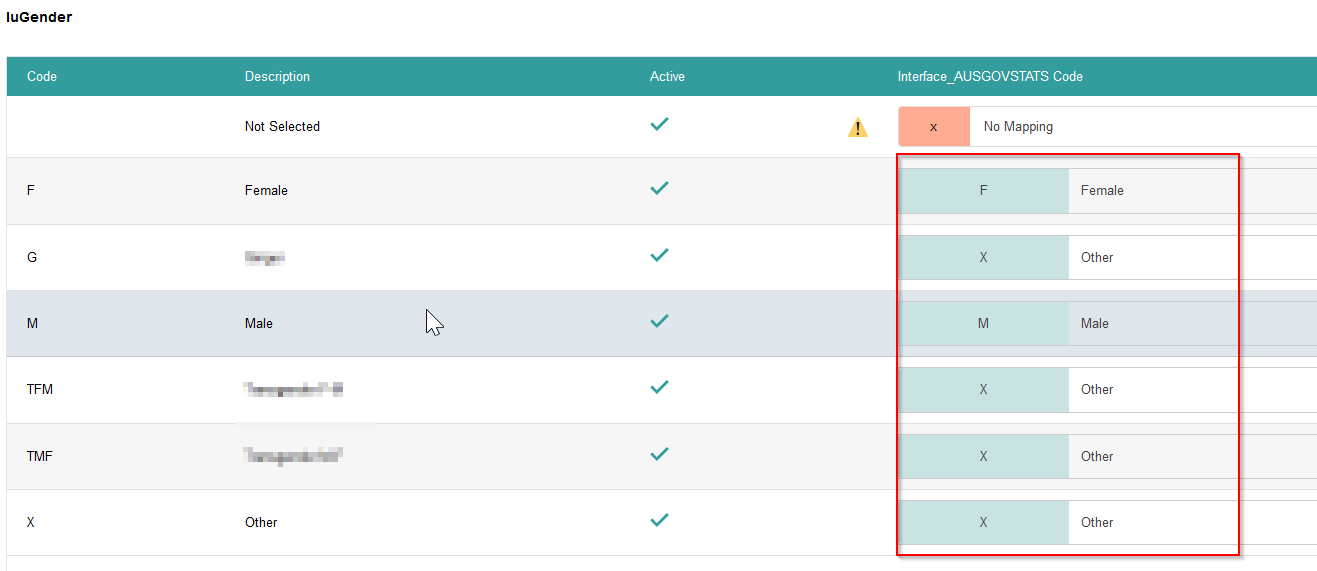
Navigate to 2020 -> Outbound-> LuYearlevel
Ensure all required Year levels are mapped
Any unmapped Year levels will receive this warning Icon. This is ok.
Note : Year Levels not required for this STATS export must remain unmapped (ie Prep/Year 11 and 12)
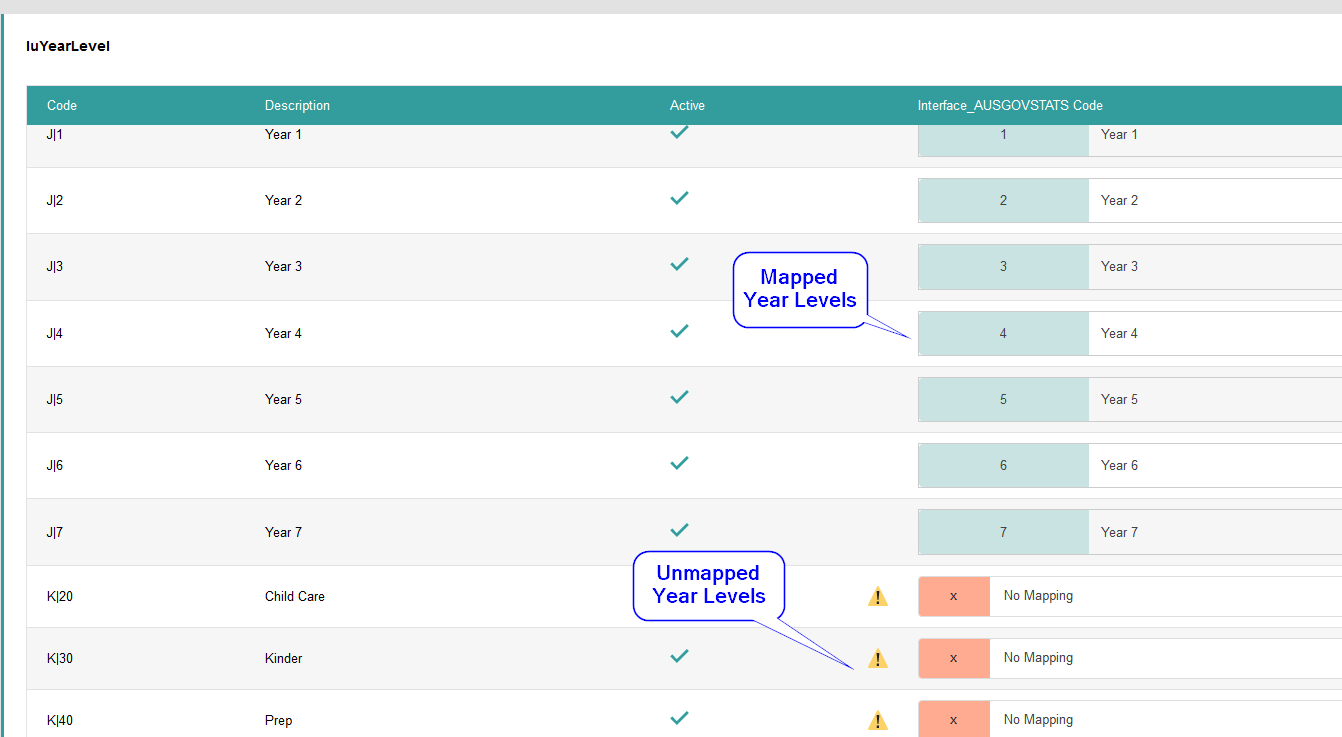
To run the STATS Export
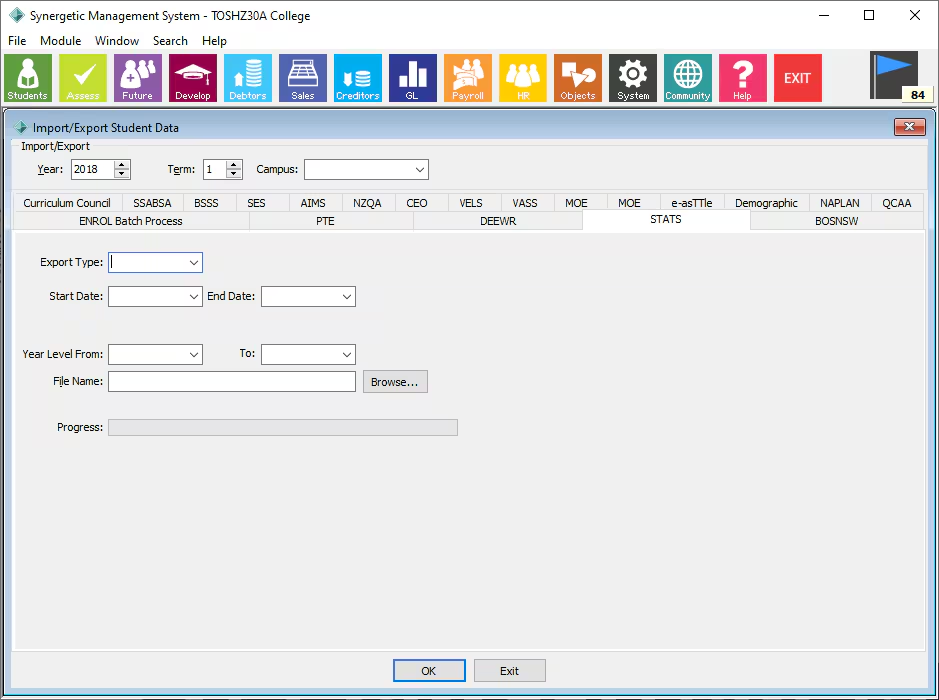
In SynMain Select Students > Student Data Import/Export... > STATS Tab
Select the correct Export type and Start/End Dates (from Schools Hub link)
Select From and To Year levels
Select Export File directory and name The current format is csv
Select [ok] to generate the export file
Open the STATS Cohort Level Data Collection Tool and ensure Macros are enabled
The Instruction Tab gives directions how to fill out this file.
The Locations List Tab is for manual entry - Enter all required Location and Contact fields.
The Cohort Data Tab - Copy paste the from the Synergetic Exported file.
The location AGEID field is extracted from the following System -> Configuration File maintenance field

Summary
This is a guide to set up, interpret and troubleshoot the STATS export.
Refer this help guide if theSTATS export contains no absences for any student
This is an example exported file.

Interpreting the STATS export (How is it Calculated)
- Collection - time period that the report is for (Semester 1 or Term 3)
- Year Levels - Year level included in report
- Gender - Gender included in report
- Indigenous Status - 'I' for Indigenous or T' for Total
- Enrollment Days - Total number of possible attendance days for the students in the relevant YearLevel / gender / Indigenous Status in the period selected
- Creates a list of students that fit Year Level / Gender criteria (ie Year 9 Males etc)
- For each student:
- If Entry Date (when student began study) > Start Date then student is a LATE ARRIVAL
- If Leaving Date (when student has left the school) < End Date then student is an EARLY LEAVER
- If Student has been enrolled from the Start Date to the End Date then Enrollment Days = School Days
- Enrollment Days for selected Year Level / Gender = Sum of Enrollment Days for each student in that group
- Attendance Days - Total number of actual attendance days for the students in the relevant YearLevel / gender / Indigenous Status in the period selected
- Student Count Under Ninety - Count of the total number of students in the relevant YearLevel / gender / Indigenous Status who attended under 90%
- Student Count Over Ninety - Count of the total number of students in the relevant YearLevel / gender / Indigenous Status who attended over 90%
- School Days Over Ninety - Count of the total number of school days in the relevant YearLevel / gender / Indigenous Status for students who attended over 90%
- School Days - Calculates number of days between Start Date and End Date selected for the Export not counting weekends / public holidays or school holidays (this is based on Timetable Maintenance > Calendar Events tab)
Common Issues and how to troubleshoot
Number of School Days is wrong
Select Students > Timetable Maintenance > Calendar Events - check to make sure all non schooldays, public holidays and beginning of school holidays are marked as DO.
Incorrect number of students included in export
All students that are not classified as EXTERNAL and are present for any part of the export period will be included in the export.
If students are boarders this does not count as EXTERNAL.
As a troubleshooting step check the Student ID's that appear in Additional Table 1 against ID's of Students expected to be in the export.
Was this article helpful?
That’s Great!
Thank you for your feedback
Sorry! We couldn't be helpful
Thank you for your feedback
Feedback sent
We appreciate your effort and will try to fix the article