TABLE OF CONTENTS
The Synergetic DEVELOP module - Communication Maintenance has the ability to send communications to community members. Communications can be sent by email or SMS
This help page contains tips in querying and searching for sent communications.
Sending a communication is a 2 step process.
Communications can be sent, updated and resent multiple times (ie a cyclic/monthly newsletter) so the communication remains open.
Communications can also be Archived (Marked As Sent)
To complete a communication select the [Mark As Sent] Button and confirm.
A Date communication sent is stored and the Communication Sent Box will be checked.
Those communications will still remain visible in the search criteria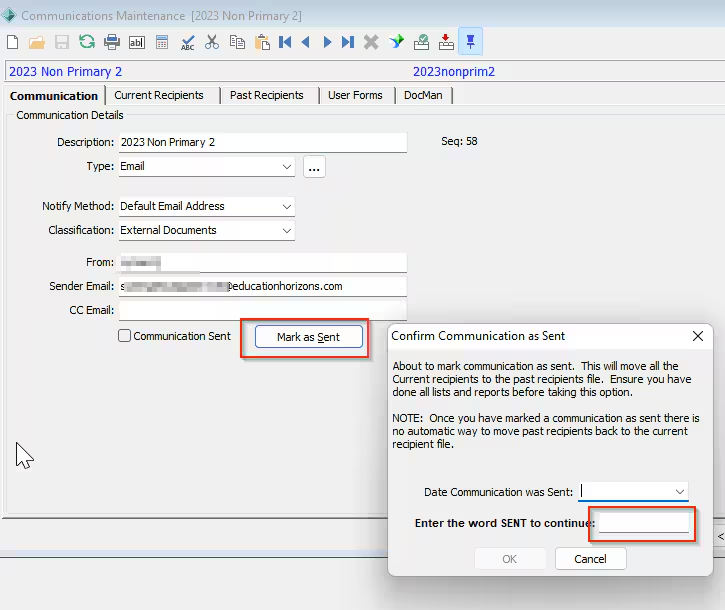
1 - Crystal Report
Once a communication has been sent but NOT [Marked as Sent] the following Crystal Report can be run:
COMCMC - Current Communications List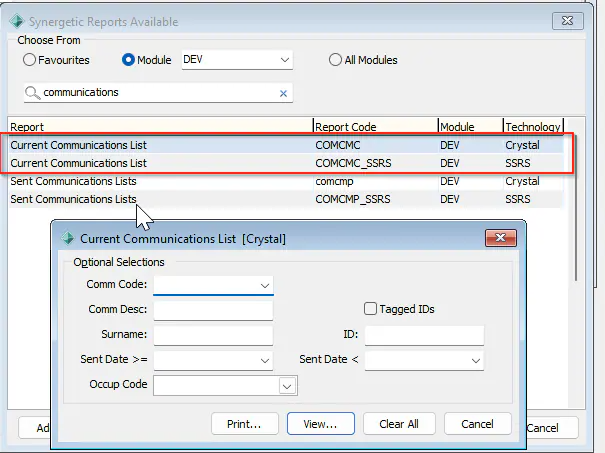 If a
If a
communication has been [Marked As Sent] then the following Crystal Report can be run:
comcmp - Sent Communications List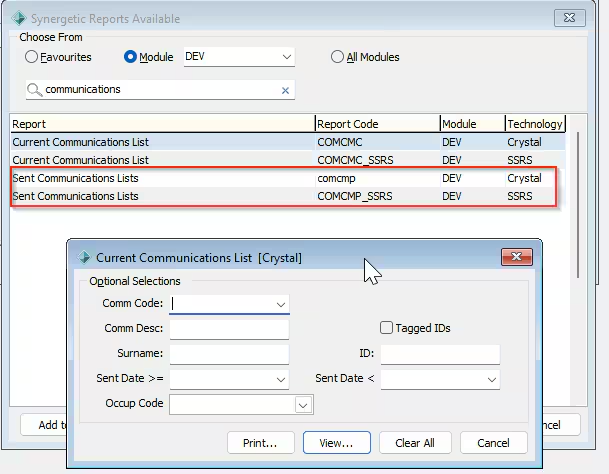
2 - Database Query
Once a communication has been sent but NOT [Marked as Sent] the the following query can be used (adjust accordingly a date range may be more applicable)
-- for a date range use communicationsentdate if applicable
select * from dbo.vCommunicationsCurrent where communicationcode = 'InsertCommunicationCodeHere'
--OR
select * from dbo.communitycommunicationscurrent where communicationcode = 'InsertCommunicationCodeHere'
If a communication has been [Marked As Sent] then the Communication records will move from the dbo.communitycommunicationscurrent table to the dbo.communitycommunications table
To extract a list of recipients run the following query.
-- for a date range use communicationsentdate if applicable
select * from dbo.vCommunicationsPast where communicationcode = 'InsertCommunicationCodeHere'
--OR
select * from dbo.communitycommunications where communicationcode = 'InsertCommunicationCodeHere'
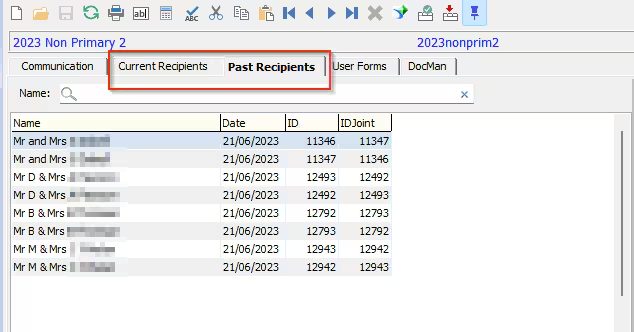
Recipients will also move from the Current Recipients to the Past Recipients tab
Considerations :
You can also revert a communication from [Sent] to [Mark as Sent]
The records will REMAIN in the dbo.communitycommunications table
The view vCommunicationsCurrentandPast contains all communication codes marked as SENT or Not SENT
The table
Was this article helpful?
That’s Great!
Thank you for your feedback
Sorry! We couldn't be helpful
Thank you for your feedback
Feedback sent
We appreciate your effort and will try to fix the article