Once the Synergetic steps are completed (see Process Payday Filing documentation and its sub-pages) the school would take the saved export file and upload it to the ird.govt.nz site.
The IRD site would check that the contents of the export conform to current IRD rules and would either upload and complete or come back with errors that require attention (with a code/message as to what test it failed).
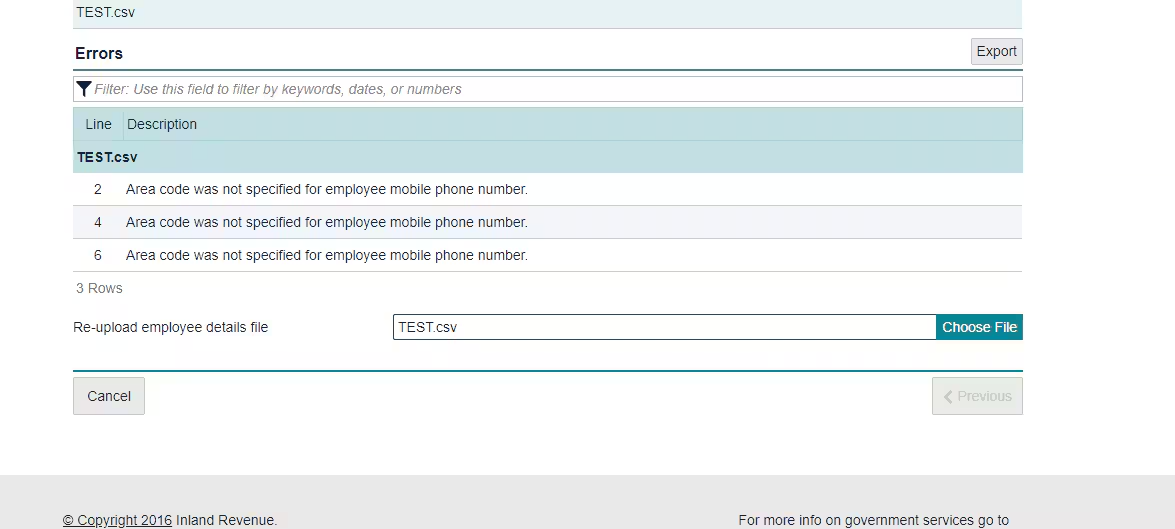
If an error is found the school would need to go back into Synergetic and edit the pay or employee details to correct the cause, likely needing to restore updated payroll.
Once corrected the school can then re-export the payday filing and upload it to the IRD site where it should not get any more error messages. If the uploaded file has another error, then repeat this process.
Was this article helpful?
That’s Great!
Thank you for your feedback
Sorry! We couldn't be helpful
Thank you for your feedback
Feedback sent
We appreciate your effort and will try to fix the article