Note: Deleting a BAS posting after you have submitted it to the tax office is not recommended, so ensure that your figures are correct. If you have already processed the BAS and you need to make changes then these must be made as adjustments in the next period. Also, after the posting has been created you cannot post any entries that would have an effect the BAS during that period.
To create the BAS:
- Select Module > General Ledger > Business Activity Statement
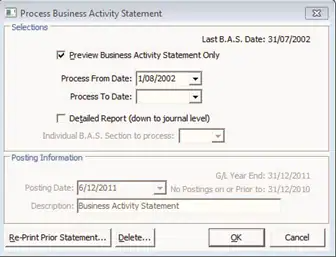
- The Process Business Activity Statement window is displayed
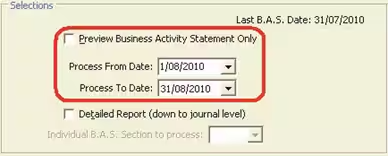
- Clear Preview Business Activity Statement Only
- Enter the date range that matches your BAS reporting period
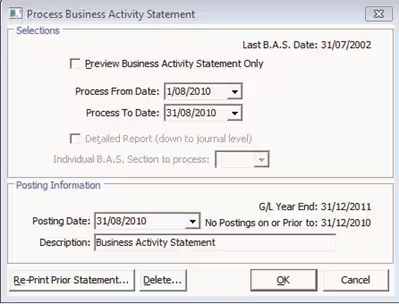
- Enter a description for the posting
- Click OK
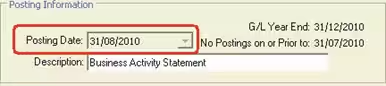
- The posting date is automatically set to the Process to Date, which is the end of the month being processed
- Click to confirm that you want to process the BAS
- A posting is created that transfers the amount from the tax on income, tax on expense and withholding tax accounts to the tax control account
- After generating the BAS you get a General Ledger Journals - Close Off printout
All journals that make up the BAS are given a BAS posting number and the posting has a source of GENBAS
Was this article helpful?
That’s Great!
Thank you for your feedback
Sorry! We couldn't be helpful
Thank you for your feedback
Feedback sent
We appreciate your effort and will try to fix the article