TABLE OF CONTENTS
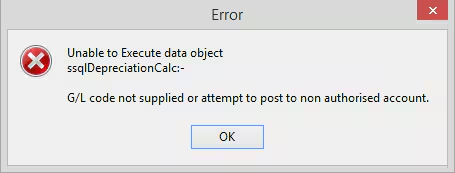
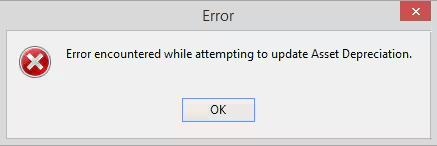
Error
Cause
This error can be caused by two different scenarios:
It is commonly caused by an Asset Definition without an applicable G/L code entered into the Asset Definitions Maintenance > General (Tab) under the following fields:
- G/L Deprec'n
- G/L Accrued Dep'n
- G/L Profit/Loss
It can also be caused by an asset that has been setup with a 'Private Rate' without the necessary G/L code entered into the Asset Definitions Maintenance > General (Tab) under the following field:
- G/L Private Use
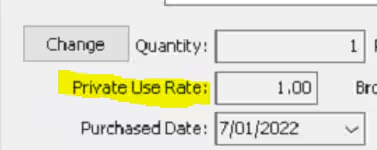
If you can't find which asset has a private use rate after looking you can create a support ticket to assist with that.
This can also be caused by permissions to the GL not being adequate. If you have a G/L listed in the asset definitions that you do not have permissions to, this error will also appear.
Resolution
Lack of G/L Codes
In the first scenario where no Private Use Rate is set, it is likely that one or more Asset Definitions will not contain the necessary G/L Codes. These will have to be added by going to Asset Definition in GL > Asset Definitions Maintenance > General (Tab) and changing the following G/L Codes:
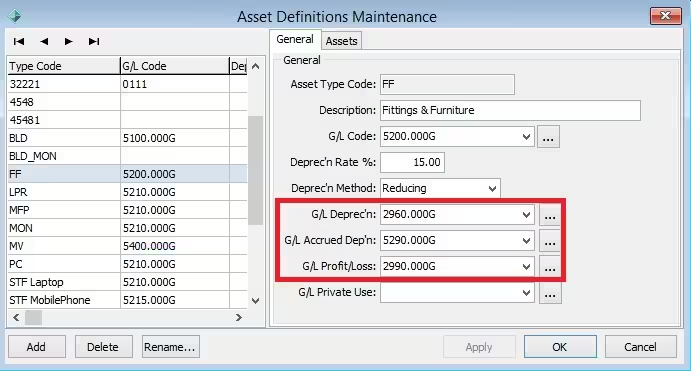
Once G/L Codes are set here, the error should no longer appear.
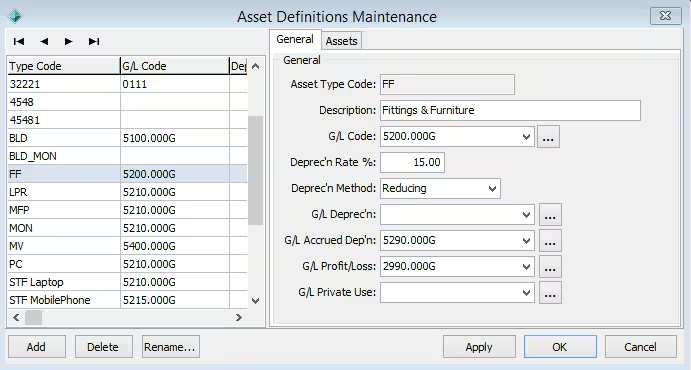
The Above example will cause the error
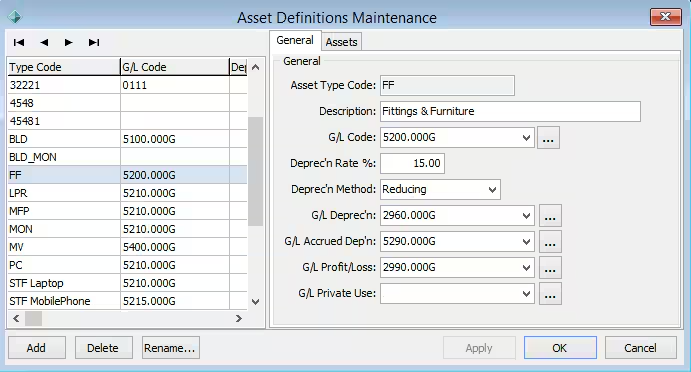
The above example will not cause the error
If there are a lot of asset definitions, you can use the following query to find any currently active/in-use Asset Definitions that do not have an associated G/L Code.
Was this article helpful?
That’s Great!
Thank you for your feedback
Sorry! We couldn't be helpful
Thank you for your feedback
Feedback sent
We appreciate your effort and will try to fix the article