TABLE OF CONTENTS
Summary
This article explains how to set up Transport Charges and link them to students and the relevant fee codes.
Method
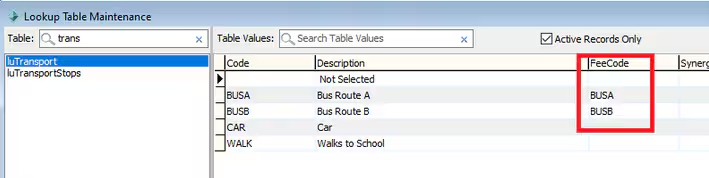
In System > Lookup Table Maintenance > luTransport - set up the Transport code and insert the corresponding Fee Code
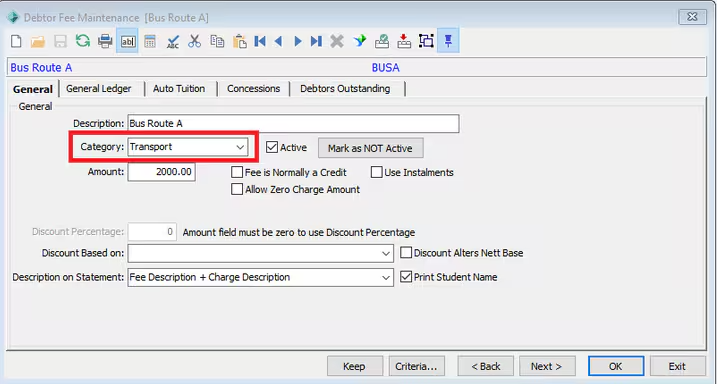
The go to Debtors > Fee Code Maintenance - Ensure the Category for the Transport fee code is set to Transport
Auto Tuition
Do not fill in the Auto Tuition Tab as the amount / Factor will vary for each debtor
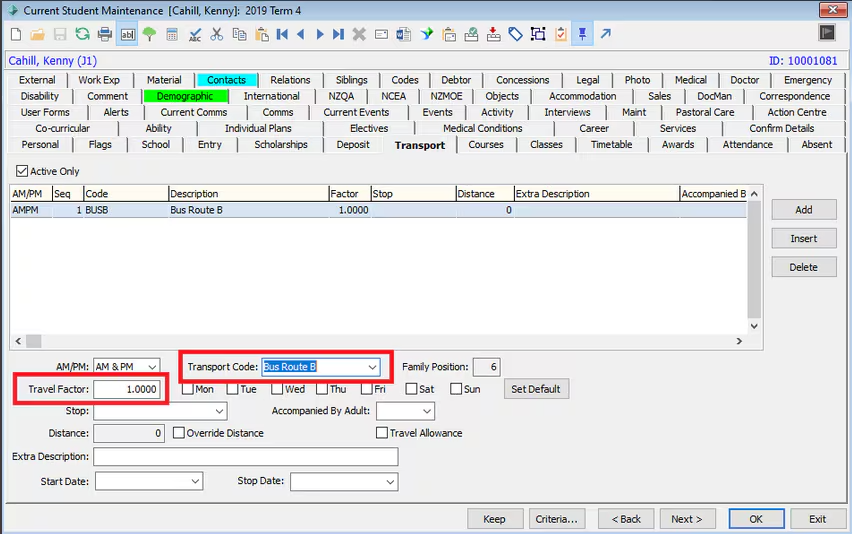
In Current Student Maintenance > Transport TAB - The Factor and Transport Code need to be entered
Only the Factor and Transport Code Fields are required for billing. Other fields are optional.
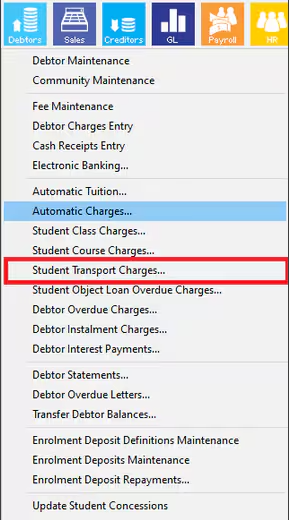
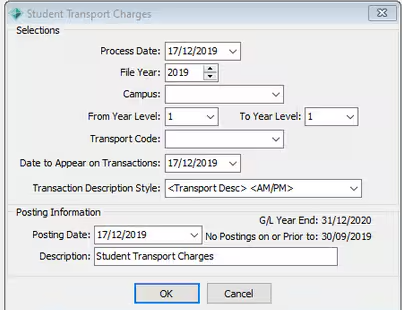
To run the Transport Charge go to Debtors > Student Transport Charges
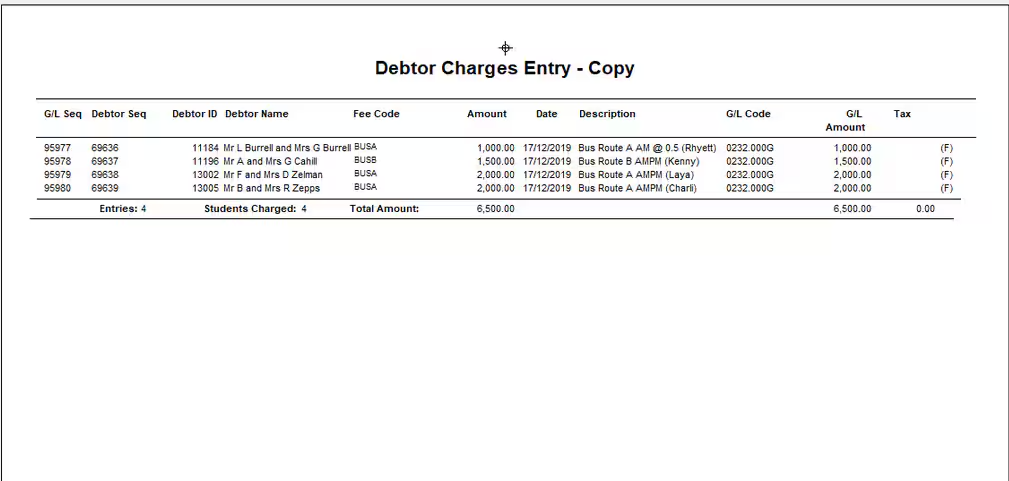
You can then go to Debtor Charges Entry > Past postings and preview the charges that have been processed
Considerations
If using Auto Tuition run this first then run the transport charges and finally run the statements. This will display the tuition and then transport in order on the statement. If for any reason you need the transport to display on a statement BEFORE the tuition then run Transport charges first.
Was this article helpful?
That’s Great!
Thank you for your feedback
Sorry! We couldn't be helpful
Thank you for your feedback
Feedback sent
We appreciate your effort and will try to fix the article